Logi Bolt USB Receiver, Logi Bolt USB receiver, Logi Bolt-USB-ontvanger
Material
Aluminium, Plastic
Recommended usage
Office, Universal
On/off switch
✓
Bluetooth Low Energy (BLE)
✓
Backlight
✓
Connectivity technology
Wireless
Backlight colour
White
Product colour
Graphite
Wrist rest
✓
Keyboard layout
AZERTY
Programmable hot keys
✓
Numeric keypad
✓
Scroll
✓
Hot keys
✓
Wireless range
10 m
Pointing device
No
Key travel distance
1.80 mm
Button functions
Forward
Frequency band
2.4 GHz
Keyboard language
French
Movement detection technology
Laser
Movement resolution
8000 DPI
Surface coloration
Monochromatic
Backlight type
LED
Device interface
RF Wireless + Bluetooth
Keyboard key switch
Scissor key switch
Packaging data
Package type
Box
Package weight
1560 g
Package height
58 mm
Package depth
138.50 mm
Package width
173.50 mm
Weight & dimensions
Package weight
1.56 kg
Keyboard dimensions (WxDxH)
430.20 x 131.63 x 20.50 mm
Receiver dimensions (WxDxH)
14.40 x 6.60 x 18.40 mm
Cable length
1.30 m
Receiver weight
2 g
Keyboard weight
810 g
Mouse weight
141 g
Display
Adjustable backlight
✓
Power
Battery technology
Lithium Polymer (LiPo)
Power source type
Battery
Rechargeable
✓
Charging source
USB Type-C
Keyboard battery type
Built-in battery
Performance
Multi-device support
✓
System requirements
Mac operating systems supported
Mac OS X 10.10 Yosemite, Mac OS X 10.11 El Capitan, Mac OS X 10.12 Sierra, Mac OS X 10.13 High Sierra, Mac OS X 10.14 Mojave, Mac OS X 10.15 Catalina, Mac OS X 10.15.3 Catalina, Mac OS X 10.5 Leopard, Mac OS X 10.6 Snow Leopard, Mac OS X 10.7 Lion, Mac OS X 10.7.5 Lion, Mac OS X 10.8 Mountain Lion, Mac OS X 10.9 Mavericks, Mac OS X 11.0 Big Sur, Mac OS X 12.0 Monterey, Mac OS X 13.0 Ventura
Keyboard
Logi Bolt USB receiver
USB-C charging cable (USB-A to USB-C)
User documentation
User guide
✓
Cables included
USB Type-A - USB Type-C, USB Type-C
Downloadable software
Logi Options+
Mouse included
✗
Wireless receiver interface
USB Type-A
Receiver included
✓
Ports & interfaces
USB 3.2 Gen 1 (3.1 Gen 1) Type-C ports quantity
1
Technical details
Sustainability certificates
CarbonNeutral, Forest Stewardship Council (FSC)
Detachable cable
✓
Keyboard
Actuation force
60 g
Multimedia keys
✓
Silent keys
✓
Keyboard key profile
Low-profile
Keyboard keys operating life
10 million characters
Battery
Battery capacity
1500 mAh
Receiver
Receiver type
Nano receiver
Mouse
Mouse on/off switch
✓
Number of batteries (mouse)
1
Mouse battery capacity
500 mAh
Mouse battery technology
Lithium Polymer (LiPo)
Mouse battery type
Built-in battery
Buttons type
Pressed buttons
Hyper-fast scrolling
✓
Tilting scroll
✓
Scrolling directions
Vertical/Horizontal
Number of scroll wheels
2
Scroll type
Wheel
Product Details
MASTERED FOR MAC
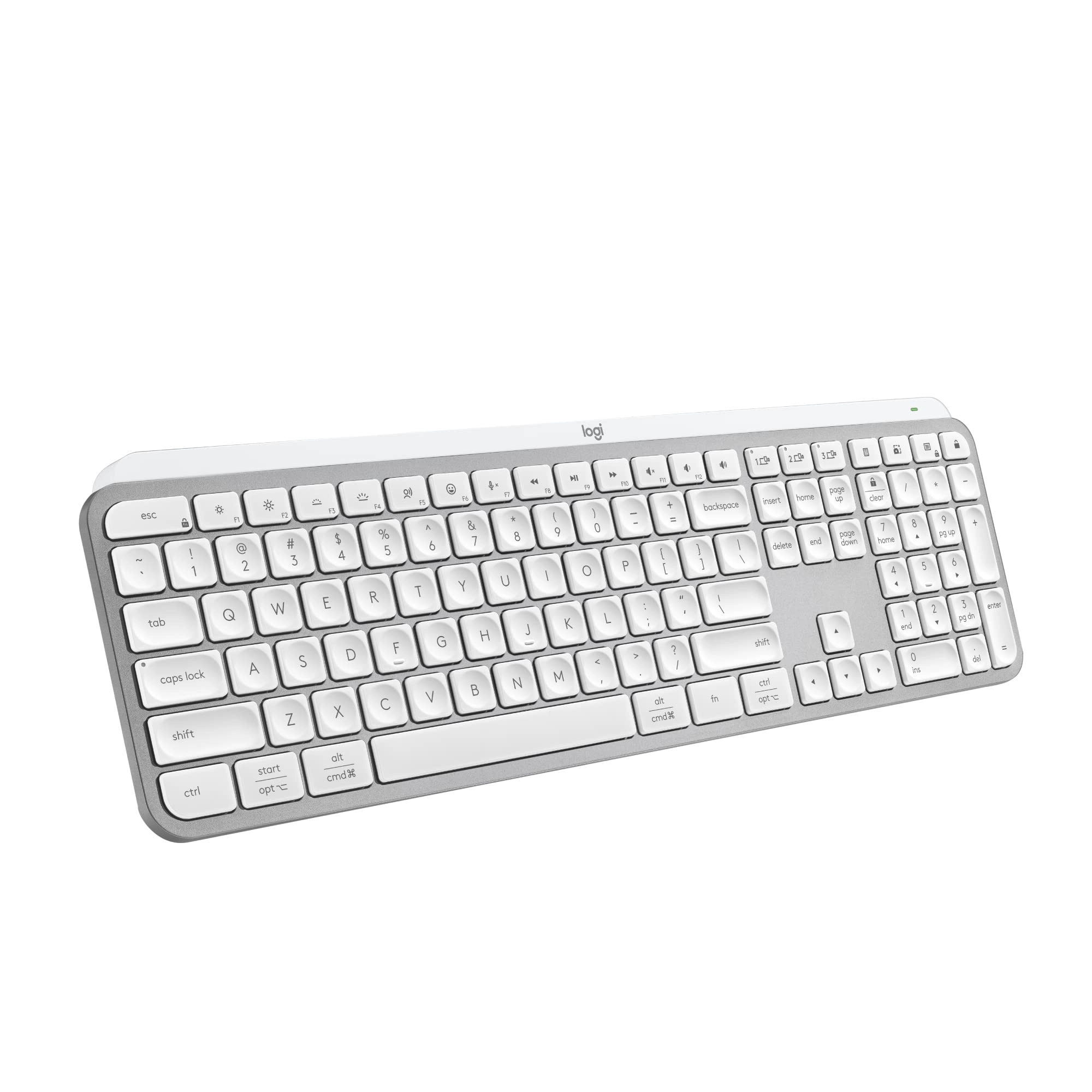
Introducing MX Keys for Mac – designed to work seamlessly on your Mac and iPad. Finished in Space Gray, MX Keys for Mac is crafted for efficiency, stability, and precision – with backlit keys that adjust to changing lighting conditions.
PERFECT STROKE KEYS. MAC LAYOUT.
Spherically dished keys are crafted for the shape of your fingertips – and feature Mac-only laser key printing.
Rounded key edges provide satisfying feedback — no matter where you strike the key. And matte coating has been applied to every key so your fingers glide effortlessly over the surface.
COMFORT, STABILITY, MINIMALISM
Confidently type on a keyboard crafted for comfort, precision, and remarkable stability. The aesthetic minimalism and timeless construction fits perfectly in your Mac setup – all while looking, and feeling, superior.
SMART ILLUMINATION. MADE SMARTER.
Proximity sensors detect your hands, illuminating the keyboard the moment your fingers approach. The backlit keys then fade off when you leave the desk — saving power for those moments of inspiration. Backlighting intensity automatically adapts to lighting conditions, or can be set manually.
MULTIPLE COMPUTERS, ONE FLOW
MX Keys follows your MX Master 3 for Mac from one Mac to another, meaning you can type on multiple devices in one fluid workflow.
Transfer files, documents, and images across computers and Mac and Windows® operating systems.
USB-C TO USB-C CHARGING
A USB-C to USB-C charging cable tops up the power on your MX Keys for Mac – and connects directly to your Mac without the need of a clunky dongle.
MX Keys for Mac stays powered up to 10 days on a full charge – or up to 5 months with backlighting turned off.
SPACE GRAY FINISH
MX Keys for Mac is finished in Space Gray – meaning its look fits in perfectly with your Mac ecosystem.
EASY-SWITCH ENABLED
Pair your keyboard with up to three devices and switch between them with the press of an Easy-Switch™ button. Use one MX Keys for your laptop, desktop or tablet.
ATTENTION: FILEVAULT
FileVault is an encryption system available on some Mac computers. When enabled, it might prevent Bluetooth® devices from connecting with your computer if you have not yet logged in. If you have FileVault enabled, we recommend using the provided USB receiver to use your keyboard.
RESPONSIBLE PACKAGING
All of the paper-based packaging for MX Keys for Mac is FSC™-certified and made from a mix of materials from FSC-certified forests, recycled materials, and other controlled sources. We used 97% less plastic resulting in a 64% reduction in the carbon footprint of the packaging, compared to the previous model.