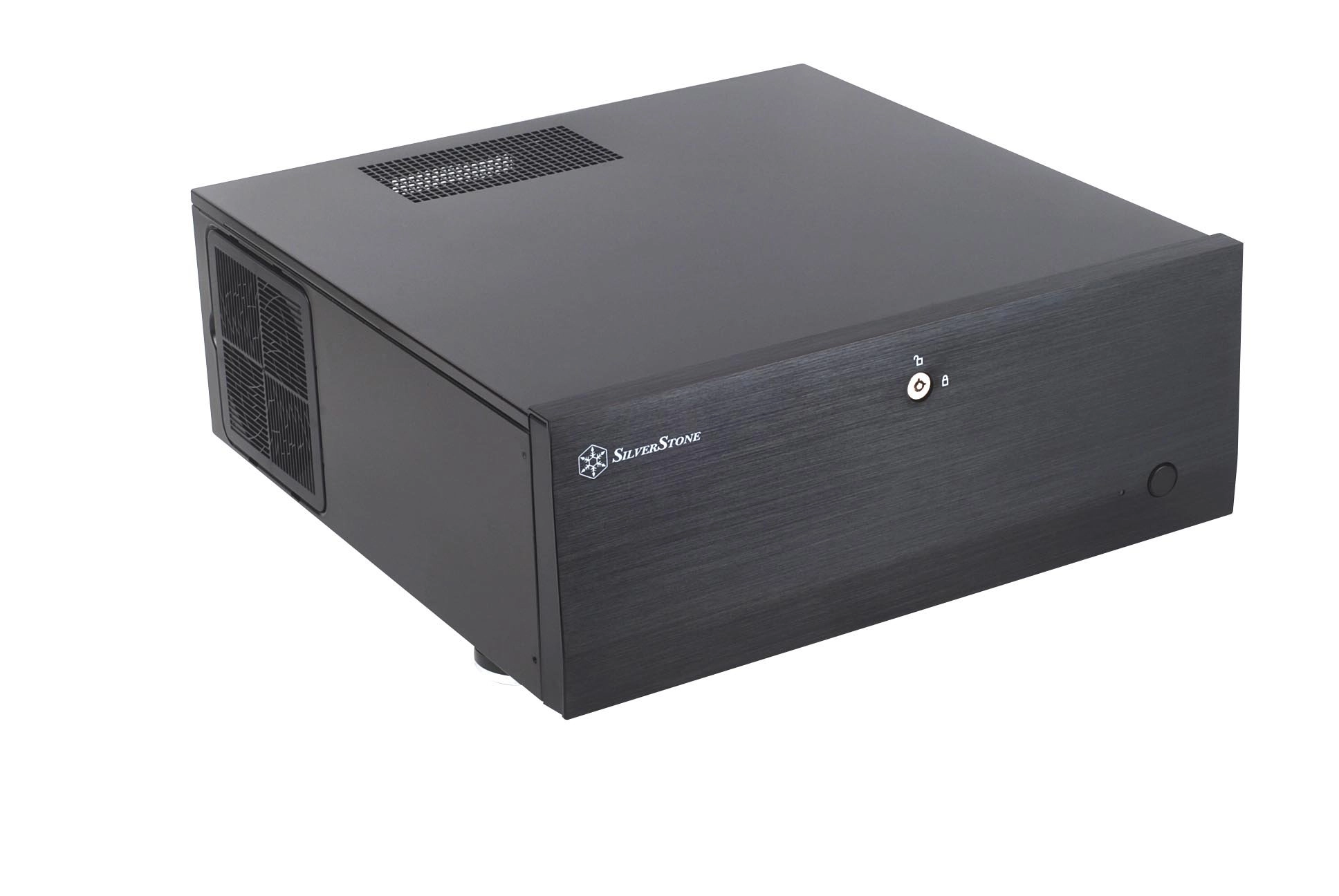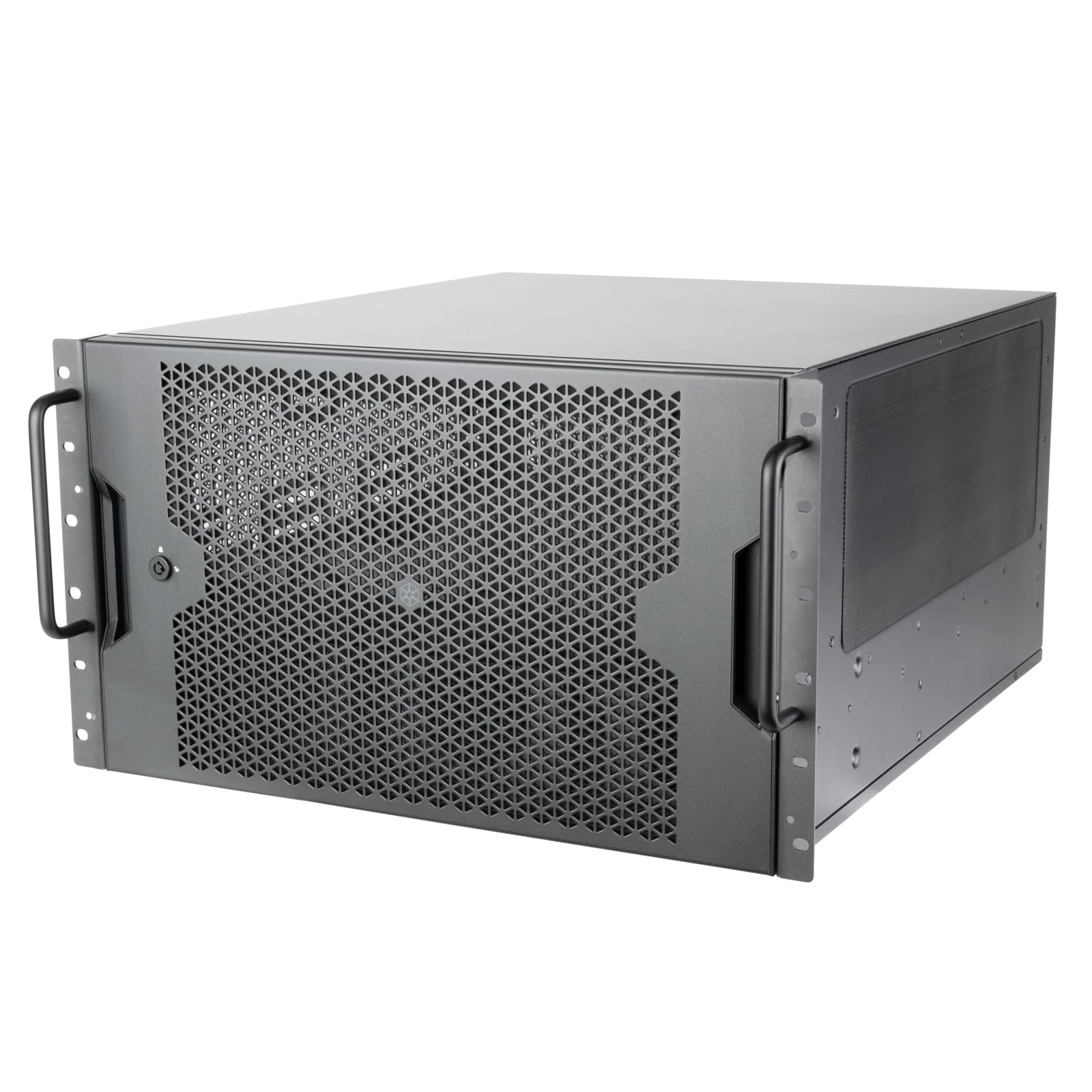
Silverstone SST-GD08B - Tower
Best offer
AED
1 43500
AED
1 72700
-16%
Key Features
- Weight: 7000g
- Material: Aluminium
Specifications
Features
Material
Aluminium
Weight & dimensions
Weight
7000 g
Product Details
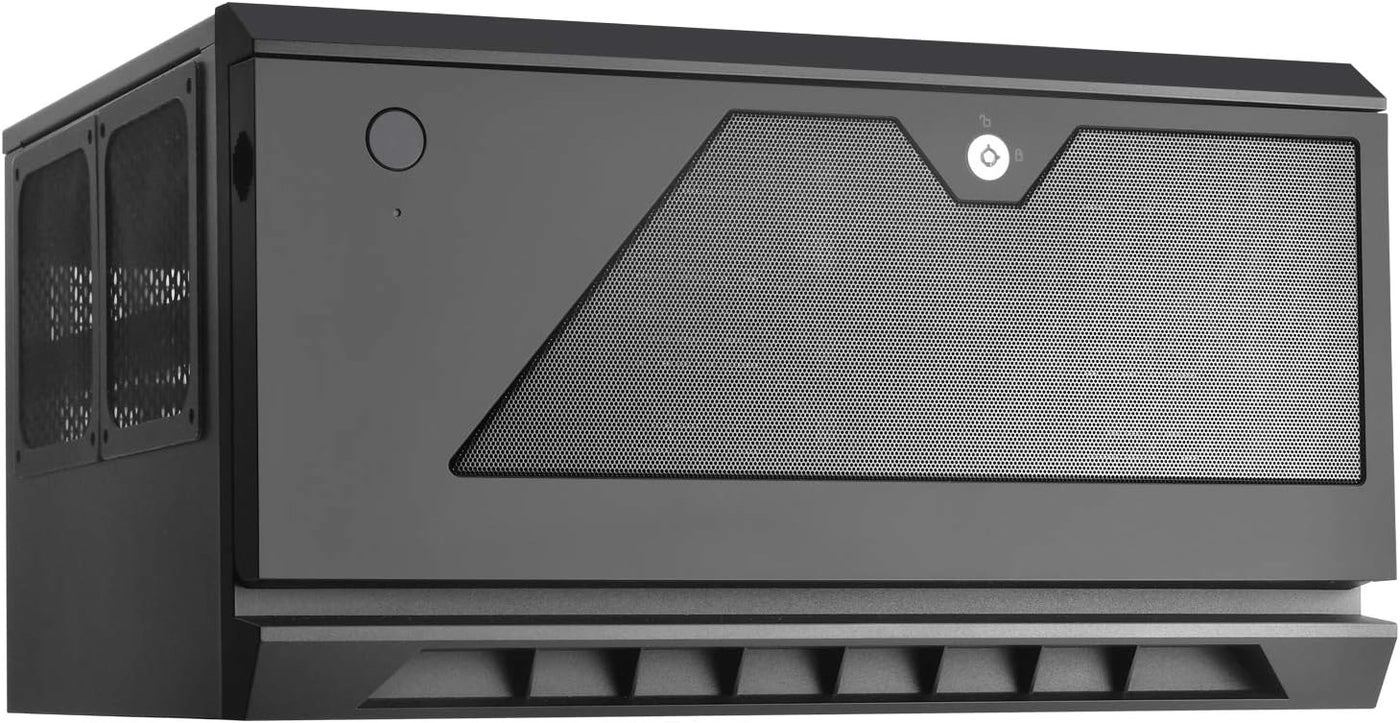
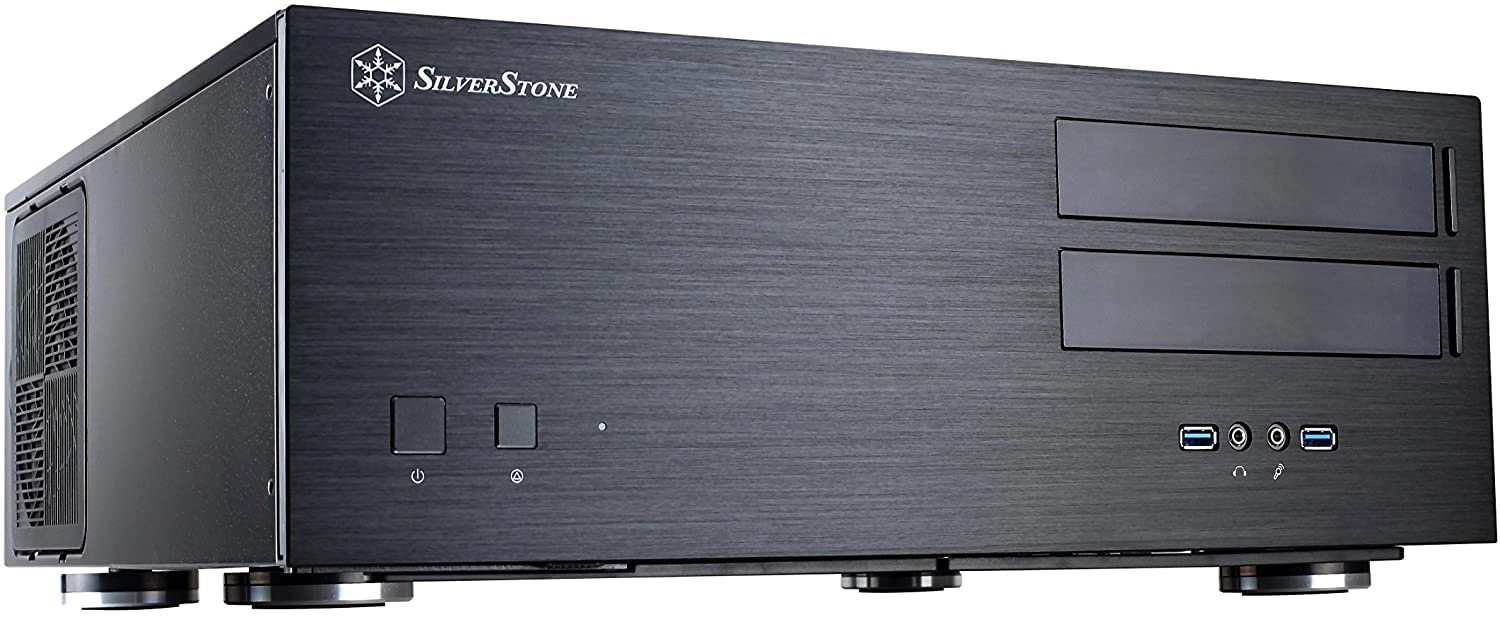
The introduction of Grandia GD07 and GD08 cases from SilverStone
ushers in a new era of home theater computing like never before.
For the first time, the power and storage capacity of a server
can now be neatly stowed beautifully and quietly in a home
theater environment. Completely reengineered to fully utilize all
available spaces, the Grandia GD08 can accommodate an incredible
amount of drives (up to twelve) and high-end components (graphics
cards up to 13.6 inches long) with minimal sacrifices. It is even
possible to fit SSI EEB (12” x 13”) extended ATX motherboards in
the GD07 despite maintaining an exterior dimension similar to
SilverStone’s previous generation full-size HTPC cases. With a
wealth of lessons learned from building the best performing tower
cases in the last several years, SilverStone engineers upgraded
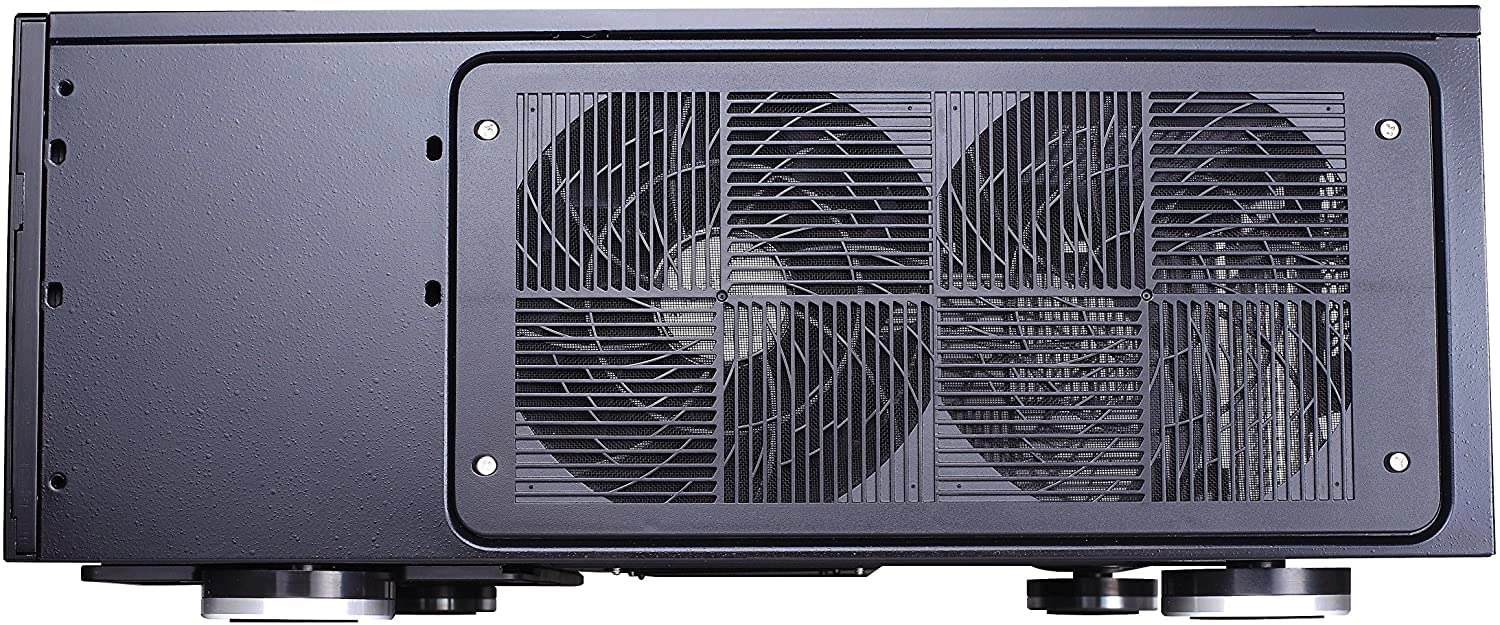
GD08’s cooling performance tremendously with up to five 120mm fan
options. And to make sure owners can easily maintain their cases’
cooling ability over time with the lowest noise possible, custom
designed removable filters surround the case for positive
pressure to work effectively and quietly. To complement the
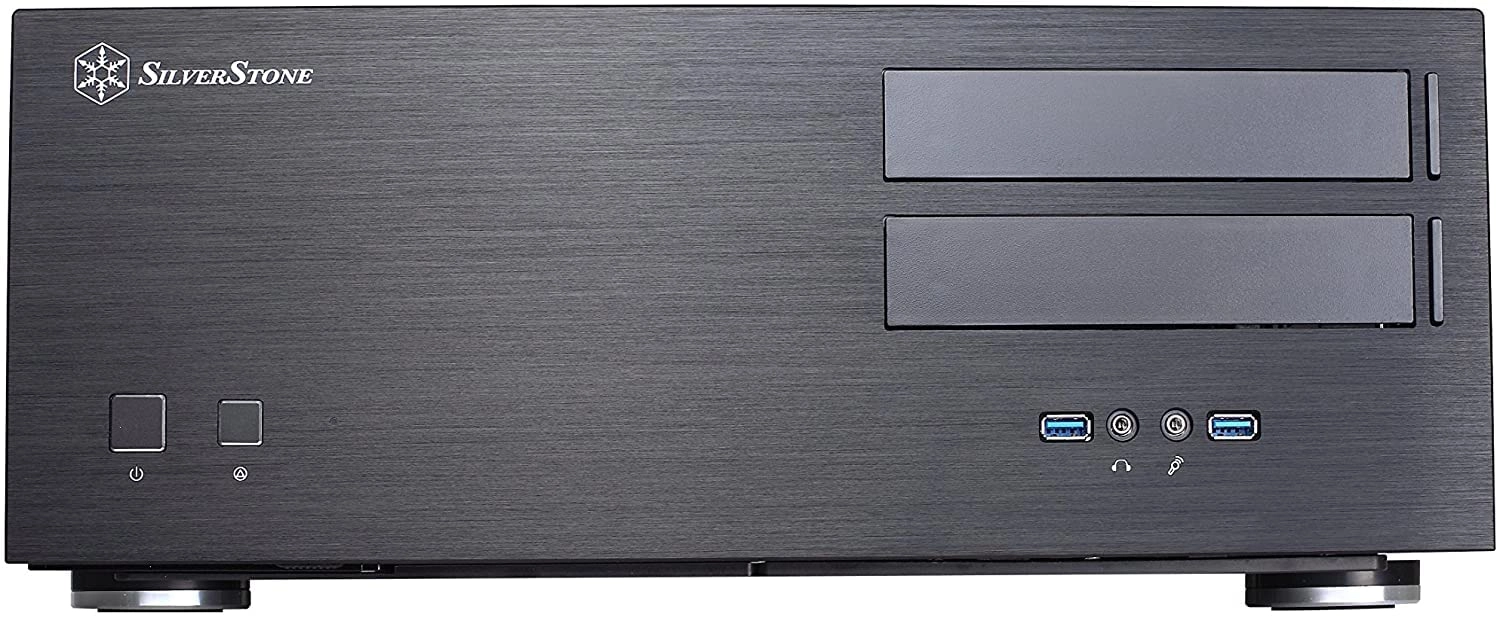
tremendous new design, the GD08 is built with the thickest
aluminum front panel of any SilverStone case with a styling that
pays homage to the most popular HTPC case ever made, the Lascala
LC17. For HTPC enthusiasts all over the world, this case is truly
a dream come true! SPECIAL FEATURES Positive air pressure design
for excellent cooling/quietness and dust-prevention Support
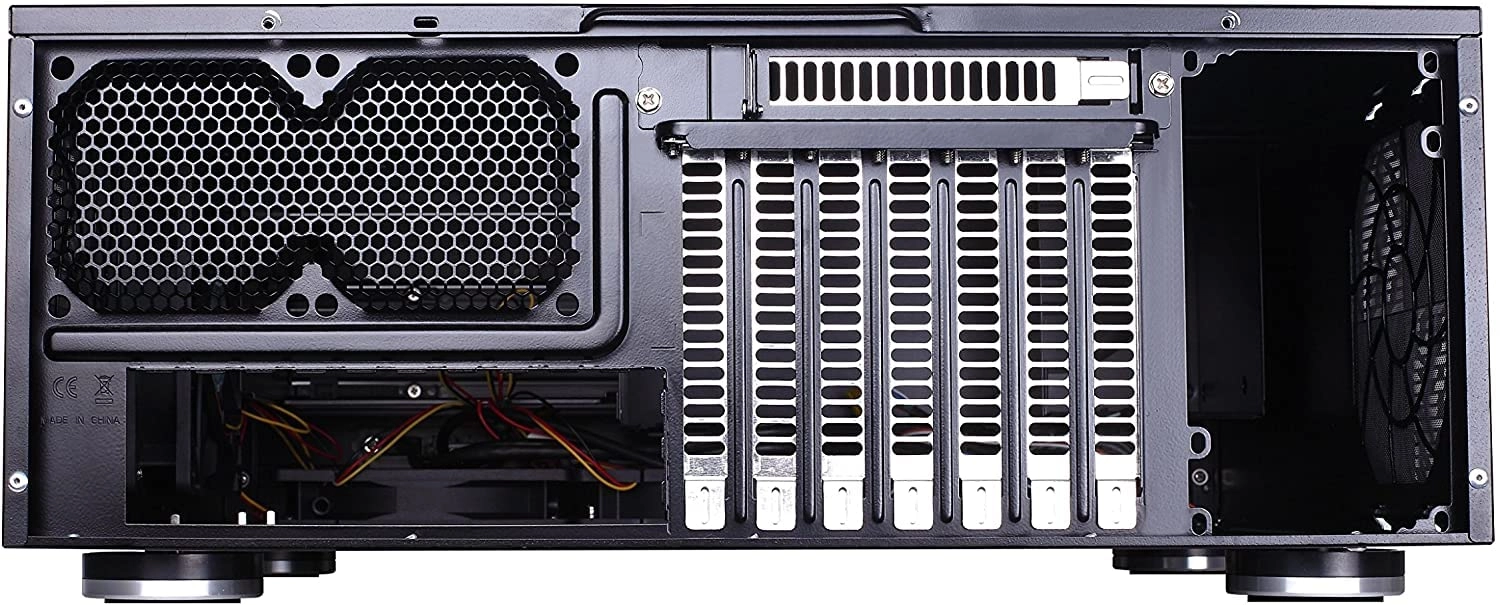
expansion cards up to 13.6 inches Supports Extended ATX
motherboard Quick access filters to prevent dust buildup Aluminum
front panel with premium styling LED indicator with adjustable
brightness Impressive storage capacity of up to twelve drive bays
Review: Roomy, easy to work on, quiet and includes fans - best
case I've worked on! - I tend to build a fair few computers for
myself and others so I've worked on a reasonable amount of cases.
This one is fantastic. It looks great but it is also very well
thought out and allows you to remove awkward bits like the hard
drive caddy in order to get better access and fit everything you
want without any trouble. WHAT I PUT IN IT Standard ATX
motherboard, i5 3750K, Zalman CNPS8900 heatsink, a corsair TX850M
PSU and a few disks. Pretty standard really - I did try my HD
7950 in it and that fit with lots of room to spare and that's a
large graphics card so you shouldn't have much issue with fitting
in what you need. LOOKS Looks wise this case is lovely. Mine sits
on top of a cabinet next to my wall mounted TV. It's full exposed
from three sides and it doesn't look out of place in its
surroundings. It's a bit larger than my VSX-922 AV receiver and
obviously the polished/brushed aluminium fascia is slightly
different in colour but this case can happily sit next to your
usual audio visual equipment without standing out at all. My wife
doesn't mine having this case on show (she made me hide our
previous Cooler Master Elite 120 and rightly so) which must mean
it doesn't look too bad! BUILD QUALITY It's not as tank like as a
Fractal Design Define XL Black Pearl with that cases super heavy
construction and sound proofing but it is strong, sturdy, coated
evenly and all the parts feel premium. When building the computer
I didn't really give a second thought to the build quality of the
case, I could just tell straight away it was well made and would
last a long time. COOLING AND CPU HEIGHT This case uses positive
pressure cooling system. Basically it forces in lots of air by
having the fans all draw air into the case. This helps keep dust
out by creating a steady stream of air flowing out from all the
'non-fan' holes around the case. Obviously, to stop the fans
themselves drawing in dust you need filters and this case has
them on all the fan slots themselves. What's more, you can remove
those fan filters from the outside without having to open up the
case and without needing any tools. This is much better than
other designs that put the filters on the inside or even screw
them to the fans themselves which makes cleaning the filters a
huge and annoying job. The case isn't particularly tall so you
need to take account of that when using a third part CPU cooler.
The stock coolers with any processor will fit easily with a lot
of room to spare but you won't fit some of the larger air cooled
units in here. I used a Zalman CNPS8900 which is pretty large and
that fitted with ease. Anything 'low profile' will undoubtedly
fit in here with no issue but take care if you are planning on
putting in a larger unit. ACCESS AND EASE OF BUILD The entire top
of the case comes off and you can remove the hard drive caddy in
order to get full access to the entire inside of the case. It was
incredibly easy to fit in everything I needed and to route all
wiring neatly with no disruption to air flow. There is enough
space in this case that it doesn't really matter too much in
which order you build things. I'd recommend putting the PSU in
first, then motherboard with fitted CPU and cooler, then any
ancillary cards, then wire in the power, fan and control headers
and finally put in the disk caddy and wire up the SATA
connections. That's the way I did it and it allowed me to work
cleanly and quickly put everything in place. WHAT'S INCLUDED My
case came with three fans that were in a slightly different
configuration to what the manual said. I added an extra 120mm fan
to fill out the last slot. I think there were some screws and
things too, can't quite remember. I've got some many anyway I
didn't really think about it. THINGS TO WATCH OUT FOR When
fitting a DVD drive be careful to make sure that the drive is
pushed forward enough that when you hit the eject button on the
case it hits the eject button on the drive. Because the case
hides the drive you'll need this to work correctly in order to
open the drive tray. I got this wrong and mine doesn't currently
open when I push the case eject button as the little arm doesn't
hit the eject button on the drive itself. It's an easy fix but I
just haven't bothered yet. Do this carefully and test before you
install in in the cabinet to save yourself the hassle of
rectifying it! FAN NOISE The included fans are low RPM and are
essentially silent bar a tiny bit of wind noise. This will vary
based on how you power the fans and how your BIOS handles things
of course but mine is about as loud as the sky box I have when it
spins up it's disks. In fact, the PSU fan on something like a
Corsair CX600 is way louder than the case fans and are some of
the louder Western Digital Green drives I have so don't worry
about the case fans being the noisy part of the build. CONCLUSION
I'm really pleased with the case, it was easy to work with and
looks great. The included fans are good quality and silent, there
is space for a lot of drives, build quality is excellent and the
external filters make long term 'always on' use more palatable
with the ease of cleaning they provide. I don't hesitate in
recommending this for an HTPC build that need to sit in full
view. It's a great addition to our living room!
Review: A spacious, cool-running, and generally ideal HTPC case.
- A very nice case, that sits wonderfully next to an AV amp. It
is pretty much as big as you'd ever want an HTPC case to be,
though: it just fits with a reasonable air flow gap above and to
the right side intake fans. Double-check you can fit it
comfortably. The ability to adjust the voltage on the combined
Power (blue)/HDD (red) LED window via a slider on the underside
of the case (located right under the LED) is a brilliant
attention to detail. I've set it bright enough to see it active,
but low enough it's not distracting in the dark, as blue LEDs in
particular can be. No blu-tak needed on this one! Mounted 3x120mm
ULNs at the front, and 2x120mm PWM on the side, with 2x80PWM
exhaust. A few people have complained about the CD drive button:
while it does give the impression of being a tad fiddly a first,
once you figure out how to shift the moveable auto-lock tab back
to the left - the part which applies pressure to the button on
the drive itself (I used a small flat head screwdriver just lift
the locking-end of the tab slightly) - it's easy enough, only you
might have to readjust it a couple of times until you're happy
with the pressure response. The only obvious significant downside
these days may be the lack of a front panel USB-C port, but at
least the front header is USB3, and I've hit 220MB/s with an
appropriately fast USB3 drive attached. While ostensibly ATX
compatible, I've remounted my existing ITX setup from my previous
Silvertake case, which was starting to run a bit warm. For an
HTPC, I suspect this is still the way to go even in this bigger
case as it gives you more space to cleanly route and attach
cables around the MOBO to the bottom of the case, since you can't
route under it as you usually can in towers. Also note that if
upgrading from a smaller case that used an SFF power supply, this
case will require you to get an SFX mounting bracket for it,
otherwise you'll have to get a SFX power (luckily I had one
spare). My only concern going forward is the upgrade path for an
old GTX960 card to a modern monster, though the case is rated up
to 13" in length. However, given the complete lack of
availability of anything now or probably ever again, it's rather
moot ;)
Reviews
Loading...
Loading...
Loading...
Loading...
Loading...
Loading...
Loading...
Loading...
Loading...
Loading...
Loading...
Loading...
Loading...
Loading...
Loading...
Loading...
Loading...
Loading...
Loading...
Loading...
Loading...
Loading...
Loading...
Loading...
Loading...
Loading...
Loading...
Loading...
Loading...
Loading...
Loading...
Loading...
Loading...
Loading...
Loading...
Loading...
Loading...
Loading...
Loading...
Loading...
Loading...
Loading...
Loading...
Loading...
Loading...
Loading...
Loading...
Loading...
Loading...
Loading...
Loading...
Loading...
Loading...
Loading...
Loading...
Loading...
Loading...
Loading...
Loading...
Loading...
Loading...
Loading...
Loading...
Join our newsletter
Be the first to know about new arrivals, sales, and exclusive picks
Sign in to unlock newsletter access and stay in the loop