FAQ
Q: Can I have different button presets for different programs?
A: Yes, the driver allows the shortcut keys to be attuned to many different software.
Q: Press Keys does not work
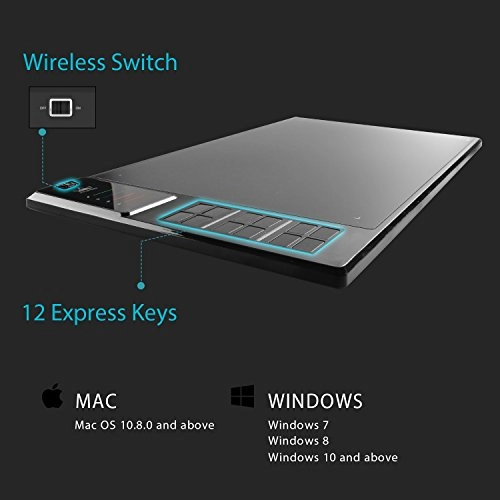
A: 1. Make sure the Press Keys function were enabled in the driver.
2. Make sure you have correctly defined the Press Keys.
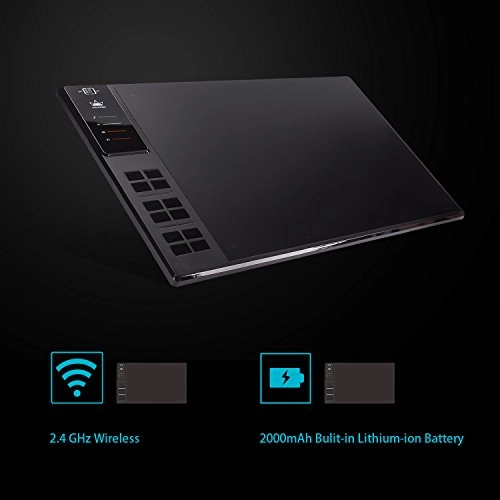
Q: How to Turn The Wireless Mode?
A: 1.Install the driver to your computer as prompted.
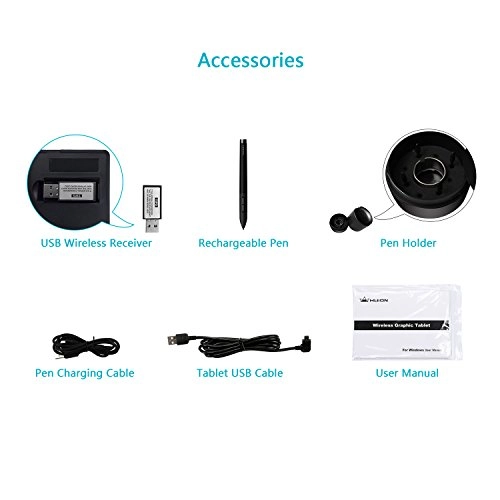
2.Plug the wireless receiver into the USB port of the computer and unplug the USB-C cable from the computer at the same time.
3.Press the power button and the tablet will start working. Make sure the tablet is fully charged before you start using it.
Warranty
Every HUION product comes with a one-year warranty
HUION customer service support provides lifetime technical support.
Reviews
Loading...
Loading...
Loading...
Loading...
Loading...
Loading...
Loading...
Loading...
Loading...
Loading...
Loading...
Loading...
Loading...
Loading...
Loading...
Loading...
Loading...
Loading...
Loading...
Loading...
Loading...
Loading...
Loading...
Loading...
Loading...
Loading...
Loading...
Loading...
Loading...
Loading...
Loading...
Loading...
Loading...
Loading...
Loading...
Loading...
Loading...
Loading...
Loading...
Loading...
Loading...
Loading...
Loading...
Loading...
Loading...
Loading...
Loading...
Loading...
Loading...
Loading...
Loading...
Loading...
Loading...
Loading...
Loading...
Loading...
Loading...
Loading...
Loading...
Loading...
Loading...
Loading...
Loading...
Join our newsletter
Be the first to know about new arrivals, sales, and exclusive picks
Sign in to unlock newsletter access and stay in the loop

Please enable location access or select an emirate