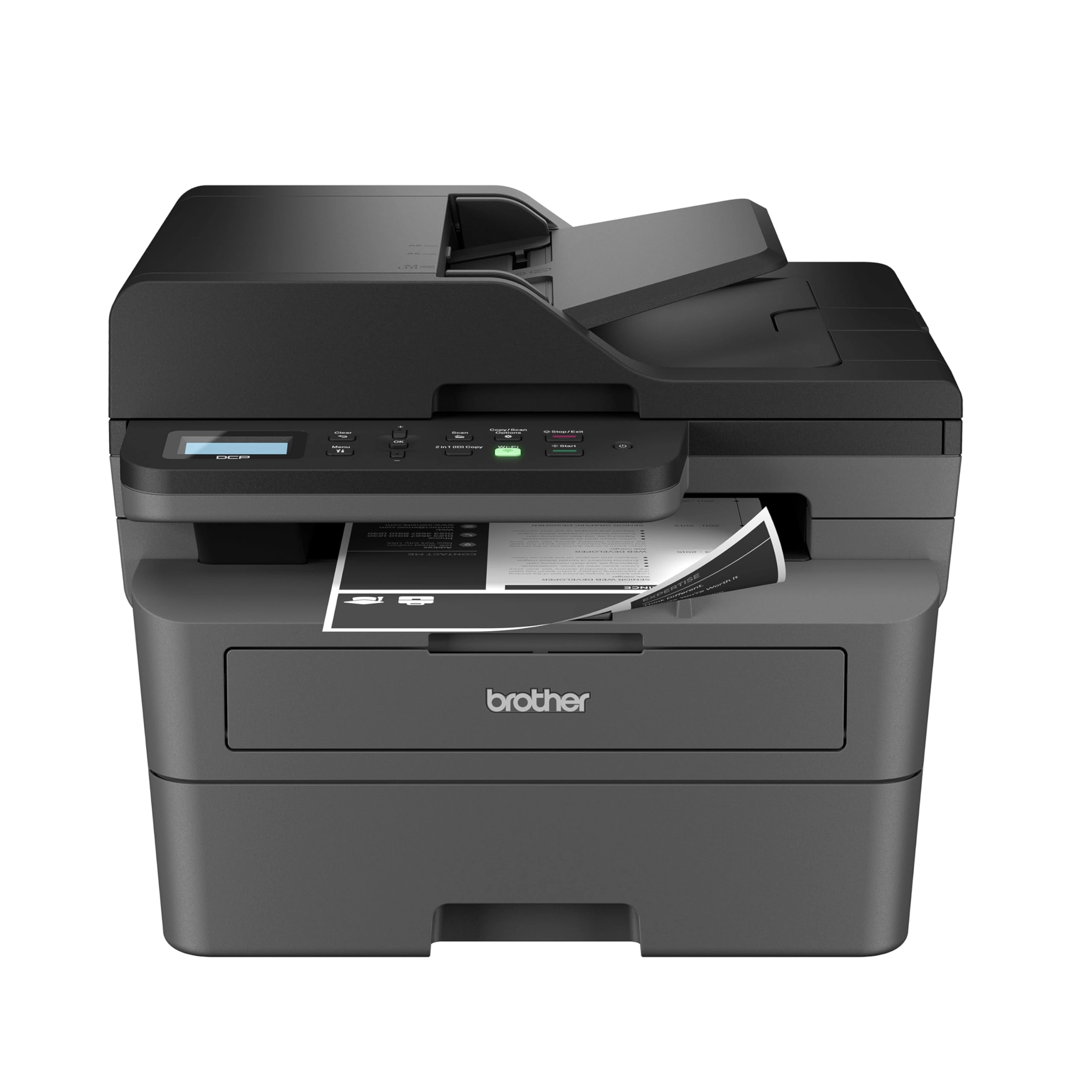
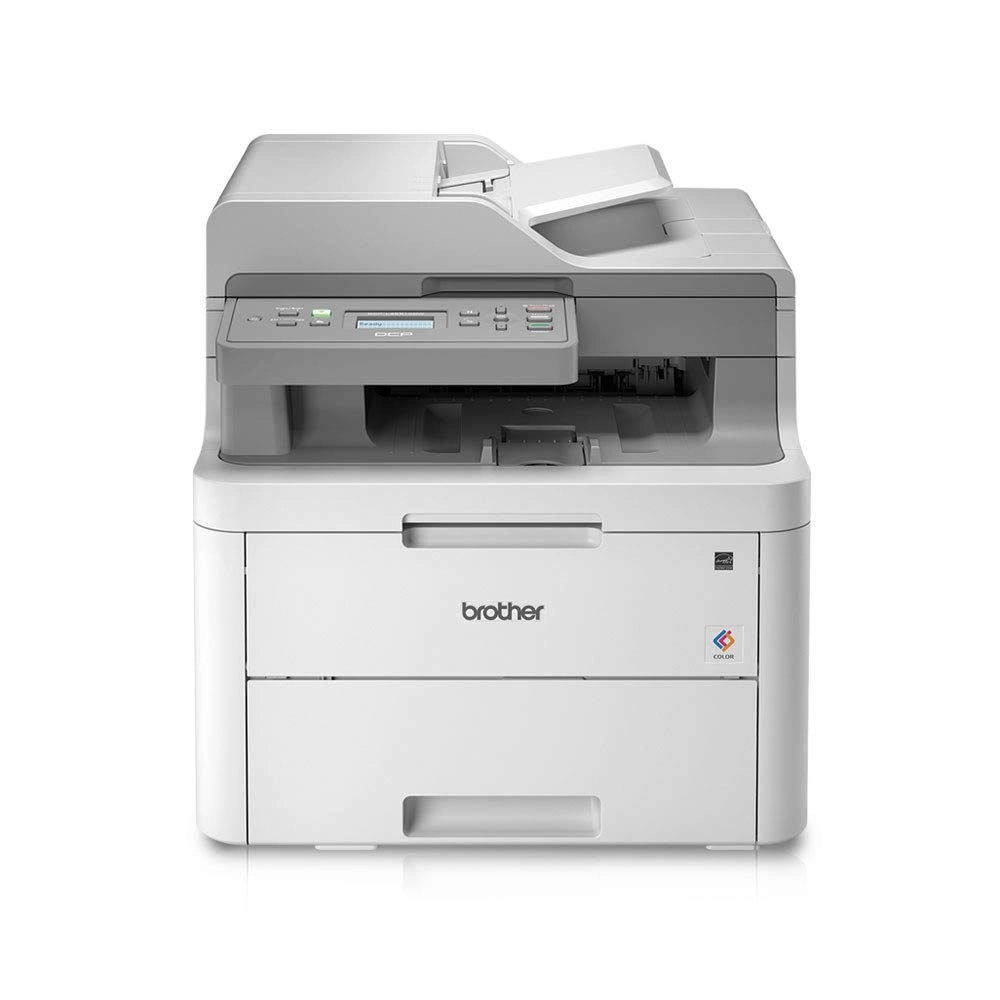
With the Brother DCP-L2640DW Monochrome (Black & White)
Multi-Function Laser Printer, you can scan, copy, and produce
professional-quality prints quickly, easily, and efficiently.
Combining three critical business functions into one compact
footprint, this wireless small business printer is the smart way
to create and share pristine prints, economize workspaces,
simplify supply management, and reach your operational goals. An
effective-and-affordable choice for high-volume printing,
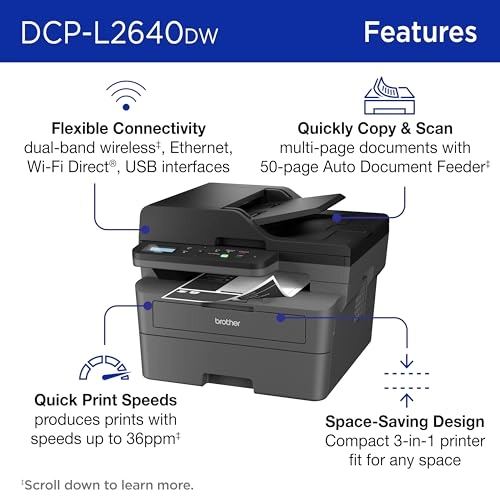
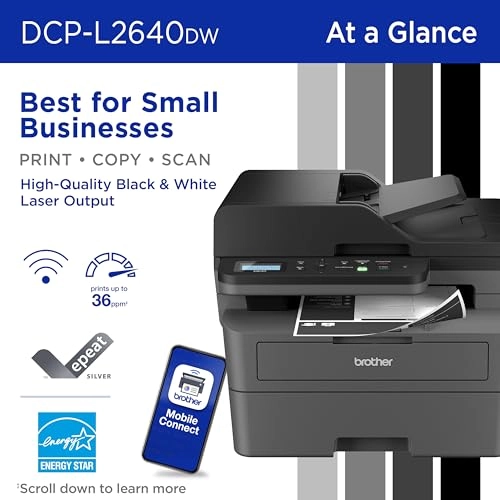
copying, and scanning, it prints up to 36 pages per minute(2)
(ppm); features a 50-page auto document feeder(4) to expedite
multi-page copy and scan jobs; and has a 250-sheet paper tray(4)
to decrease how often you refill the paper. Its streamlined
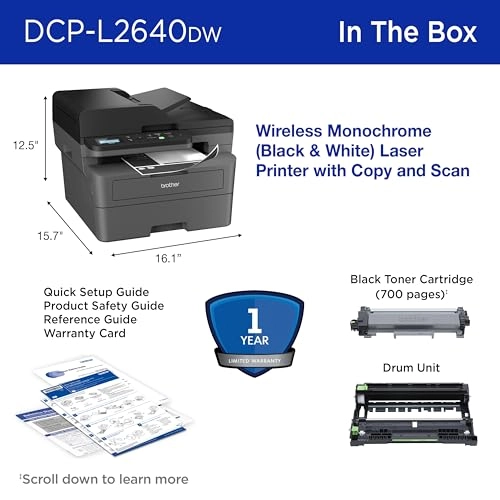
footprint means you can fit this compact printer wherever you
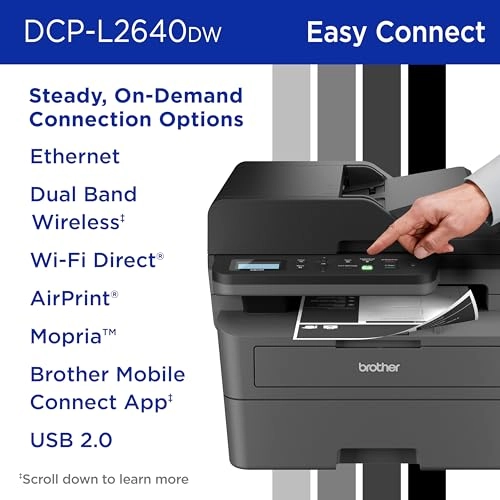
have space on your desktop. Plus, you can connect to any of your
devices with a variety of flexible connection options, such as
dual-band wireless, Ethernet, and USB 2.0. Eco-friendly features
include Toner Save Mode to increase cartridge life and automatic
duplex printing to reduce paper waste. Also, this b/w laser With
the Brother DCP-L2640DW Monochrome (Black & White) Multi-Function
Laser Printer, you can scan, copy, and produce
professional-quality prints quickly, easily, and efficiently.
Combining three critical business functions into one compact
footprint, this wireless small business printer is the smart way
to create and share pristine prints, economize workspaces,
simplify supply management, and reach your operational goals. An
effective-and-affordable choice for high-volume printing,
copying, and scanning, it prints up to 36 pages per minute(2)
(ppm); features a 50-page auto document feeder(4) to expedite
multi-page copy and scan jobs; and has a 250-sheet paper tray(4)
to decrease how often you refill the paper. Its streamlined
footprint means you can fit this compact printer wherever you
have space on your desktop. Plus, you can connect to any of your
devices with a variety of flexible connection options, such as
dual-band wireless, Ethernet, and USB 2.0. Eco-friendly features
include Toner Save Mode to increase cartridge life and automatic
duplex printing to reduce paper waste. Also, this b/w laser
printer is ENERGY STAR® compliant and EPEAT® Silver rated.
Advanced security features help safeguard your information and
maintain secure connections while printing. Get even more peace
of mind with Brother's 1-year limited warranty and free online,
call, or live chat support for the life of your printer. Use with
Brother Genuine Supplies, expertly engineered by Brother to
produce reliably sharp and smudge-free black & white prints in
your Brother laser printer: Replacement Toner TN830 (Standard),
TN830XL (High Yield), and TN830XL 2PK (Twin-Pack); and
Replacement Drum Unit DR830. Disclaimers 1. Optional Refresh
trial requires enrollment in a monthly billed Brother Refresh EZ
Print Subscription service plan based on monthly printed page
allotments. Unused pages roll over, limitations apply. Additional
page set charges and taxes apply during trial. Plan, options
offer, and pricing subject to change. Open to new subscribers
located in the contiguous United States only. After the free
trial period your credit card will be charged on a monthly basis
for the Plan Fee, Overages, and Taxes in accordance with the
Terms of Service. Overage fees will apply during free trial. Your
service will continue on a month-to-month basis until you cancel
it. May be canceled at any time. Upon cancellation, cartridge
will be deactivated and must be replaced at users’ expense in
order to continue printing. 2. Based on one-sided printing.
Change from default setting required. 3. Monochrome scan speed in
accordance with ISO/IEC 17991 with all advanced features turned
off, letter at 300dpi. 4. Maximum capacity based on using 20-lb.
paper. 5. Free app download and wireless connection required.
Compatibility may vary by device and operating system. 6. Based
on monthly subscription cost in U.S. for Mono Laser Power Plan
vs. average cost per page of eligible like standard capacity
cartridges. Savings will vary based on Refresh EZ Print
Subscription plan selected. ENERGY STAR and the ENERGY STAR mark
are registered trademarks owned by the U.S. Environmental
Protection Agency. Images are for illustrative purposes only.
Specifications subject to change.
Review: Works Great So Far! Reasonably Fast & Clear Printing -
Convenient Wireless Connectivity - I have used Brother laser
printers for years. I decided on this particular model, mostly
because it offered just exactly what my small business and home
office needs were. I have no use for a fax machine any more, so
this printer and scanner was really all I wanted, and it seemed
like a pretty reasonable value. I have tested it several times
with various paper media. I print normal text documents, some
with graphics, envelopes, and voucher checks regularly. This
printer has handled everything really well so far. There was a
bit of a learning curve with some odd sized envelopes, but I'm
pretty sure my struggle was with the software I was using, not
the printer. I did experience a couple of situations where the
machine said there was a paper jam when using the front tray to
print an envelope, but it was easily resolved. The quality and
clarity of the print seems great to me. You can adjust the print
density, toner ecology, etc. pretty easily. The machine itself
has a heavy duty and durable feel to it, and I'm happy with how
it has been working so far for me. WIRELESS CONNECTIVITY: I was
reading other people's comments about having issues with this. I
am going to share what I found worked best for me, and maybe that
will be helpful for others. Since I have owned and used several
Brother printers in the past, I've learned that getting the
machine on my wireless network is easiest by simply using the
machine's console push buttons. I know in the literature it says
it should be discoverable by going through the steps outlined in
the instructions after downloading their software. However, I've
never had consistent luck with that process. I still download the
software to make sure I have the right drivers and features
loaded, but when it comes to getting the printer on my network, I
just use the machine's console to find my router and then type in
the password. It's a tiny bit tedious typing the password using
the console buttons, but I've never had it not work for me.
Honestly, seconds after doing that, the wireless printer was
discoverable and available to all of my devices. I was able to
print from my CPU, laptop, phone, tablet, etc. without any
issues. I know that's not the only way of setting up the wireless
functionality on these printers, but it's what I've learned
causes the least amount of stress and frustration. I hope that's
helpful. They provide details on how to accomplish this method in
the accompanying literature that comes with the printer. At this
point, I have no reason not to give this five stars. If something
shoud change down the road, I'll be sure to update this review.
Review: Brother Laser printers are fantastic, work without the
fuss of most printers. Consistent and fast. - After suffering
with overpriced ink and inkjet printers for years I finally
decided to jump ship to a laser printer. This is leaps and bounds
beyond a typical b&w inkjet printer in every way. The ink cost is
lower, it prints faster, more consistently, no paper jams, why oh
why didn't I switch to laser earlier? I had heard that Brother
brand was highly recommended and I'm a total convert now. This
printer just works out of the box. I hooked it up to my network
and was printing in minutes. It also has an app but everything is
totally usable without ever touching the app which I appreciate.
Installing the ink cartridge was also very easy, it's designed so
it's pretty difficult to not do it correctly. The scanner copier
functions also work perfectly, no issues at all. Can't recommend
Brother laser printers enough.