Allware
Loading...
  • News
  • Price drops
  • New arrivals
  • Featured categories
  1. Telecom & Navigation
  2. Telecommunication Equipment Accessories
  3. Mobile Communication Device Parts & Accessories
  4. Mobile Phone Spare Parts
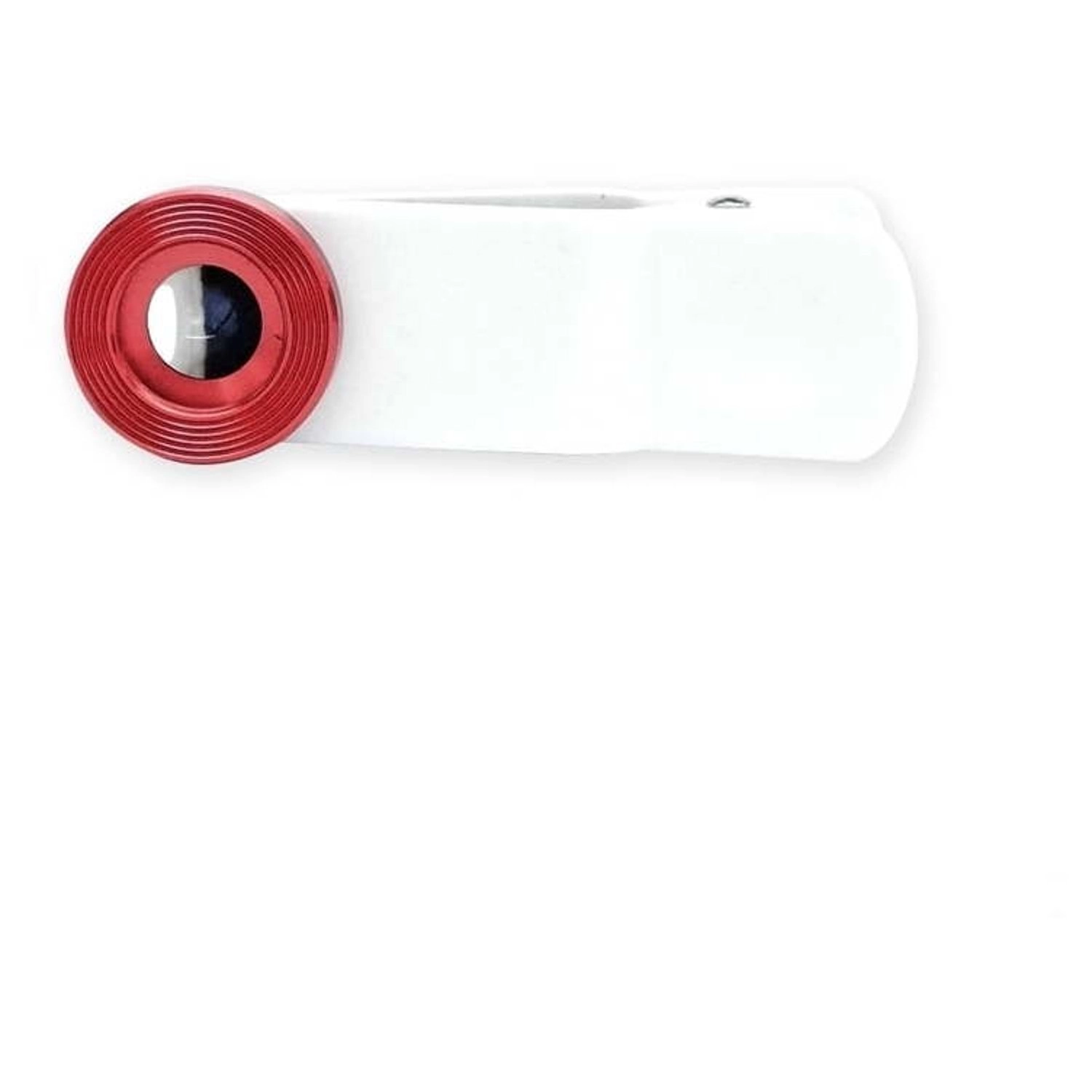
OPTICLIGHT Plus - Suitable for various phones including iPhone X, 8, 7, 6s, 5s, Samsung Galaxy and more

ARTG OPTICLIGHT Plus - Suitable for various phones including iPhone X, 8, 7, 6s, 5s, Samsung Galaxy and more

Best offer
AED
7000

Key Features

  • Product colour: Gold
  • Weight: 14.46g
  • Compatible products: 5s, 6s, 7, 8, Samsung Galaxy and more, Suitable for various phones including iPhone X
  • Offers
  • Price History
  • Specifications
  • Product Details
  • Review IconReviews
  • Community & Expert Opinions

Specifications

Features

Compatible products
5s, 6s, 7, 8, Samsung Galaxy and more, Suitable for various phones including iPhone X
Product colour
Gold

Weight & dimensions

Weight
14.46 g

Product Details

OPTICLIGHT Plus Smartphone Microscope is a 30X magnification microscope that is usable by attaching with smartphone lens. It delivers a new optical experience by transforming your phone into a digital microscope or loupe. Specially designed optic lens and focus hood make easy to use and get the very good magnified image very quickly. OpticLight M30 macro lens delivers a new optical experience by transforming your phone into a digital microscope or loupe. Specially designed optic lens and focus hood make easy to use and get the very good magnified image very quickly. Comes in five different colors. OPTICLIGHT Plus is useful in below mentioned situation OneMagnifying small letters that are not visible in naked eyes. TwoReading and taking photo of the nutrition facts and ingredients level. ThreeConfirming the inscription of jewelry like diamond, gold etc. FourLearning the nature and playing with kids.Observe leaf, flower, insect and microorganism.Satisfy curiosity and increase creativity. FiveSkin and pore management.Before/after washing face and make-up.Condition of hair and scalp.Nail care Satisfy your curiosity with OPTICLIGHT Plus!Let's discover the world that cannot be seen by eyes!Enjoy OPTICLIGHT Plus for shooting photos and videos. Technical DetailsThe thickness of the casing of the smart device may cause out of focus problem. When using OPTICLIGHT Plus, please remove the case for a while. Besides the basic optical magnification, the additional digital magnification depends on the camera performance of the smartphone. If the lens surface is dirty or damaged, it can affect the on-screen sharpness. Remove any impurities from the lens by wiping it with a soft, lint-free cloth. Use it by attaching the center part of the smart device lens to the center part of the microscope lens. Product Features High Quality, High Definition Microscopic Magnifier/Loupe for all phones.Easy and simple to use, Convenient Clip-On Macro Lens with Focus Hood for optimal optical experience.When not in use, it can be used like a clip to organize notes, earphones or cables.Using with the digital zoom of smartphone will allow you to magnify more. Most of the latest smartphone provide 10x digital zoom. Therefore, you can see things at a high magnification of 300 times.It can be installed on all kinds of smart devices.Size: 2.61in x 1.01in x 0.87in. Weight: 0.51ozComes in five colors of Gold, Black, Silver, Blue, Red. How to Use: Open the OPTICLIGHT Plus clip with the focus hood and attach it to the center of the smart device lens. (In case of dual lens, it should be attached to the standard lens part instead of the wide-angle lens)Launch the basic camera application.If you stick the focus hood to the object to be looked at, you can check the 30 times magnified figure of that object.Simply attach the OPTICLIGHT Plus to the smartphone lens without installing any separate application and turn on the default camera application which will allow you to meet 30X magnified world.The enclosed focus hood is designed considering the appropriate distance at which you can properly focus on the subject. Therefore, we recommend you, to use focus hood together with OPTICLIGHT Plus smartphone microscope. Use digital zoom together as well.

Reviews

Community & Expert Opinions
Loading...
Loading...
Loading...
Loading...
Loading...
Loading...
Loading...
Loading...
Loading...
Loading...
Loading...
Loading...
Loading...
Loading...
Loading...
Loading...
Loading...
Loading...
Loading...
Loading...
Loading...
Loading...
Loading...
Loading...
Loading...
Loading...
Loading...
Loading...
Loading...
Loading...
Loading...
Loading...
Loading...
Loading...
Loading...
Loading...
Loading...
Loading...
Loading...
Loading...
Loading...
Loading...
Loading...
Loading...
Loading...
Loading...
Loading...
Loading...
Loading...
Loading...
Loading...
Loading...
Loading...
Loading...

Join our newsletter

Be the first to know about new arrivals, sales, and exclusive picks

Sign in to unlock newsletter access and stay in the loop

Allware
info@allware.com
+971522500911
World technology awards winner badge

Allware

  • About Us
  • Terms And Conditions
  • Privacy Policy
  • Contact Us

Partners

  • Why become a partner?
  • How to list your Online Shop?

Newsletter

  • Subscribe

Info

  • How Allware works
All Rights Reserved.
Allware does not sell products. Prices shown are aggregated from verified merchants.
Please enable location access or select an emirate
-
00:00:00
Prayer timings

Offers (3)

Sharaf logo

3 offers

From
AED
70

ARTG OPTICLIGHT Plus Black

Black
AED
7000

Price History

Price History Skeleton
Price History Shimmer Effect
Loading price history...

More from ARTG

See all
ARTG OPTICLIGHT Plus - Suitable for various phones including iPhone X, 8, 7, 6s, 5s, Samsung Galaxy and more

ARTG OPTICLIGHT Plus - Suitable for various phones including iPhone X, 8, 7, 6s, 5s, Samsung Galaxy and more

AED
7000
3 offers
ARTG OPTICLIGHT Plus - 30X Clip-On Smartphone Microscope

ARTG OPTICLIGHT Plus - 30X Clip-On Smartphone Microscope

AED
7000
Unavailable
2 offers
Loading...
Loading...
Loading...
Loading...
Loading...
Loading...
Loading...
Loading...
Loading...
Loading...
Loading...
Loading...
Loading...
Loading...
Loading...
Loading...
Loading...
Loading...
Loading...
Loading...
Loading...
Loading...
Loading...
Loading...
Loading...
Loading...
Loading...
Loading...
Loading...
Loading...
Loading...
Loading...
Loading...
Loading...
Loading...
Loading...
Loading...
Loading...
Loading...
Loading...
Loading...
Loading...
Loading...
Loading...
Loading...