Allware
Loading...
  • News
  • Price drops
  • New arrivals
  • Featured categories
  1. Computers & Peripherals
  2. Data Storage
  3. Data Storage Devices
  4. Storage Drive Docking Stations
AC1502 - Dual SSD
AC1502 - Dual SSD
AC1502 - Dual SSD
AC1502 - Dual SSD
AC1502 - Dual SSD
AC1502 - Dual SSD
AC1502 - Dual SSD
AC1502 - Dual SSD

ACT AC1502 - Dual SSD

Best offer
AED
30234

Key Features

  • Product colour: Black
  • Offers
  • Price History
  • Specifications
  • Product Details
  • Review IconReviews

Specifications

Features

Product colour
Black

Product Details

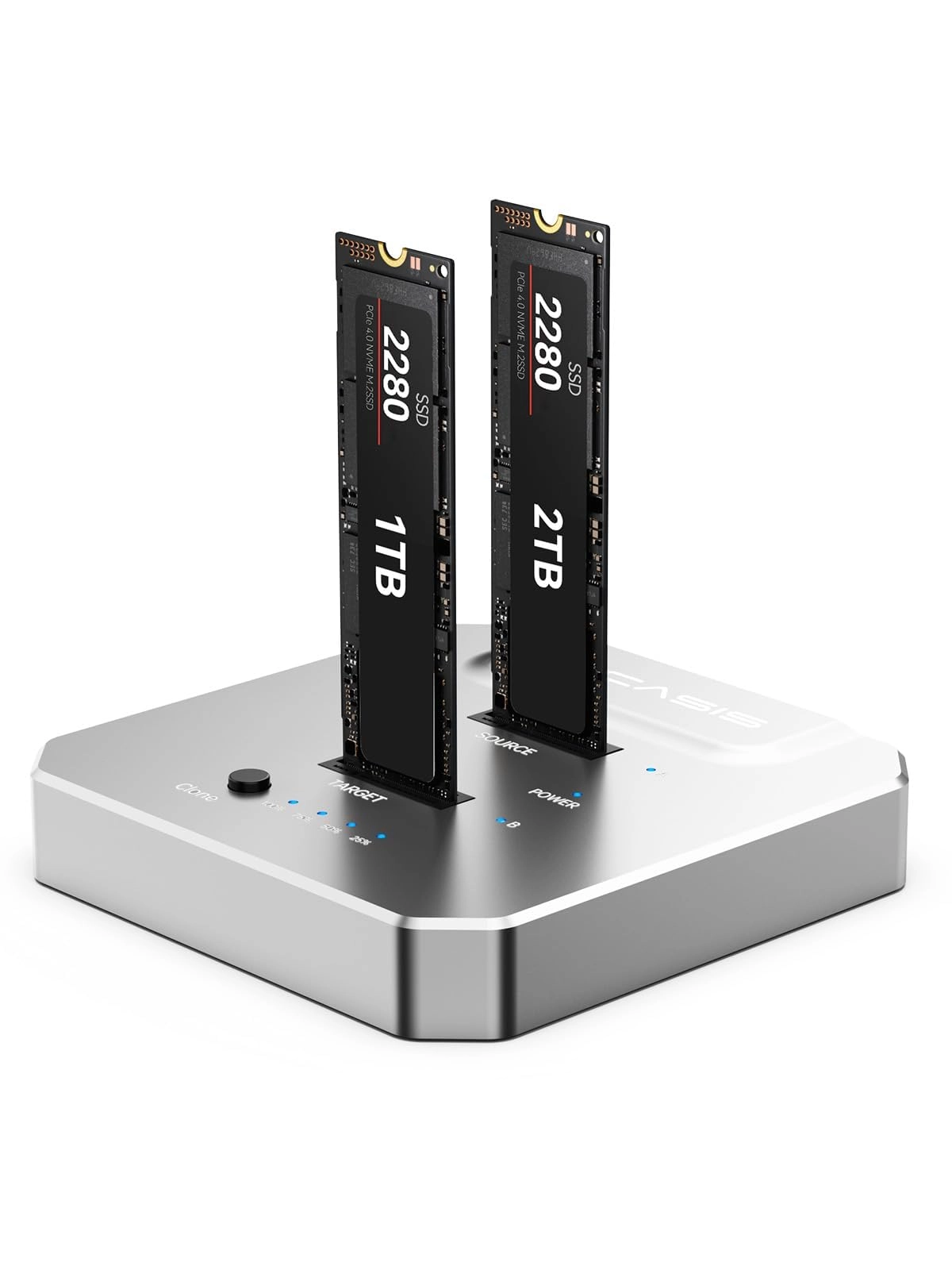
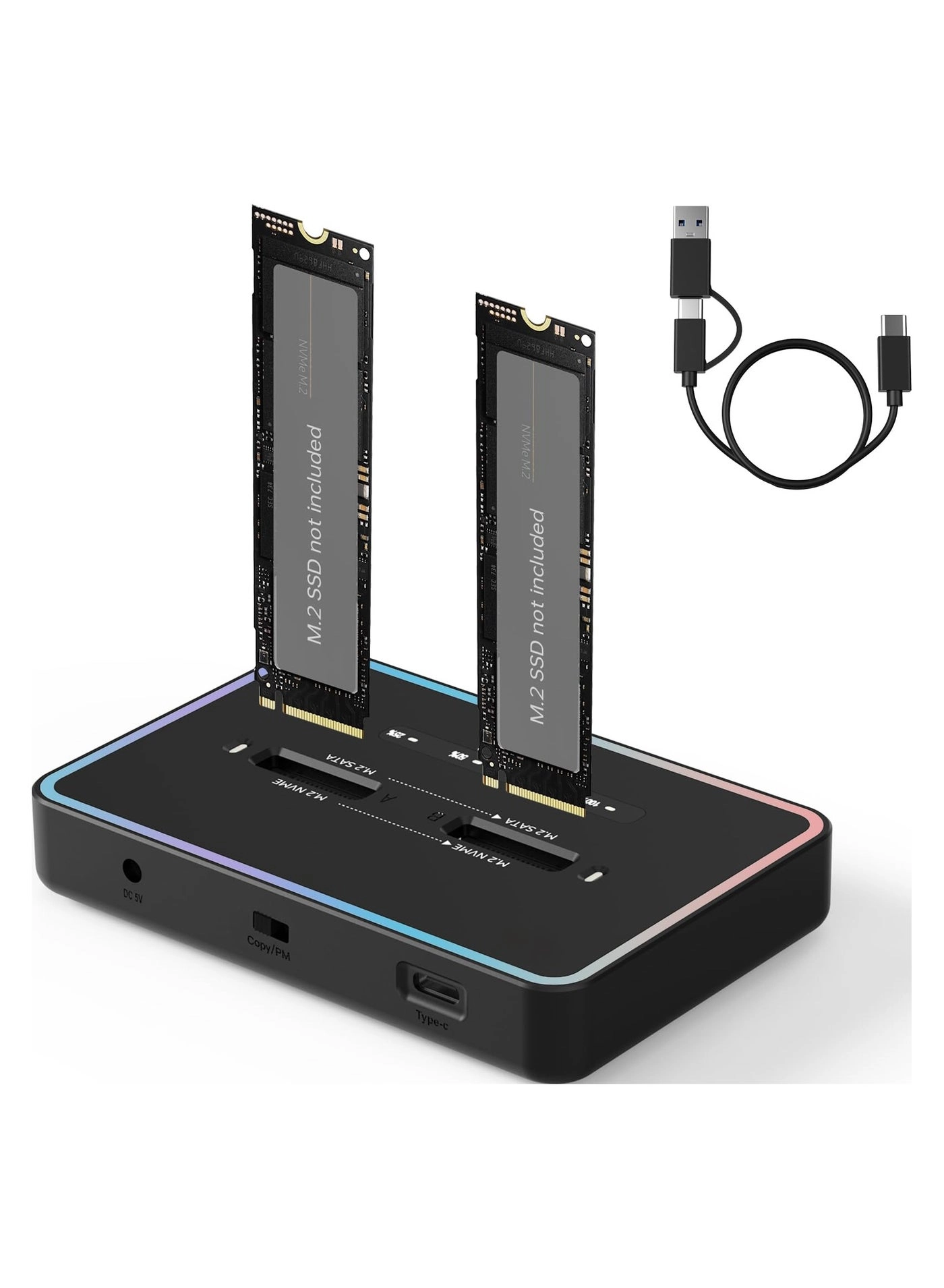
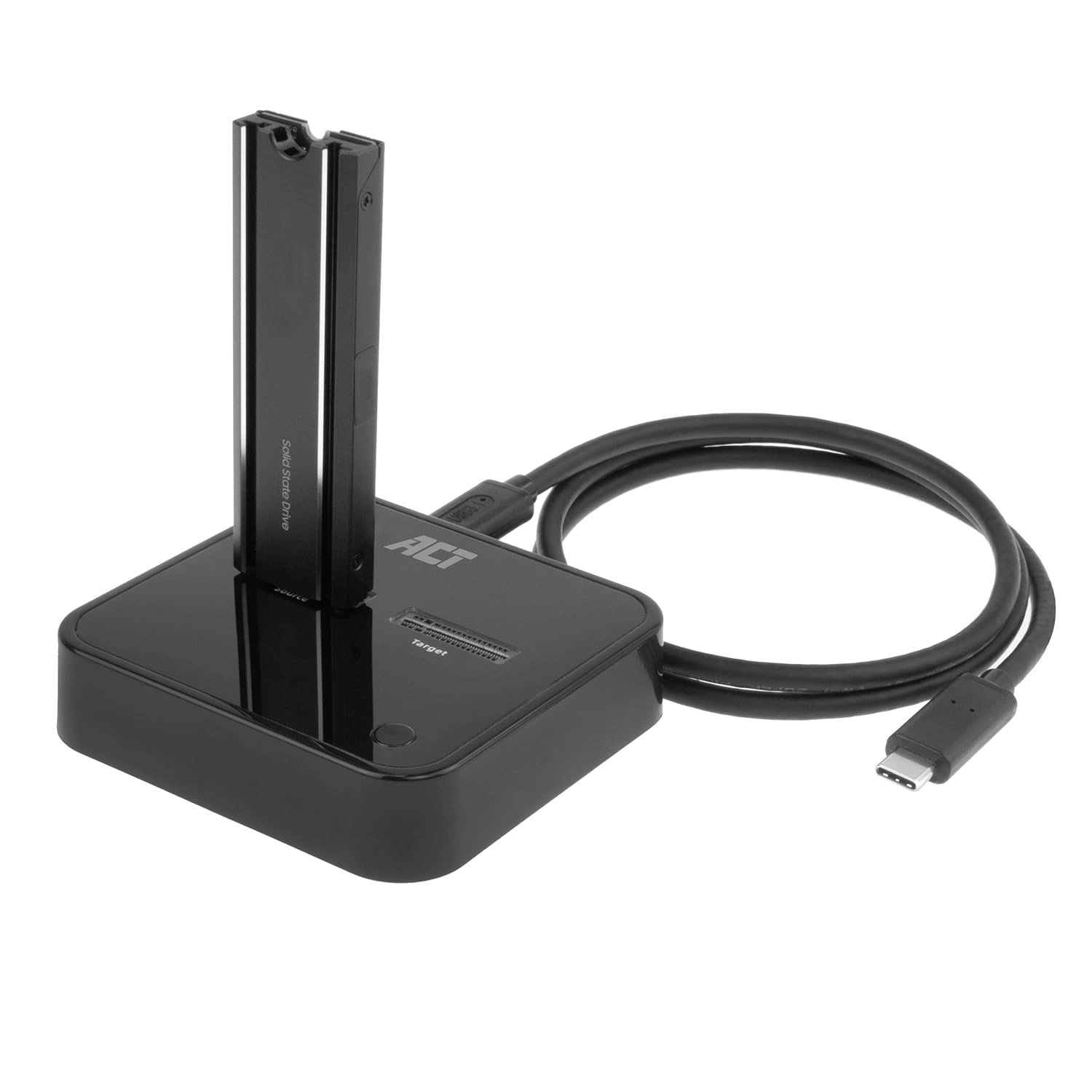
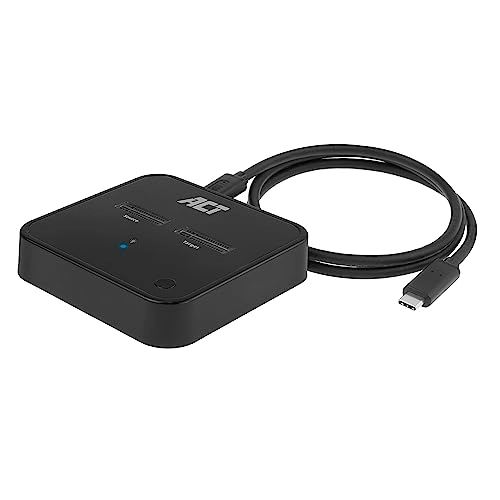
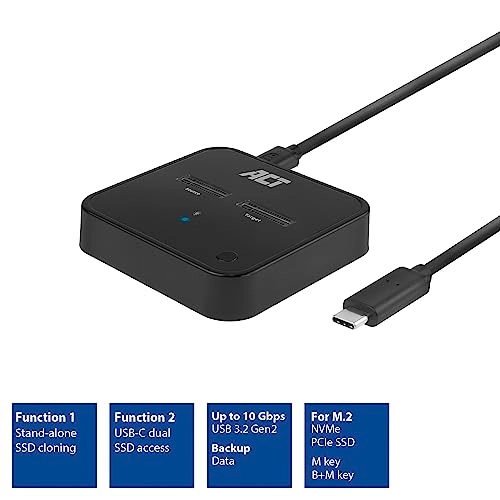
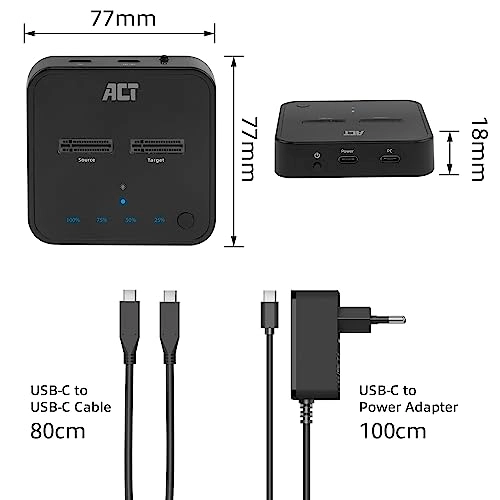
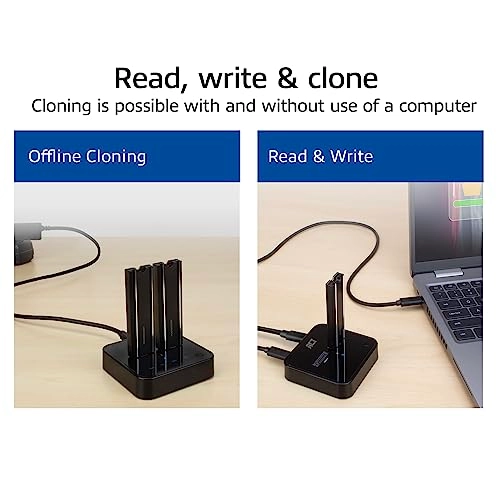
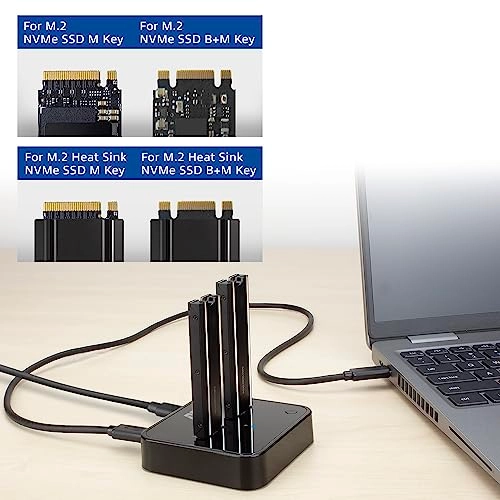
The AC1502 M.2 Dual SSD Clone Station is the perfect solution for offline data cloning. This USB-C 3.2 Gen2 docking clone station is suitable for two M.2 NVMe/PCIe SSDs with M key and B+M key. Even SSDs with heatsink are supported. Clone a SSD without the intervention of a computer. Just place the SSDs and connect the power supply. The status LEDs are showing the cloning progress. Connect the AC1502 with SSDs to a computer for accessing data and for data backup at a maximum transfer speed of 10Gbps. Supports M.2 NVMe/PCIe SSDs with and without heatsink The AC1502 is designed to connect up to two M.2 NVMe/PCIe SSDs to your computer or laptop. The dock is compatible with M key and B+M key. Even heatsink SSDs are supported. Offline cloning without using a computer Use the Dual SDD Clone Station to clone from one SSD to another SSD without using a computer. This offline cloning is possible via the AC1502 itself. Simply place the source and target SSDs into the docking station. Plug in the power adapter and press the power and clone buttons on the dock. Please ensure that the disk size of the target SSD is equal to or greater than the source SSD. Upgrade your laptop's SSD Want to increase the capacity of your laptop's SSD? Use the AC1502 dock to create a clone of your laptop's SSD to a higher capacity SSD. Cloning status indicator The LED indicators (25%/50%/75%/100%) on the AC1502 show the data cloning progress. When the 50% LED is flashing, the dock is in the process of data cloning 25% to 50%. When the 50% LED is fully lit, 50% of the data has been transferred. Access external storage Connect two M.2 NVMe/PCIe SSDs to your computer or laptop via the AC1502 and access the data on these solid state drives. These two external SSDs can be accessed as external storage. USB 3.2 Gen2 10Gbps and UASP (USB Attached SCSI Protocol) ensure fast data transfer.

Reviews

Loading...
Loading...
Loading...
Loading...
Loading...
Loading...
Loading...
Loading...
Loading...
Loading...
Loading...
Loading...
Loading...
Loading...
Loading...
Loading...
Loading...
Loading...
Loading...
Loading...
Loading...
Loading...
Loading...
Loading...
Loading...
Loading...
Loading...
Loading...
Loading...
Loading...
Loading...
Loading...
Loading...
Loading...
Loading...
Loading...
Loading...
Loading...
Loading...
Loading...
Loading...
Loading...
Loading...
Loading...
Loading...
Loading...
Loading...
Loading...
Loading...
Loading...
Loading...
Loading...
Loading...
Loading...
Loading...
Loading...
Loading...
Loading...
Loading...
Loading...
Loading...
Loading...
Loading...

Join our newsletter

Be the first to know about new arrivals, sales, and exclusive picks

Sign in to unlock newsletter access and stay in the loop

Allware
info@allware.com
+971522500911
World technology awards winner badge

Allware

  • About Us
  • Terms And Conditions
  • Privacy Policy
  • Contact Us

Partners

  • Why become a partner?
  • How to list your Online Shop?

Newsletter

  • Subscribe

Info

  • How Allware works
All Rights Reserved.
Please enable location access or select an emirate
-
00:00:00
Prayer timings

Offers (1)

Amazon logo

1 offer

From
AED
302

ACT M.2 NVMe/PCIe Dual SSD Docking Station, Offline Cloning and Data Backup, USB-C 3.2 Gen2 Cable 10Gbps, for M-Key and B+M Key, Heatsink, Assembly Free - AC1502


Black
AED
30234

Price History

Price History Skeleton
Price History Shimmer Effect
Loading price history...

Similar Products

See all
-33%
Generic M.2 SSD Enclosure - NVMe SATA Dual Protocol 10Gbps USB-C/A

Generic M.2 SSD Enclosure - NVMe SATA Dual Protocol 10Gbps USB-C/A

AED
4796
AED
3200
65 offers
-49%
Generic Dual-Bay M.2 SSD Base

Generic Dual-Bay M.2 SSD Base

AED
15903
AED
7952
16 offers
-50%
SYOSI M.2 NVMe SSD Enclosure

SYOSI M.2 NVMe SSD Enclosure

AED
25976
AED
12988
16 offers
-65%
KASTWAVE M.2 NVMe SSD Enclosure - 10Gbps USB3.2 Tool-Free

KASTWAVE M.2 NVMe SSD Enclosure - 10Gbps USB3.2 Tool-Free

AED
37334
AED
12885
8 offers
-50%
Captaintech M.2 NVMe SSD Enclosure

Captaintech M.2 NVMe SSD Enclosure

AED
17780
AED
8890
7 offers
-6%
Haysenser HY-D08 - Dual Bay

Haysenser HY-D08 - Dual Bay

AED
11800
AED
11000
4 offers
-53%
SYOSI M.2 NVME SSD Docking Station - Cooling Fan 2.5" & 3.5" SATA Support

SYOSI M.2 NVME SSD Docking Station - Cooling Fan 2.5" & 3.5" SATA Support

AED
79998
AED
37499
4 offers
Excefore M.2 NVMe SSD Enclosure - 10Gbps USB3.2 M-Key 2230

Excefore M.2 NVMe SSD Enclosure - 10Gbps USB3.2 M-Key 2230

Unavailable
4 offers
XLT M.2 NGFF NVME SSD Enclosure - 10Gbps USB 3.1

XLT M.2 NGFF NVME SSD Enclosure - 10Gbps USB 3.1

AED
10900
3 offers
-6%
Luckam M.2 NVMe SSD Enclosure

Luckam M.2 NVMe SSD Enclosure

AED
15588
AED
14588
2 offers

More from ACT

See all
ACT AC5006 - USB

ACT AC5006 - USB

AED
5564
1 offer
ACT AC1501 - Single SSD

ACT AC1501 - Single SSD

AED
8843
1 offer
ACT Wired Optical Mouse AC5005 - Wired

ACT Wired Optical Mouse AC5005 - Wired

AED
4890
1 offer
ACT AC9300 Wired Headphone

ACT AC9300 Wired Headphone

Unavailable
1 offer
ACT USB Multimedia Keyboard - BE Wired

ACT USB Multimedia Keyboard - BE Wired

Unavailable
1 offer
ACT AC5105 - USB

ACT AC5105 - USB

AED
4988
1 offer
ACT AC1502 - Dual SSD

ACT AC1502 - Dual SSD

AED
30234
1 offer
ACT AC5151 - USB

ACT AC5151 - USB

Unavailable
2 offers
Loading...
Loading...
Loading...
Loading...
Loading...
Loading...
Loading...
Loading...
Loading...
Loading...
Loading...
Loading...
Loading...
Loading...
Loading...
Loading...
Loading...
Loading...
Loading...
Loading...
Loading...
Loading...
Loading...
Loading...
Loading...
Loading...
Loading...
Loading...
Loading...
Loading...
Loading...
Loading...
Loading...
Loading...
Loading...
Loading...
Loading...
Loading...
Loading...
Loading...
Loading...
Loading...
Loading...
Loading...
Loading...