

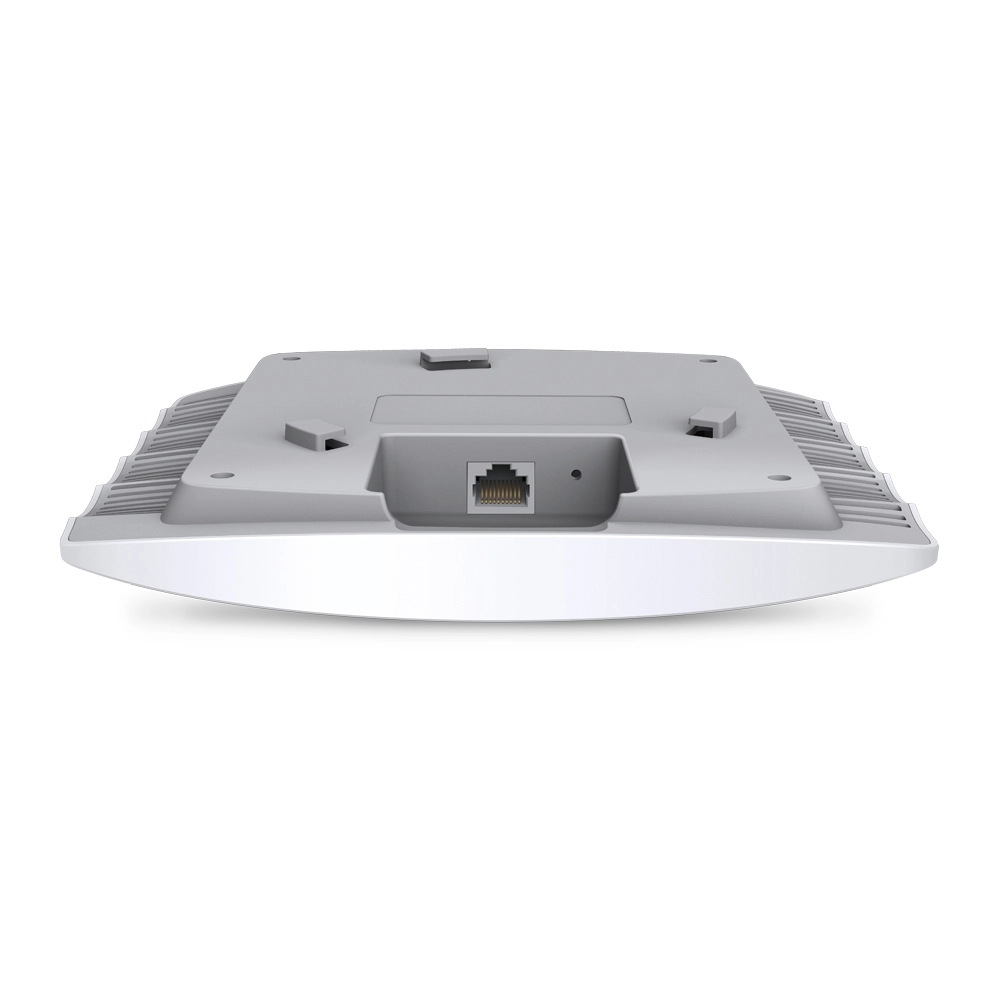


TP-Link EAP110
Best offer
AED
10500
Key Features
- 2.4 GHz: Yes
- 5 GHz: No
- Maximum data transfer rate (2.4 GHz): 300Mbit/s
- Antenna features: Integrated antenna
- Number of SSID supported: 8
- Antenna direction type: Omni-directional
- PoE adapter included: Yes
- Service Set Identifier (SSID) features: Multiple SSIDs
- Antenna gain level (max): 3, 4dBi
- Maximum data transfer rate: 300Mbit/s
- Access Control List (ACL): Yes
- Placement: Ceiling, Wall
- Frequency band: 2.4 - 2.4835 GHz, 2.4 GHzGHz
- Syslog: Yes
- Wi-Fi Multimedia (WMM)/(WME): Yes
Specifications
Features
Compatible operating systems
7, Microsoft Windows 8, Vista, XP
Antennas quantity
2
Quality of Service (QoS) support
✓
Security algorithms
128-bit WEP, 152-bit WEP, 64-bit WEP, HTTPS, SNMP, SNMPv2, SSH, WPA, WPA-PSK, WPA2, WPA2-Enterprise, WPA2-PSK
Transmitting power (CE)
21 dBm
Virtual LAN features
SSID-based VLAN assignment
Product colour
White
Antenna gain level (max)
3dBi, 4dBi
Maximum data transfer rate
300 Mbit/s
Access Control List (ACL)
✓
Placement
Ceiling, Wall
Frequency band
2.4 - 2.4835 GHz, 2.4 GHz
Maximum data transfer rate (2.4 GHz)
300 Mbit/s
5 GHz
✗
2.4 GHz
✓
Packaging data
Package type
Box
Weight & dimensions
Height
29.50mm, 47.50mm
Depth
172.30mm, 180mm
Width
180mm, 189.40mm
Management features
Web-based management
✓
Syslog
✓
Power
Output current
0.60 A
Output voltage
24 V
AC input voltage
24 V
Power consumption (typical)
2.80W, 7.70W
Input current
1 A
Power consumption (max)
3.12 W
Power over Ethernet (PoE)
✓
Performance
Transmitting power
21 dBmW
Wireless LAN features
Wi-Fi Multimedia (WMM)/(WME)
✓
Other features
Cable lock slot type
Kensington
Design
Reset button
✓
LED indicators
Power, Yes
Cable lock slot
✓
Internal
✗
Antenna direction type
Omni-directional
Computer system
Antenna type
Internal
Packaging content
Quick start guide
✓
Mounting kit
✓
Cables included
AC
PoE adapter included
✓
Network
Networking standards
IEEE 802.11b, IEEE 802.11g, IEEE 802.11n, IEEE 802.1x, IEEE 802.3, IEEE 802.3ab, IEEE 802.3u
Management protocols
HTTP, HTTPS, SNMP, Telnet
VLAN support
✓
Cabling technology
10/100Base-T(X)
Rate limiting
✓
Ethernet LAN data rates
10
Wireless isolation
✓
Automatic channel selection
✓
Ports & interfaces
DC-in jack
✓
Ethernet LAN (RJ-45) ports
1
WAN connection
Ethernet (RJ-45)
Operational conditions
Operating temperature (T-T)
0 - 40 °C
Operating relative humidity (H-H)
10 - 90 %
Storage relative humidity (H-H)
5 - 90 %
Technical details
Certification
CE, FCC, RoHS
Security
MAC address filtering
✓
Remote Authentication Dial-In User Service (RADIUS)
✓
Service Set Identifier (SSID) features
Multiple SSIDs
Number of SSID supported
8
Antenna
Antenna features
Integrated antenna
Receiver
Receiver sensitivity
300M: -71dBm@10% PER
150M: -75dBm@10% PER
54M: -78dBm@10% PER
11M: -93dBm@8% PER
6M: -92dBm@10% PER
1M: -96dBm@8% PER
Logistics data
Harmonized System (HS) code
85176990
Product Details
- EAP Controller Software enables administrators to easily manage hundreds of EAPs
- Supports passive PoE for convenient installation up to 100meters
- Ceiling mounting design with chassis make it easy to deploy on a wall or ceiling
- Captive portal provides one convenient method of authentication for Wi-Fi guests
- Multi-SSID divides multiple wireless networks for different users
- Enterprise class Wi-Fi security help to decrease network security threats
What This Product Does
The TP-LINK’s EAP110 business Access Point provides a flexible, easy-to-deploy, manageable and robust security business-class wireless network solution. Simple mounting design to easily mount to a wall or ceiling. WLAN configuration and management are simplified through centralized management software. EAP110 also features captive portal and auto RF management, making it ideal for the high-density, intensive demanding businesses environment, include campus, hotels, malls and offices.
Flexible Placement - Easy mounting design & PoE
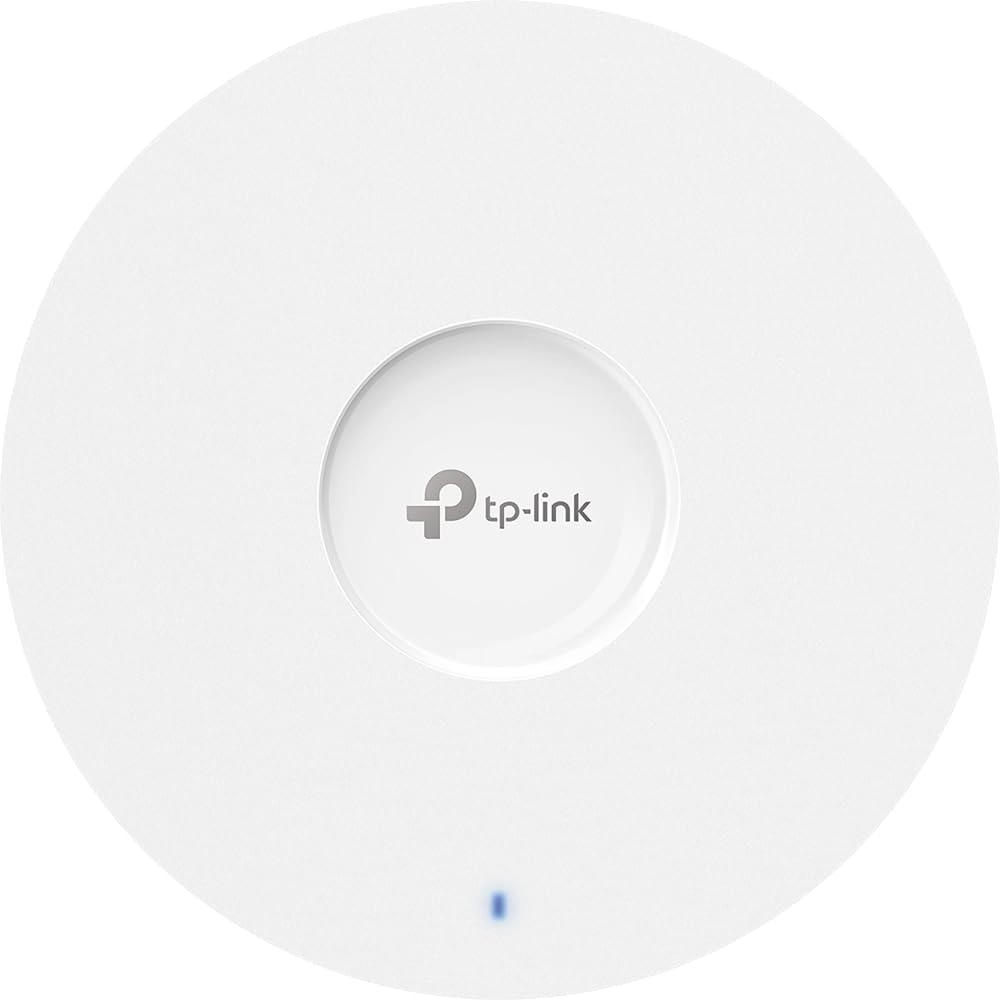
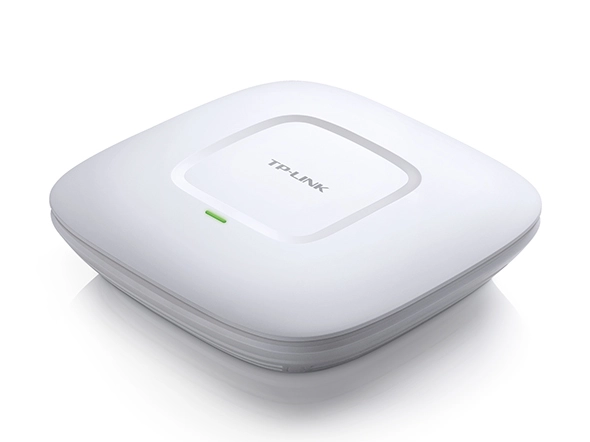
The EAP110’s “ceiling lamp” appearance and easy mounting design with chassis make it easy to be integrated seamlessly into any wall or ceiling surface to blend in with most interior decorations. EAP110 supports Passive Power over Ethernet (Passive PoE) to make deployment effortless and flexible.
Simple and Scalable Business Wi-Fi Management - EAP Controller Software
The EAP Controller Software represents a cost-effective 'centralized management' solution for wireless networks of both small and medium business sectors (SMB). The software enables administrators to manage hundreds of EAPs easily from any PC on the network. Includes such administrative features as centralized configuration, real-time monitoring, graphical analysis of network traffic and batch firmware updates.
Powerful and Intuitive Software
- Free controller software, no additional hardware controller required
- Easy-to-use, no special training necessary
- Upload floor plans for a more Intuitive Wi-Fi management
- Batch firmware update support for effective administration
- Advanced security features including Captive Portal, Rogue AP Detection
Visual Network Monitoring
- Intuitively view traffic on any individual AP on the network
- Graphical activity of clients connected to the network
- Visual analytics of overall network usage and traffic distribution
Efficient Guest Authentication - Captive Portal
Captive portal provides one convenient method of authentication for Wi-Fi guests. A captive portal requires users to perform certain actions before network access is allowed. The required action must be verified by an external portal server or customized database by the administrator, which can be simply viewing and agreeing to an acceptable use policy, or entering a user ID and password.
Robust Safety Strategy - Multiple Wi-Fi Security Measures
The EAP110 supports the enterprise class Wi-Fi security, including WPA/WPA2-enterprise encryption and 802.1X radius. In addition, Multi-SSID, Wireless Isolation, MAC Filtering and Rogue AP detection features help to decrease network security threats.
Applicable to Multi-user Environment - Designed for Enterprise Performance
With easy mounting design, PoE power supply, Centralized management software, Captive portal, enterprise class security, and Enterprise hardware, EAP110 is specially designed for the highest-density, most demanding enterprise environments, including schools, hotels, and enterprises.
- EAP Controller Software enables administrators to easily manage hundreds of EAPs
- Support Passive PoE for convenient and affordable installation
- Simple mounting design to easily mount to a wall or ceiling
- 300Mbps wireless data rate for uninterrupted wireless connection
- Captive portal provides one convenient method of authentication for Wi-Fi guests
- WPA/WPA2-enterprise, 802.1X with RADIUS secure authentication and rogue access point detection ensure the security of WLAN
- Multi-SSID divides multiple wireless network for different users
- Load balance ensures large numbers of users have smooth network experiences in large business networks
- Compatible with 802.11 b/g/n products
- Adopts Low Smoke Zero Halogen (LSOH) materials for UL2043 compliance
- Multiple operating modes satisfy different application conditions including managed AP and standalone AP modes
- QoS function prioritizes data, voice, and video applications to ensure time-sensitive traffic takes priority over all other traffic
- Prevents dust from dropping onto the PCB through bypass louver, which ensures long-term, unhindered operation.
Files
Product Brochure
mmo_78846077_1586500428_2621_4737.pdf
PDF• 2.2 MB
User manual
mmo_78846077_1586500444_3157_28479.pdf
PDF• 8 MB
Quick Installation Guide
mmo_79344030_1590323754_2892_14841.pdf
PDF• 496.7 KB
Omada Controller Software 3.2.1_User Guide
mmo_79344030_1590323769_2903_13770.pdf
PDF• 8 MB
Omada Controller Software 3.1.13_User Guide
mmo_79344030_1590323800_3853_12478.pdf
PDF• 8 MB
Omada Controller Software 3.1.4_User Guide
mmo_79344030_1590323821_0015_17736.pdf
PDF• 7.5 MB
Omada Controller Software 3.0.5_Windows/Linux_User Guide
mmo_79344030_1590323839_9372_4786.pdf
PDF• 7.3 MB
Omada Controller Software 3.0.2_User Guide
mmo_79344030_1590323866_3704_32375.pdf
PDF• 7.2 MB
YouTube
Reviews
Loading...
Loading...
Loading...
Loading...
Loading...
Loading...
Loading...
Loading...
Loading...
Loading...
Loading...
Loading...
Loading...
Loading...
Loading...
Loading...
Loading...
Loading...
Loading...
Loading...
Loading...
Loading...
Loading...
Loading...
Loading...
Loading...
Loading...
Loading...
Loading...
Loading...
Loading...
Loading...
Loading...
Loading...
Loading...
Loading...
Loading...
Loading...
Loading...
Loading...
Loading...
Loading...
Loading...
Loading...
Loading...
Loading...
Loading...
Loading...
Loading...
Loading...
Loading...
Loading...
Loading...
Loading...
Join our newsletter
Be the first to know about new arrivals, sales, and exclusive picks
Sign in to unlock newsletter access and stay in the loop