Allware
Loading...
  • News
  • Price drops
  • New arrivals
  • Featured categories
  1. Computers & Peripherals
  2. Printers & Scanners
  3. Scanning Equipment
  4. Scanners
Virtuoso 3.0 - USB
Virtuoso 3.0 - USB
Virtuoso 3.0 - USB
Virtuoso 3.0 - USB
Virtuoso 3.0 - USB
Virtuoso 3.0 - USB
Virtuoso 3.0 - USB
Virtuoso 3.0 - USB

ClearClick Virtuoso 3.0 - USB

Best offer
AED
71917

Key Features

  • Scanner type: Film
  • Product colour: Black
  • Weight: 499g
  • Batteries included: No
  • Offers
  • Price History
  • Specifications
  • Product Details
  • Review IconReviews

Specifications

Features

Product colour
Black

Weight & dimensions

Weight
499 g

Packaging content

Batteries included
✗

Scanning

Scanner type
Film

Product Details

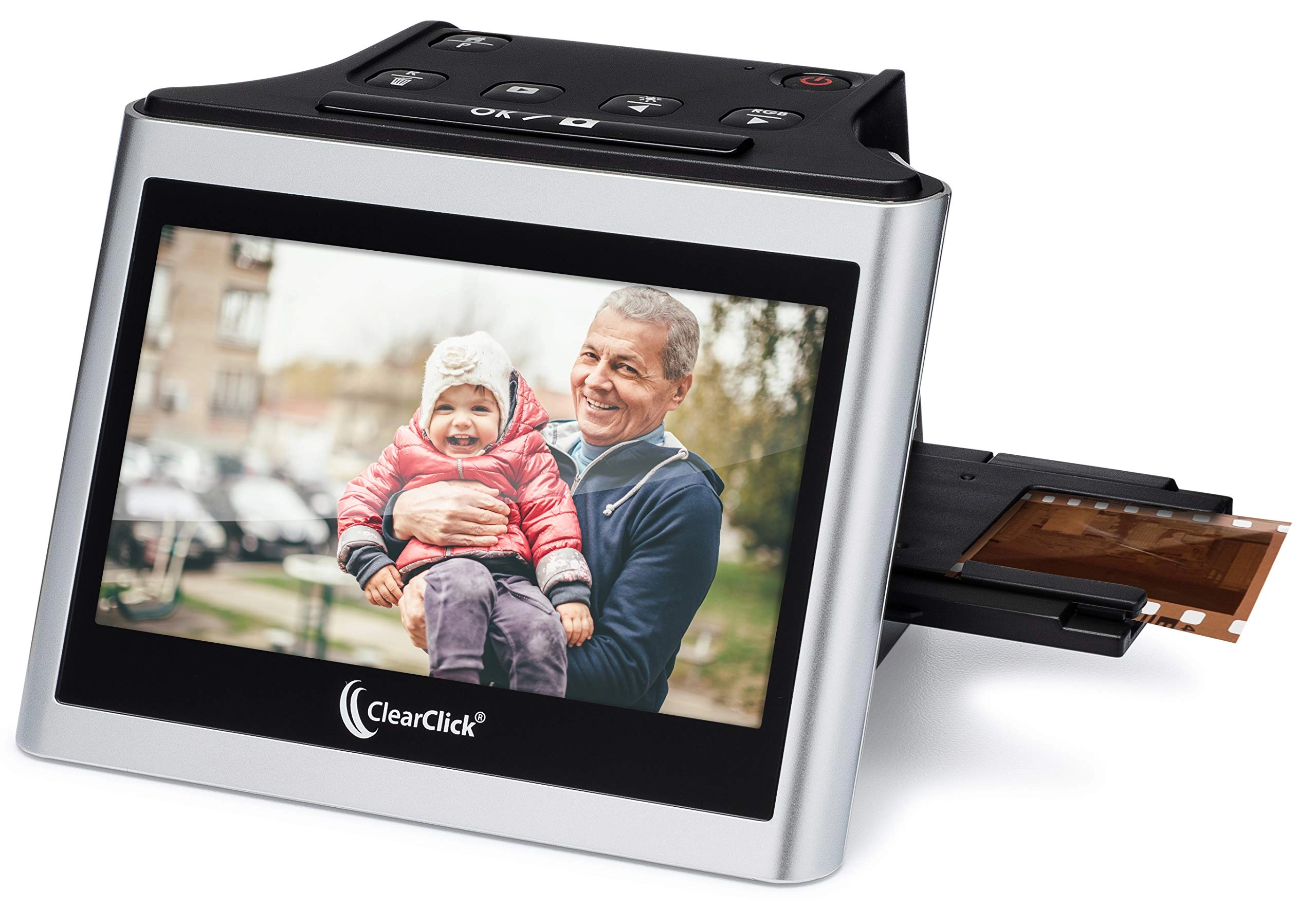
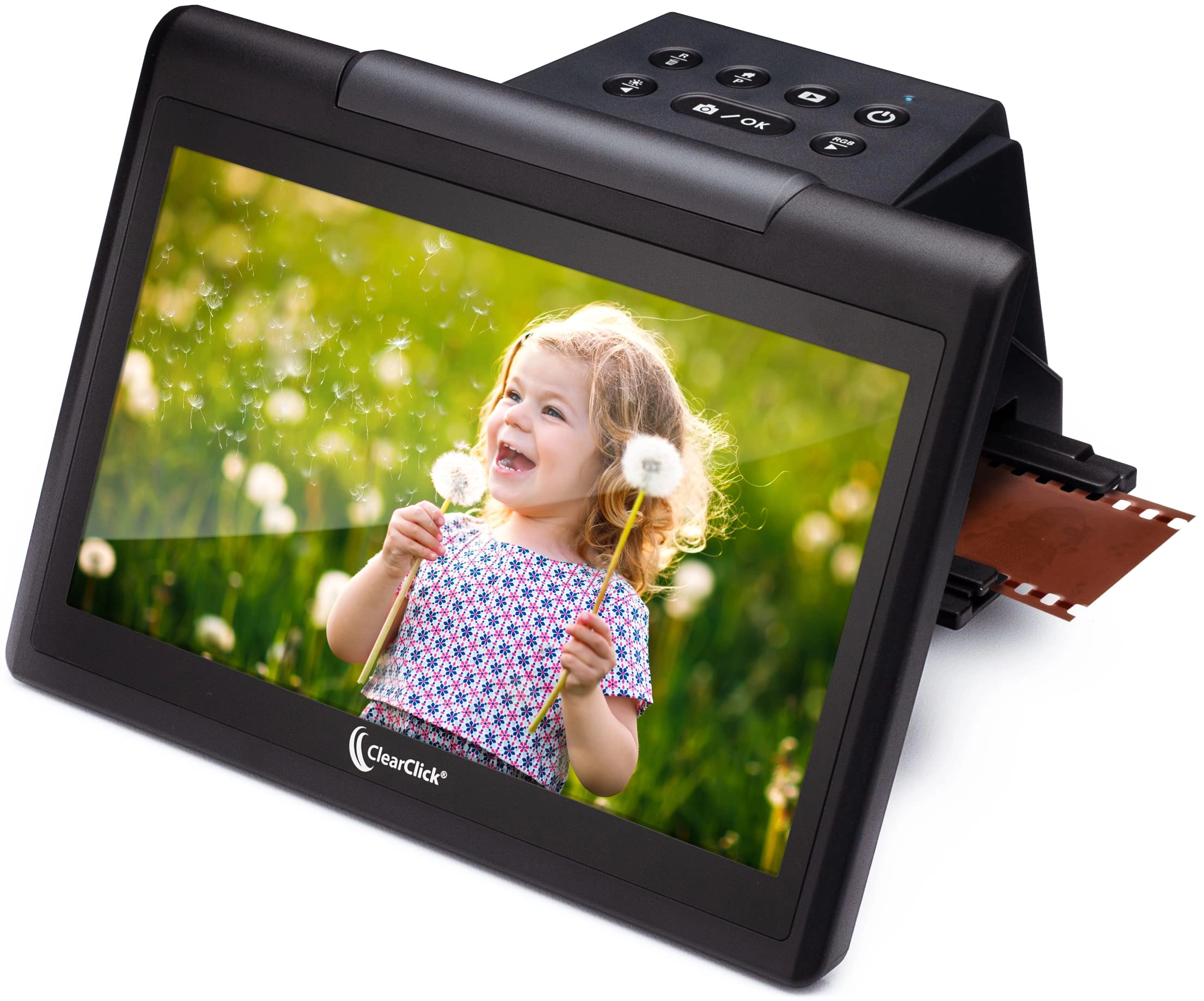
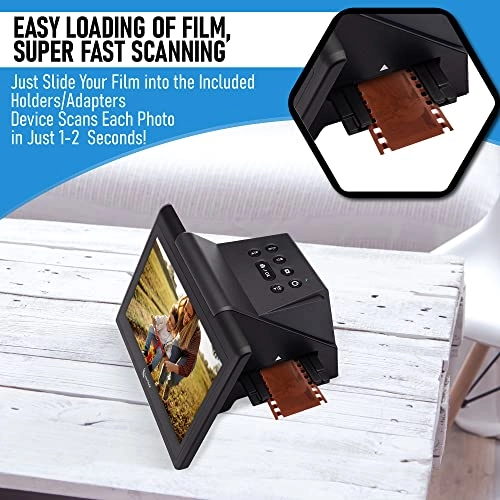
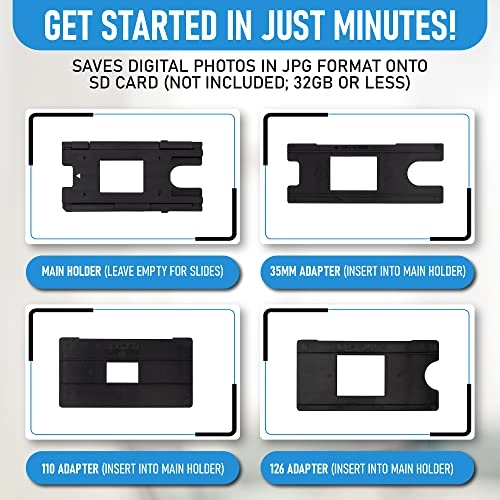
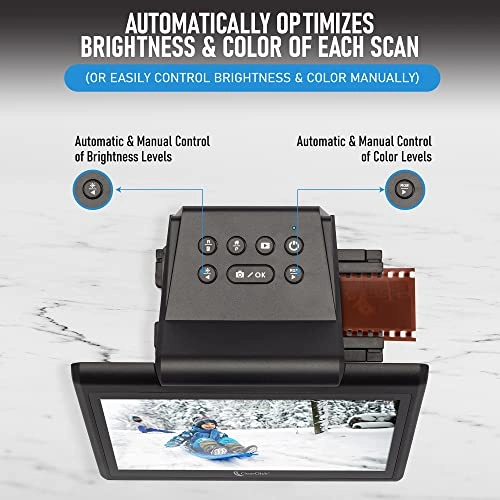
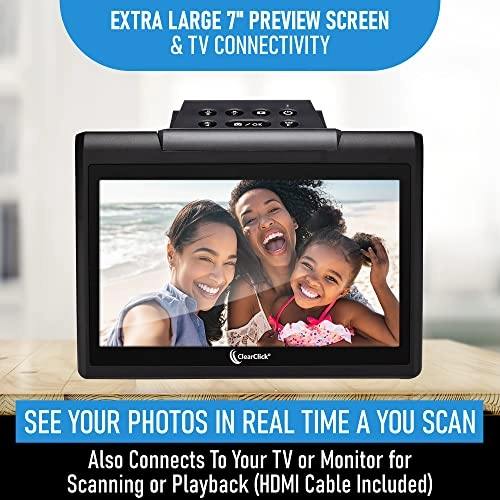
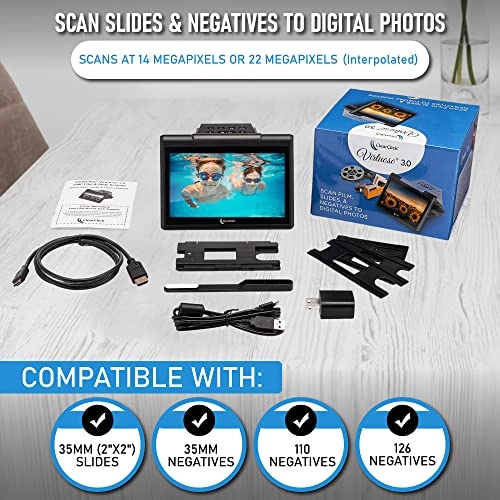
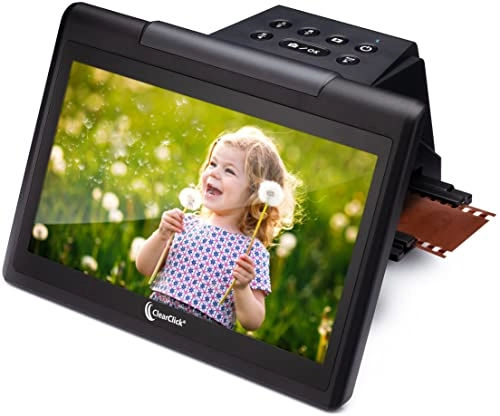
Got a box of old slides and negatives? Turn your photos into digital format so that you can preserve them and share them with others! It's easy with the ClearClick Virtuoso 3.0 (Third Generation) Slide & Negative Scanner. No computer is required to use the scanner, which means no confusing software or drivers. The Virtuoso 3.0 can scan your film to digital photos at a high-quality resolution of 14 megapixels or 22 megapixels (interpolated). And with the huge 7" preview screen, you can see each slide or negative in "real time" before you scan it. When you're ready to scan, just hit the "OK/Scan" button, and your photo will be scanned and saved onto any SD memory card (NOT INCLUDED; 32GB or less) in just 1-2 seconds! The Virtuoso 3.0 can automatically set the color & brightness of each scan, or you can control it manually by the easy access buttons on top of the scanner. The scanner works with most common formats of slides, negatives, and film, including 35mm, 110, 126 negatives (both B&W and color) as well as standard 35mm slides (2"x2"in/50x50mm). The scanner comes with easy "slide-through" film holders, which make it very quick to load your slides & negative strips into the scanner. Adapters for 110 and 126 negatives are included too. Once you've scanned some photos, you can connect your scanner directly to your TV to view them using any mini-HDMI-to-HDMI cable (included). Or easily transfer your scanned photos to your PC or Mac by connecting the scanner to your computer. You can also transfer them by simply removing the SD card (NOT INCLUDED; 32GB or less) and inserting it into your computer.

Reviews

Loading...
Loading...
Loading...
Loading...
Loading...
Loading...
Loading...
Loading...
Loading...
Loading...
Loading...
Loading...
Loading...
Loading...
Loading...
Loading...
Loading...
Loading...
Loading...
Loading...
Loading...
Loading...
Loading...
Loading...
Loading...
Loading...
Loading...
Loading...
Loading...
Loading...
Loading...
Loading...
Loading...
Loading...
Loading...
Loading...
Loading...
Loading...
Loading...
Loading...
Loading...
Loading...
Loading...
Loading...
Loading...
Loading...
Loading...
Loading...
Loading...
Loading...
Loading...
Loading...
Loading...
Loading...
Loading...
Loading...
Loading...
Loading...
Loading...
Loading...
Loading...
Loading...
Loading...

Join our newsletter

Be the first to know about new arrivals, sales, and exclusive picks

Sign in to unlock newsletter access and stay in the loop

Allware
info@allware.com
+971522500911
World technology awards winner badge

Allware

  • About Us
  • Terms And Conditions
  • Privacy Policy
  • Contact Us

Partners

  • Why become a partner?
  • How to list your Online Shop?

Newsletter

  • Subscribe

Info

  • How Allware works
All Rights Reserved.
Please enable location access or select an emirate
-
00:00:00
Prayer timings

Product.Navigation.offersCount

Amazon logo

Product.OfferList.offerCount

From
AED
719

ClearClick Virtuoso 3.0 (Third Generation) 22MP Film & Slide Scanner (35mm, 110, 126) with Large 7" LCD Screen - Convert Slides and Negatives to Digital Photos

Black
AED
71917

Price History

Price History Skeleton
Price History Shimmer Effect
Loading price history...

Similar Products

See all
Plustek 8200I SE - USB + Silverfast SE Plus 8.8

Plustek 8200I SE - USB + Silverfast SE Plus 8.8

AED
2 10169
ProductCard.offer
Plustek OpticFilm 8300i Ai - USB

Plustek OpticFilm 8300i Ai - USB

AED
2 10195
ProductCard.offer
-16%
Kodak Scanza - Micro USB Port (USB 2.0) HDMI RCA composite video out

Kodak Scanza - Micro USB Port (USB 2.0) HDMI RCA composite video out

AED
55937
AED
46746
ProductCard.offer
ZIJINGY Multi-Function USB Scanner - USB

ZIJINGY Multi-Function USB Scanner - USB

AED
56409
ProductCard.offer
WJYLM 120 Film Scanner - 1080p 22MP

WJYLM 120 Film Scanner - 1080p 22MP

AED
40999
ProductCard.offer
ERICAT Digital Film Converter - HDMI USB

ERICAT Digital Film Converter - HDMI USB

AED
37451
ProductCard.offer
Labymos Portable Negative Film Scanner - MSDC: USB 2.0 (high speed)

Labymos Portable Negative Film Scanner - MSDC: USB 2.0 (high speed)

AED
15706
ProductCard.offer
sweetty Protable Negative Film Scanner - 35mm/135mm 2.4" LCD 512MB

sweetty Protable Negative Film Scanner - 35mm/135mm 2.4" LCD 512MB

AED
7382
ProductCard.offer
SLKTDE Film Scanner - USB

SLKTDE Film Scanner - USB

AED
65600
ProductCard.offer
COYEUX Digital Film Scanner - 120 1080P LCD Screen

COYEUX Digital Film Scanner - 120 1080P LCD Screen

AED
68795
ProductCard.offer

More from ClearClick

See all
ClearClick Virtuoso 3.0 - USB

ClearClick Virtuoso 3.0 - USB

AED
71917
ProductCard.offer
ClearClick Virtuoso 2.0 - 22MP 5" LCD

ClearClick Virtuoso 2.0 - 22MP 5" LCD

AED
61260
ProductCard.offer
ClearClick QuickConvert 2.0 - 14 MP Photo, Slide, and Negative Scanner

ClearClick QuickConvert 2.0 - 14 MP Photo, Slide, and Negative Scanner

AED
1 15000
ProductCard.offer
ClearClick AM/FM Retro Radio With Bluetooth - Bluetooth

ClearClick AM/FM Retro Radio With Bluetooth - Bluetooth

AED
81720
ProductCard.offer
ClearClick Photo2Digital - USB

ClearClick Photo2Digital - USB

AED
71650
ProductCard.offer
Loading...
Loading...
Loading...
Loading...
Loading...
Loading...
Loading...
Loading...
Loading...
Loading...
Loading...
Loading...
Loading...
Loading...
Loading...
Loading...
Loading...
Loading...
Loading...
Loading...
Loading...
Loading...
Loading...
Loading...
Loading...
Loading...
Loading...
Loading...
Loading...
Loading...
Loading...
Loading...
Loading...
Loading...
Loading...
Loading...
Loading...
Loading...
Loading...
Loading...
Loading...
Loading...
Loading...
Loading...
Loading...