Allware
Loading...
  • News
  • Price drops
  • New arrivals
  • Featured categories
  1. Computers & Peripherals
  2. Networking
  3. Networking Hardware
  4. Wireless Access Points
AP-215
AP-215
AP-215
AP-215
AP-215

HPE AP-215

Best offer
AED
99900

Key Features

  • 2.4 GHz: Yes
  • 5 GHz: Yes
  • Maximum data transfer rate (2.4 GHz): 450Mbit/s
  • Maximum data transfer rate (5 GHz): 1300Mbit/s
  • Antenna features: Integrated antenna
  • Antenna direction type: Omni-directional
  • Antenna gain level (max): 5dBi
  • Maximum data transfer rate: 1300Mbit/s
  • Placement: Ceiling, Wall
  • Internal: No
  • Antenna type: Internal
  • Auto MDI/MDI-X: Yes
  • Channel bandwidth: 80MHz
  • Ethernet LAN data rates: 10, 100Mbit/s
  • WAN connection: Ethernet (RJ-45)
  • Offers
  • Price History
  • Specifications
  • Product Details
  • Review IconReviews

Specifications

Features

Antennas quantity
6
Quality of Service (QoS) support
✓
Security algorithms
Not supported
MIMO
✓
Product colour
White
Antenna gain level (max)
5 dBi
Maximum data transfer rate
1300 Mbit/s
Placement
Ceiling, Wall
Maximum data transfer rate (5 GHz)
1300 Mbit/s
Maximum data transfer rate (2.4 GHz)
450 Mbit/s
5 GHz
✓
2.4 GHz
✓

Packaging data

Package weight
860 g
Package height
55 mm
Package depth
225 mm
Package width
220 mm

Weight & dimensions

Weight
610 g
Height
45 mm
Depth
180 mm
Width
180 mm

Management features

Firmware upgradeable
✓

Power

AC input voltage
48 V
Power consumption (max)
14.90 W
Power over Ethernet (PoE)
✓

Performance

Transmitting power
23 dBmW

Other features

Cable lock slot type
Kensington

Design

Reset button
✓
LED indicators
Yes
Cable lock slot
✓
Internal
✗
Antenna direction type
Omni-directional

Computer system

Antenna type
Internal

Packaging content

Mounting kit
✓
AC adapter included
✗

Network

Security features
FIPS
Networking standards
IEEE 802.11a, IEEE 802.11ac, IEEE 802.11b, IEEE 802.11g, IEEE 802.11n, IEEE 802.3af, IEEE 802.3at, IEEE 802.3az
Auto MDI/MDI-X
✓
Channel bandwidth
80 MHz
Ethernet LAN data rates
10, 100

Ports & interfaces

DC-in jack
✓
USB connector type
USB Type-A
Ethernet LAN (RJ-45) ports
1
WAN connection
Ethernet (RJ-45)
USB 2.0 ports quantity
1

Operational conditions

Operating temperature (T-T)
5 - 95 °C
Operating relative humidity (H-H)
0 - 50 %

Technical details

Certification
CB Scheme Safety, EN60601-1-2 TAA, FCC CE R&TTE 1999/5/EC Low Voltage 2006/95/EC EN 300 328 EN 301 489 EN 301 893 UL/IEC/EN 60950 EN 60601-1-1, UL2043 plenum rating, Wi-Fi Alliance (WFA) certified 802.11a/b/g/n/ac, cTUVus
Spread spectrum method
DSSS

Antenna

Antenna features
Integrated antenna

Logistics data

Harmonized System (HS) code
85176990

Radar

Modulation
16-QAM, 256-QAM, 64-QAM, BPSK, CCK, OFDM, QPSK

Product Details

High-performance and cost-effective 210-series 802.11ac APs maximize mobile device performance in medium- to high-density Wi-Fi environments. Leveraging three spatial streams, these dual-radio APs deliver wireless data rates up to 1.3 Gbps for 802.11ac and up to 450 Mbps for 802.11n-enabled mobile devices. The AP-215 and IAP-215 models have six integrated omni-directional downtilt antennas, while the AP-214 and IAP-214 support external, detachable dual-band antennas using three RP-SMA connectors. Not just faster, smarter With AppRF™ and ClientMatch™, 210-series APs protect business-critical apps and eliminate sticky clients while roaming. Friendly to Aruba Bluetooth Beacons Connect Aruba Beacons to any 210-series USB port to deliver indoor location services that can be centrally managed. You have the freedom to choose The 210 series can be managed by an Aruba Mobility Controller or deployed in controllerless Aruba Instant mode. Choose your operating mode The 210 series supports your choice of operating modes to meet unique management and deployment requirements. - Controller-managed AP or Remote AP (RAP) running ArubaOS™. When managed by Aruba Mobility Controllers, 210 series APs offer centralized configuration, data encryption, policy enforcement and network services as well as distributed and centralized traffic forwarding. Please refer to the Aruba Mobility Controller data sheets for more details. - Aruba Instant™ AP running InstantOS™. In Aruba Instant mode, a single AP automatically distributes the network configuration to other Instant APs in the WLAN. Simply power-up on Instant AP, configure it over the air, and plug in the other APs – the entire process takes about five minutes.For large installations across multiple sites, the Aruba Activate™ service significantly reduces deployment time by automating device provisioning, firmware upgrades, and inventory management. With Aruba Activate, Instant APs are factory-shipped to any site and configure themselves when powered up.

Files

Product Brochure

mmo_24236279_1460617590_3184_3004.pdf

PDF• 83.2 KB

Aruba 210 Series Access Points

mmo_71497918_1567064241_6088_24465.pdf

PDF• 1 MB

QuickSpecs

mmo_71497918_1567064269_4964_31635.pdf

PDF• 383.6 KB

Reviews

Loading...
Loading...
Loading...
Loading...
Loading...
Loading...
Loading...
Loading...
Loading...
Loading...
Loading...
Loading...
Loading...
Loading...
Loading...
Loading...
Loading...
Loading...
Loading...
Loading...
Loading...
Loading...
Loading...
Loading...
Loading...
Loading...
Loading...
Loading...
Loading...
Loading...
Loading...
Loading...
Loading...
Loading...
Loading...
Loading...
Loading...
Loading...
Loading...
Loading...
Loading...
Loading...
Loading...
Loading...
Loading...
Loading...
Loading...
Loading...
Loading...
Loading...
Loading...
Loading...
Loading...
Loading...
Loading...
Loading...
Loading...
Loading...
Loading...
Loading...
Loading...
Loading...
Loading...

Join our newsletter

Be the first to know about new arrivals, sales, and exclusive picks

Sign in to unlock newsletter access and stay in the loop

Allware
info@allware.com
+971522500911
World technology awards winner badge

Allware

  • About Us
  • Terms And Conditions
  • Privacy Policy
  • Contact Us

Partners

  • Why become a partner?
  • How to list your Online Shop?

Newsletter

  • Subscribe

Info

  • How Allware works
All Rights Reserved.
Please enable location access or select an emirate
-
00:00:00
Prayer timings

Product.Navigation.offersCount

Amazon logo

Product.OfferList.offerCount

From
AED
999

Aruba AP-215 Wireless Access Point (FIPS/TAA compliant, 802.11n/ac, 3X3:3, Dual Radio, INT Antenna)

AED
99900

Price History

Price History Skeleton
Price History Shimmer Effect
Loading price history...

Similar Products

See all
HPE Instant On AP22

HPE Instant On AP22

AED
39900
ProductCard.offer
TP-Link TL-WA1201

TP-Link TL-WA1201

AED
12400
ProductCard.offer
Ubiquiti UAP-AC PRO

Ubiquiti UAP-AC PRO

AED
14401
ProductCard.offer
Ruijie Networks RG-RAP2200(E)

Ruijie Networks RG-RAP2200(E)

AED
18350
ProductCard.offer
TP-Link EAP225

TP-Link EAP225

AED
18799
ProductCard.offer
TP-Link EAP610

TP-Link EAP610

AED
22500
ProductCard.offer
TP-Link EAP245

TP-Link EAP245

AED
24900
ProductCard.offer
-1%
Ubiquiti U6-Mesh

Ubiquiti U6-Mesh

AED
65800
AED
65000
ProductCard.offer
TP-Link EAP110OUTDOOR

TP-Link EAP110OUTDOOR

AED
11300
ProductCard.offer
TP-Link EAP110

TP-Link EAP110

AED
10650
ProductCard.offer

More from HPE

See all
HPE JL725A 24-ports

HPE JL725A 24-ports

AED
7 91300
ProductCard.offer
HPE 876449-B21

HPE 876449-B21

AED
5 45703
ProductCard.offer
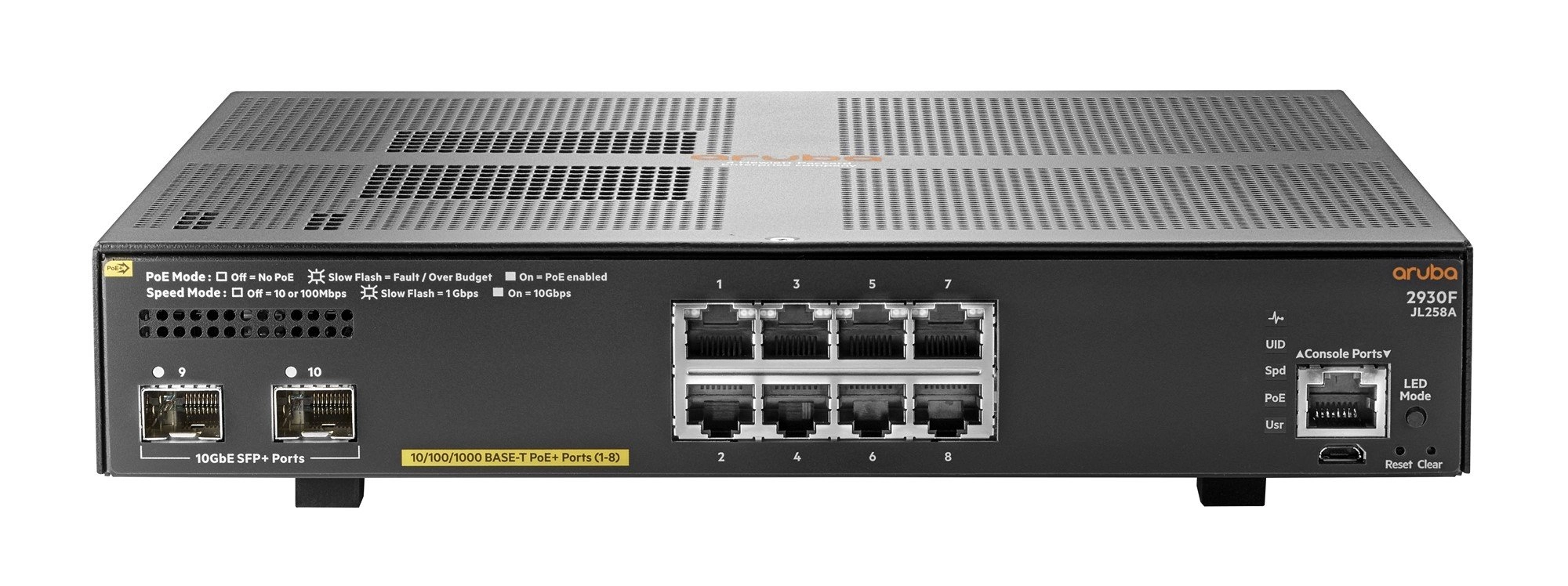
HPE JL258A#ACC 8-ports

HPE JL258A#ACC 8-ports

AED
5 30100
ProductCard.offer
HPE Instant 275

HPE Instant 275

Unavailable
ProductCard.offer
HPE JL685A 48-Ports

HPE JL685A 48-Ports

AED
1 35900
ProductCard.offer
HPE Instant On 1930 - 10-ports

HPE Instant On 1930 - 10-ports

AED
64000
ProductCard.offer
HPE JL683A 24-ports

HPE JL683A 24-ports

AED
1 09900
ProductCard.offer
HPE JL813A#ABA 24-ports

HPE JL813A#ABA 24-ports

AED
97500
ProductCard.offer
HPE AP17

HPE AP17

AED
69900
ProductCard.offer
HPE Instant On AP27

HPE Instant On AP27

AED
85000
ProductCard.offer
Loading...
Loading...
Loading...
Loading...
Loading...
Loading...
Loading...
Loading...
Loading...
Loading...
Loading...
Loading...
Loading...
Loading...
Loading...
Loading...
Loading...
Loading...
Loading...
Loading...
Loading...
Loading...
Loading...
Loading...
Loading...
Loading...
Loading...
Loading...
Loading...
Loading...
Loading...
Loading...
Loading...
Loading...
Loading...
Loading...
Loading...
Loading...
Loading...
Loading...
Loading...
Loading...
Loading...
Loading...
Loading...