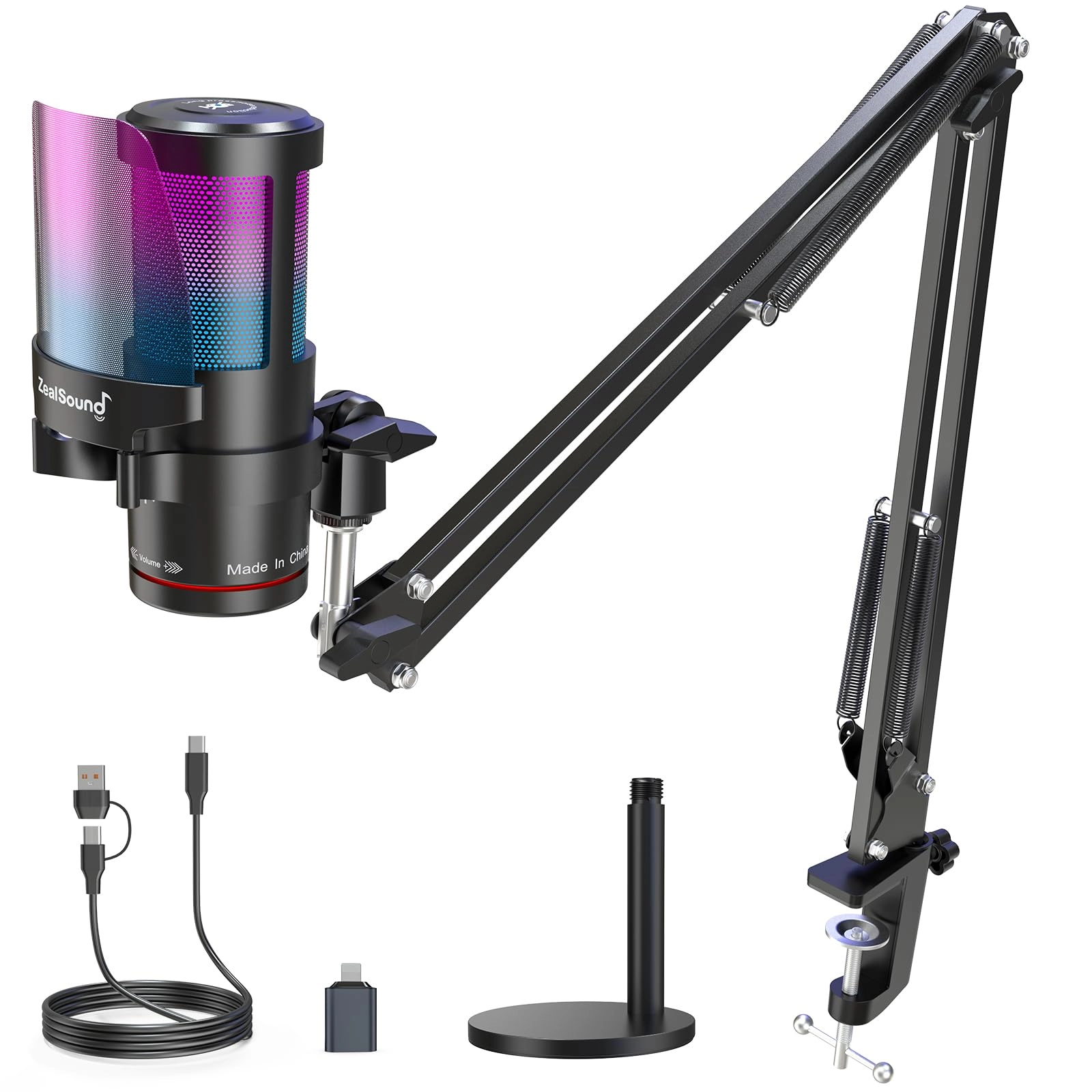
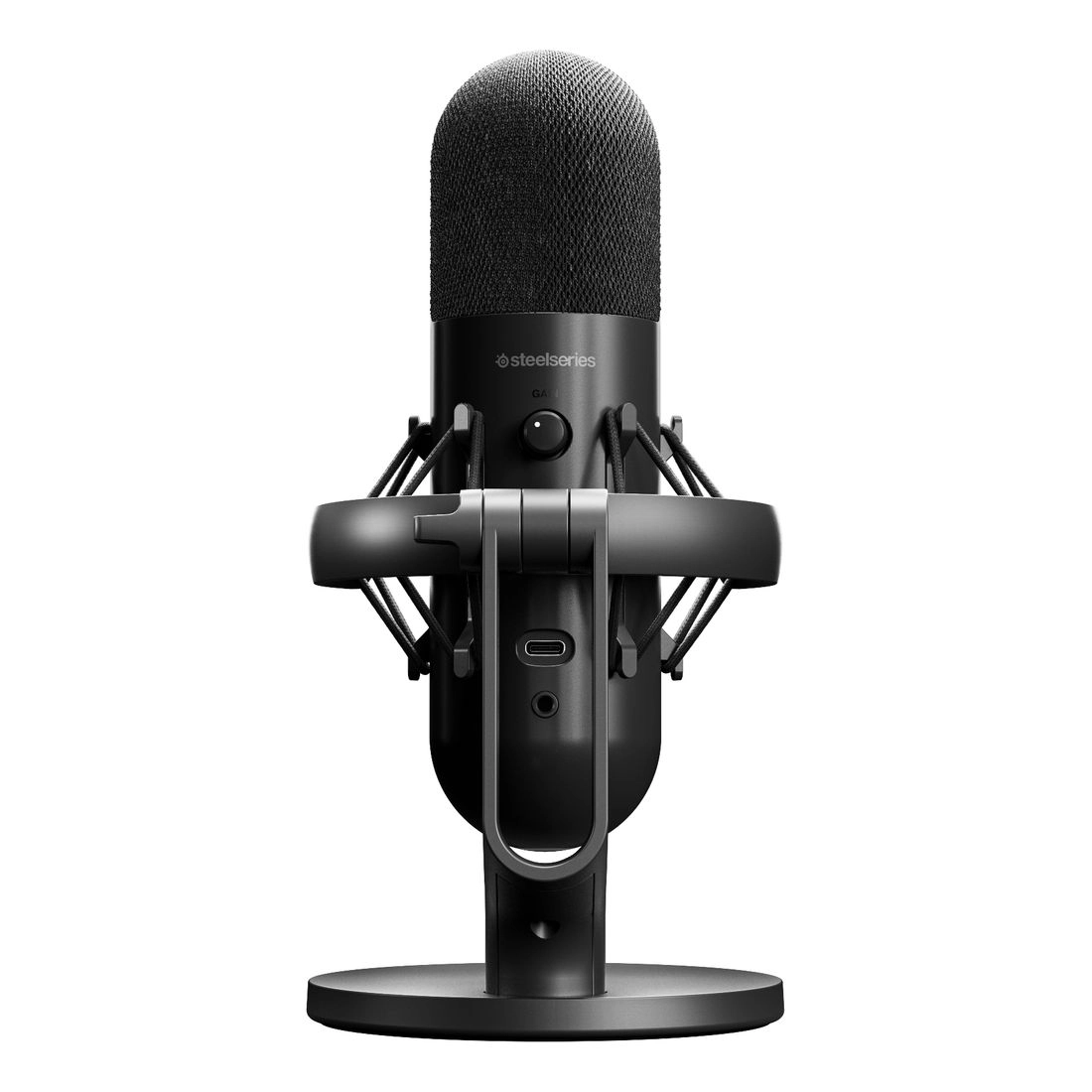
Product Description ZealSound KM8: Designed for Perfect Audio
This 192kHz microphone delivers sharp, distortion-free sound with
a cardioid pickup pattern and active noise cancellation. Simply
hold the mute button until the LED turns green to activate noise
cancel mode , making it perfect for gaming, streaming,
podcasting, ASMR, and professional recordings. High-Performance
Condenser Microphone Tap to Mute Touch the top mute button to
silence audio instantly. Red RGB and indicator confirm when the
mic is muted. Dual-Function Volume Knob The Gain knob allows
quick adjustments, while the two-in-one volume knob switches
between monitor and mic volume, providing smooth control. 3.5mm
Zero-latency Monitor Immersive Voice Recording: No-Latency
Monitoring and On-board Volume Control for Personalized
Atmosphere. Detachable Metal Pop Filter The shock mount reduces
vibrations, while the detachable metal pop filter minimizes noise
without obstructing your screen. Wide Compatibility: Connect All
Your Devices with Ease This microphone comes with a USB adapter
for use with iPhone and iPad Pro (iPhone 5 onwards and
fourth-generation iPad onwards), as well as a Type-C adapter for
use with all Type-C devices. And It is compatible with PS4, PS4
Pro, PS5, desktop computers, and laptops. 10-Mode Customizable
RGB Lighting Customize the RGB lighting with 10 modes , including
static colors, color cycles, gradients, and breathing effects, to
enhance your gaming or streaming setup. Control the lights easily
with the RGB button— Tap to adjust or hold for 3 seconds to TURN
OFF. Achieve multiple goals for play and work A microphone for
all of your needs The noise-canceling function is initially
disabled. To activate advanced noise cancellation, simply hold
the mute button until the LED turns green, Content creators,
musicians, journalists, gamers, and anyone else in need of a
noiseless recording environment can activate this feature. What
is the pickup pattern of this microphone? For side-address
cardioid pickup, position the microphone's side toward the sound
source. Speak directly into the side for optimal sound quality
What is the pickup pattern of this microphone? For side-address
cardioid pickup, position the microphone's side toward the sound
source. Speak directly into the side for optimal sound quality
Why does it not work with my Android phone but function well with
my iPhone 16? Please ensure that your Android device supports OTG
and verify that it's enabled in the settings before use. (Search
for "OTG" in the settings and enable it.) Why does it not work
with my Android phone but function well with my iPhone 16? Please
ensure that your Android device supports OTG and verify that it's
enabled in the settings before use. (Search for "OTG" in the
settings and enable it.) Is the mic compatible with the Mac book?
The mic is compatible with Macbook and doesn't require any
additional drivers. Make sure to check your Mac settings and
ensure that the mic is recognized as an input source. Is the mic
compatible with the Mac book? The mic is compatible with Macbook
and doesn't require any additional drivers. Make sure to check
your Mac settings and ensure that the mic is recognized as an
input source. As an ASMR artist, I am experiencing excessive
noise with this microphone, how can you help me resolve it? The
noise-canceling function is OFF by default. To activate noise
cancel, hold the mute button until the LED turns green. As an
ASMR artist, I am experiencing excessive noise with this
microphone, how can you help me resolve it? The noise-canceling
function is OFF by default. To activate noise cancel, hold the
mute button until the LED turns green. What is the recommended
distance to keep when using this desktop cardioid microphone? The
recommended distance to keep when using this microphone is
generally between 6 to 12 inches from your mouth. But it's best
to experiment with different distances to find the optimal one
for your needs. What is the recommended distance to keep when
using this desktop cardioid microphone? The recommended distance
to keep when using this microphone is generally between 6 to 12
inches from your mouth. But it's best to experiment with
different distances to find the optimal one for your needs.
Review: Great working microphone - Really love this microphone .
Does everything it needs to.
Review: A few podcasts on these are great - This was such a hard
decision and a few podcasts in, the purchase is a good one.
Paired with headset. No complaints. Looking for something I can
wear outside now.