Allware
Loading...
  • News
  • Price drops
  • New arrivals
  • Featured categories
  1. Computers & Peripherals
  2. Networking
  3. Networking Hardware
  4. Wireless Routers
TD-W8951ND - 150Mbps Wireless N

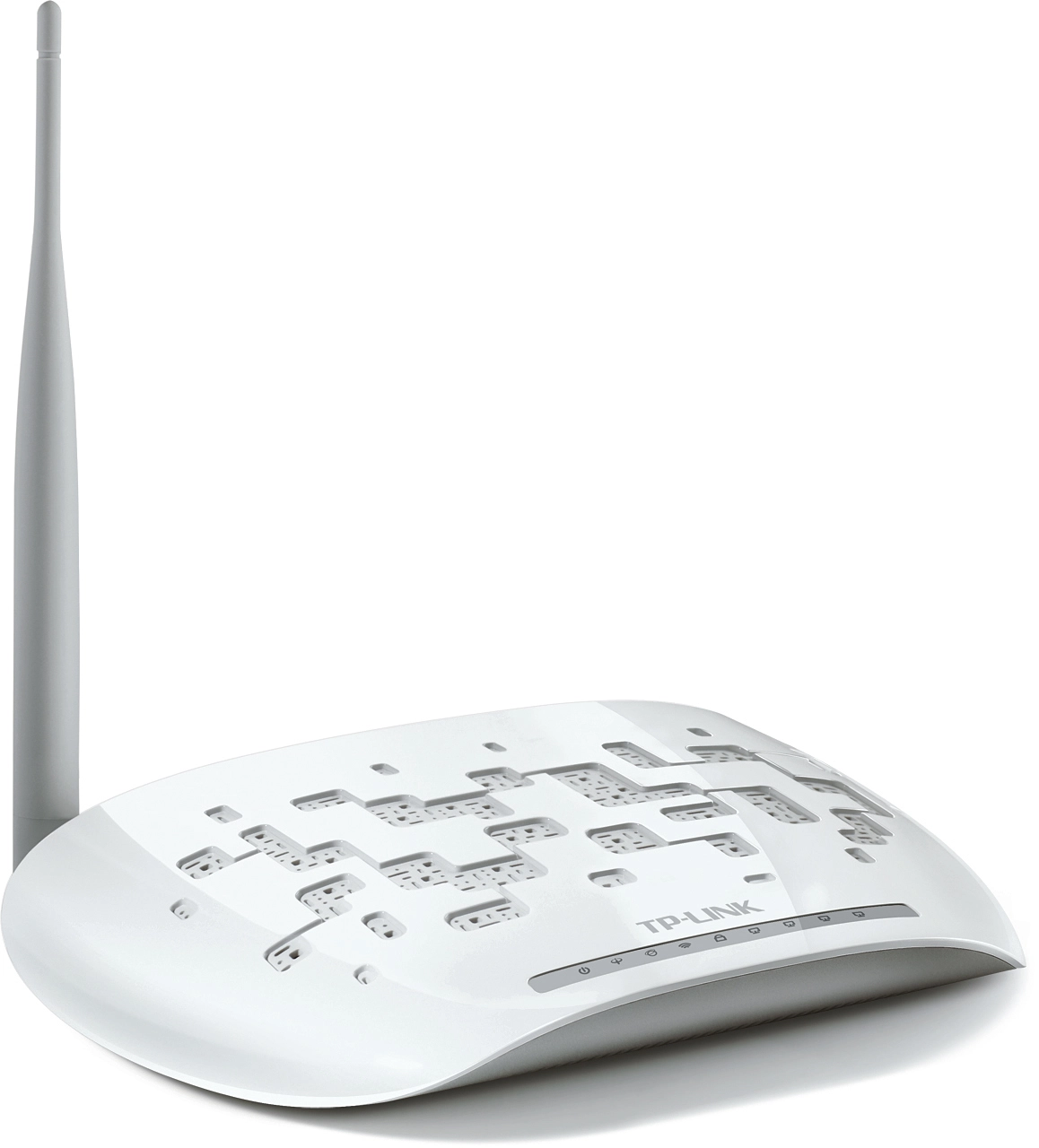
TP-Link TD-W8951ND - 150Mbps Wireless N

Best offer
AED
13800

Key Features

  • DSL WAN: Yes
  • WLAN data transfer rate (max): 150Mbit/s
  • ADSL2+: Yes
  • Top Wi-Fi standard: 802.11g
  • Antenna design: External
  • Ethernet LAN interface type: Fast Ethernet
  • Antenna gain level (max): 3dBi
  • Filtering: Yes
  • Frequency range: 2.4 - 2.4835 GHz
  • xDSL connection: Yes
  • Cabling technology: 10/100Base-T(X)
  • Wi-Fi standards: 802.11b, 802.11g
  • Ethernet LAN: Yes
  • Downstream data rate: 24Mbit/s
  • Ethernet LAN data rates: 10Mbit/s
  • Offers
  • Price History
  • Specifications
  • Product Details
  • Review IconReviews

Specifications

Features

Antennas quantity
1
Universal Plug and Play (UPnP)
✓
Plug and Play
✓
Quality of Service (QoS) support
✓
Frequency range
2.40 - 2.48 GHz
Security algorithms
128-bit WEP, 64-bit WEP, WPA-AES, WPA-PSK, WPA-TKIP, WPA2-PSK
Rack mounting
✗
Operating temperature (T-T)
32 - 104 °F
Product colour
White
Antenna gain level (max)
3 dBi

Weight & dimensions

Height
29 mm
Depth
120 mm
Width
174 mm

Management features

Web-based management
✓
Firmware upgradeable
✓

Power

Input current
0.85 A

Performance

Top Wi-Fi standard
802.11g

Wireless LAN features

VPN support
PPTP
WLAN data transfer rate (max)
150 Mbit/s

Other features

Filtering
✓
Frequency range
2.4 - 2.4835 GHz
xDSL connection
✓

Design

LED indicators
Yes

Network

Networking standards
IEEE 802.11b, IEEE 802.11g, IEEE 802.3, IEEE 802.3u
Supported network protocols
IPoA, PPPoA, PPPoE
Cabling technology
10/100Base-T(X)
Wi-Fi standards
802.11b, 802.11g
Ethernet LAN
✓
Downstream data rate
24 Mbit/s
Ethernet LAN data rates
10
Upstream data rate
3.50 Mbit/s
Ethernet LAN interface type
Fast Ethernet

Ports & interfaces

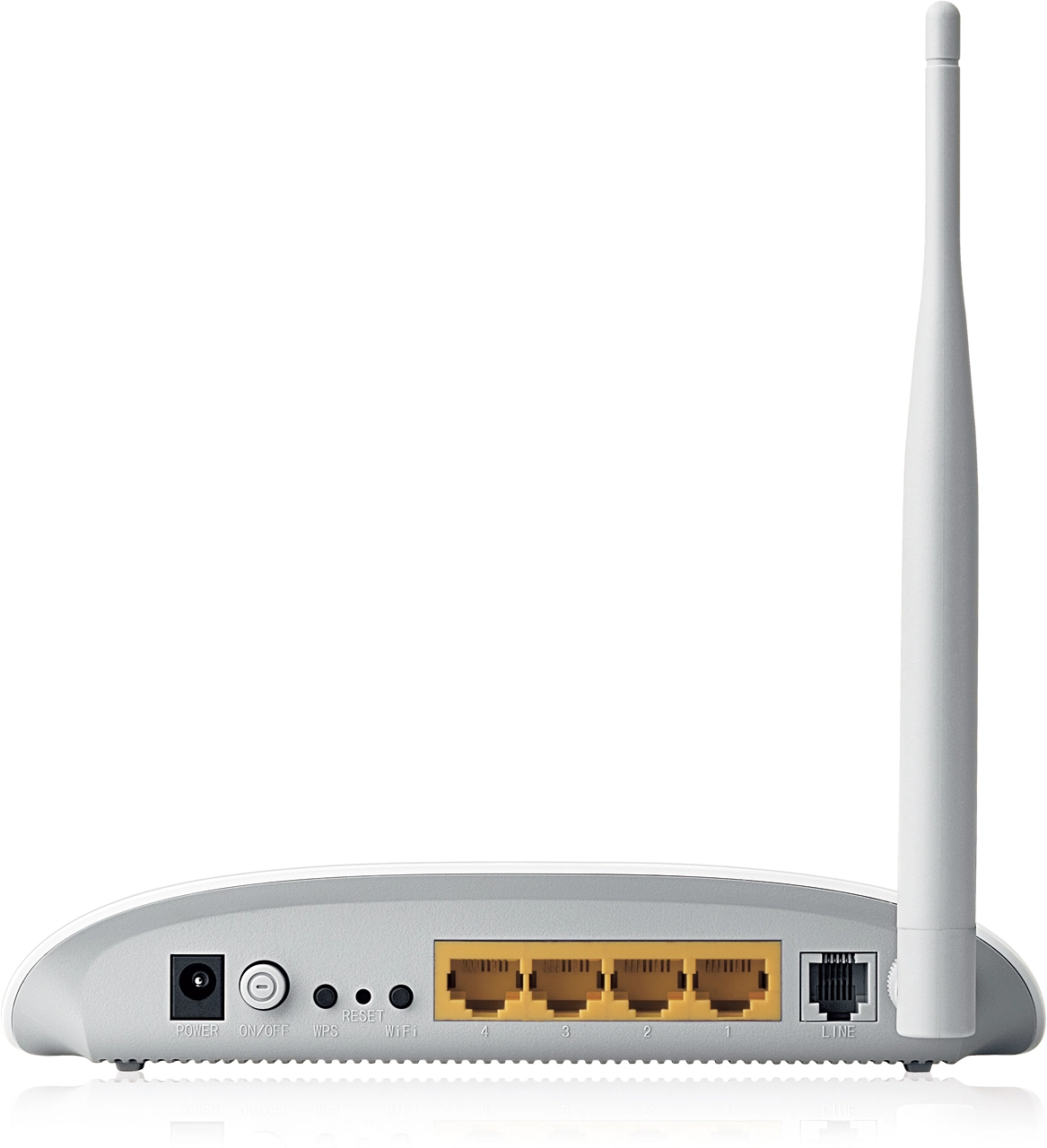
DC-in jack
✓
Ethernet LAN (RJ-45) ports
4
RJ-11 ports quantity
1

DSL features

DSL specification
ITU-T K.2.1
ADSL2+
✓

Operational conditions

Operating relative humidity (H-H)
10 - 90 %
Storage relative humidity (H-H)
5 - 90 %

Technical details

Certification
CE, FCC, RoHS

Security

Stateful Packet Inspection (SPI)
✓
MAC address filtering
✓
Network address translation (NAT)
✓
DMZ support
✓

Antenna

Antenna design
External

WAN connection

DSL WAN
✓

Product Details

What This Product Does TD-W8951ND 150Mbps Wireless N ADSL2+ Modem Router is an All-in-One device, which is designed to provide end-users with a one-stop solution to acquiring and sharing high speed Internet access over a wired/wireless network. With the Easy Setup Assistant bundled in the CD, SPI and NAT firewall, QoS engine and other advanced features, you can easily setup a protected wireless network and enjoy the pleasant of Internet surfing, file sharing, VoIP, audio and Video streaming. One-Stop Solution As a 3-in-1 device, the TD-W8951ND combines the functions of a high speed DSL modem, a 4-Port 10/100Mbps NAT router and a wireless N access point. Using a DSL enabled telephone line the TD-W8951ND could establish a high-speed ADSL2+ Internet connection. Once set up, the device’s wired/wireless functions can be used to share media between devices, browse the Internet, talk on an IP phone, or even stream HD video from anywhere in your entire home or even the yard. Save time and money using one device instead of multiple devices that take longer to set up and occupy more cluttered space. High-Speed Internet Access and Wireless Performance Unlike a dial-up Internet service, a DSL Internet connection is always on so that users need not dial up or wait to access the web. Supporting the latest ADSL standards, the TD-W8951ND provides higher performance (up to 24Mbps downstream and 3.5Mbps upstream) and longer reach from users' local Internet Service Provider (ISP). Complies with IEEE 802.11n standards, TD-W8951ND can establish a wireless network and provide better wireless performance, transmission rates, stability and coverage. You can get up to 9X the speed and 4X the range of conventional 11g product and share your high-speed DSL Internet connection, photos, music, files, and even the heavy bandwidth consuming applications like wireless HD video streaming which can not be accommodated by 11g products, from anywhere in their entire homes or even in their backyards!. Ideal For Pleasant Triple-play Experience Port VLAN binds specific LAN ports and PVCs for differential services like IPTV. The TD-W8951ND's built-in QoS engine provides various QoS policies that help prioritize Internet traffic to enable smooth IPTV streaming and lag-free online gaming. Thus users can experience the benefits of a smooth network connection without worrying about traffic congestion. Combined with IGMP multicast and IGMP snooping features the TD-W8951ND makes an ideal solution for multimedia applications. Advanced Network Security And Flexible Management The TD-W8951ND utilizes NAT and SPI (stateful packet inspection) firewalls which inspect the contents of incoming packets before they are allowed in, preventing potential attacks from across the Internet. For added convenience, it supports access control based on MAC addresses, IP addresses, domain names or applications such as MSN or Yahoo Messenger, so that parents and network administrators can establish restricted access policies for children or staff. Aside from web configuration, the TD-W8951ND also provides TR-069 and SNMP, which automatically update the device's firmware and other settings when they become available from users' ISP. All of these features help users to enhance their network’s security and make network management more flexible. WPS One Button Security To setup their network's security encryption, users need simply to press the "WPS" button on their TD-W8961ND, then push the "WPS" button or enter the router's PIN Code in the wireless client, and it will automatically establish a WPA secure connection. Not only is this faster than normal security setups but more convenient in that users don't need to remember a password! Easy To Use Easy Setup Assistant with multi-language support is provided in the product CD. Users can select their native language when setting up their device and complete Internet connection setup, wireless network settings and security configurations without the use of a multilingual dictionary. This benefit allows even novice users to setup their products without sacrificing any key features. Users need simply insert the TD-W8951ND's bundled Auto-Run CD to have their networks set up quickly and hassle-free in minutes.

Reviews

Loading...
Loading...
Loading...
Loading...
Loading...
Loading...
Loading...
Loading...
Loading...
Loading...
Loading...
Loading...
Loading...
Loading...
Loading...
Loading...
Loading...
Loading...
Loading...
Loading...
Loading...
Loading...
Loading...
Loading...
Loading...
Loading...
Loading...
Loading...
Loading...
Loading...
Loading...
Loading...
Loading...
Loading...
Loading...
Loading...
Loading...
Loading...
Loading...
Loading...
Loading...
Loading...
Loading...
Loading...
Loading...
Loading...
Loading...
Loading...
Loading...
Loading...
Loading...
Loading...
Loading...
Loading...
Loading...
Loading...
Loading...
Loading...
Loading...
Loading...
Loading...
Loading...
Loading...

Join our newsletter

Be the first to know about new arrivals, sales, and exclusive picks

Sign in to unlock newsletter access and stay in the loop

Allware
info@allware.com
+971522500911
World technology awards winner badge

Allware

  • About Us
  • Terms And Conditions
  • Privacy Policy
  • Contact Us

Partners

  • Why become a partner?
  • How to list your Online Shop?

Newsletter

  • Subscribe

Info

  • How Allware works
All Rights Reserved.
Please enable location access or select an emirate
-
00:00:00
Prayer timings

Offers (1)

Amazon logo

1 offer

From
AED
138

TP-Link TD-W8951ND 150Mbps Wireless N ADSL2 Plus Modem Router

AED
13800

Price History

Price History Skeleton
Price History Shimmer Effect
Loading price history...

Similar Products

See all
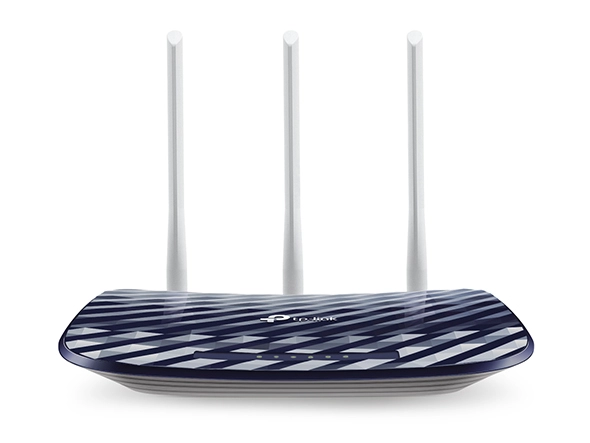
TP-Link Archer C20 AC750

TP-Link Archer C20 AC750

AED
5900
16 offers
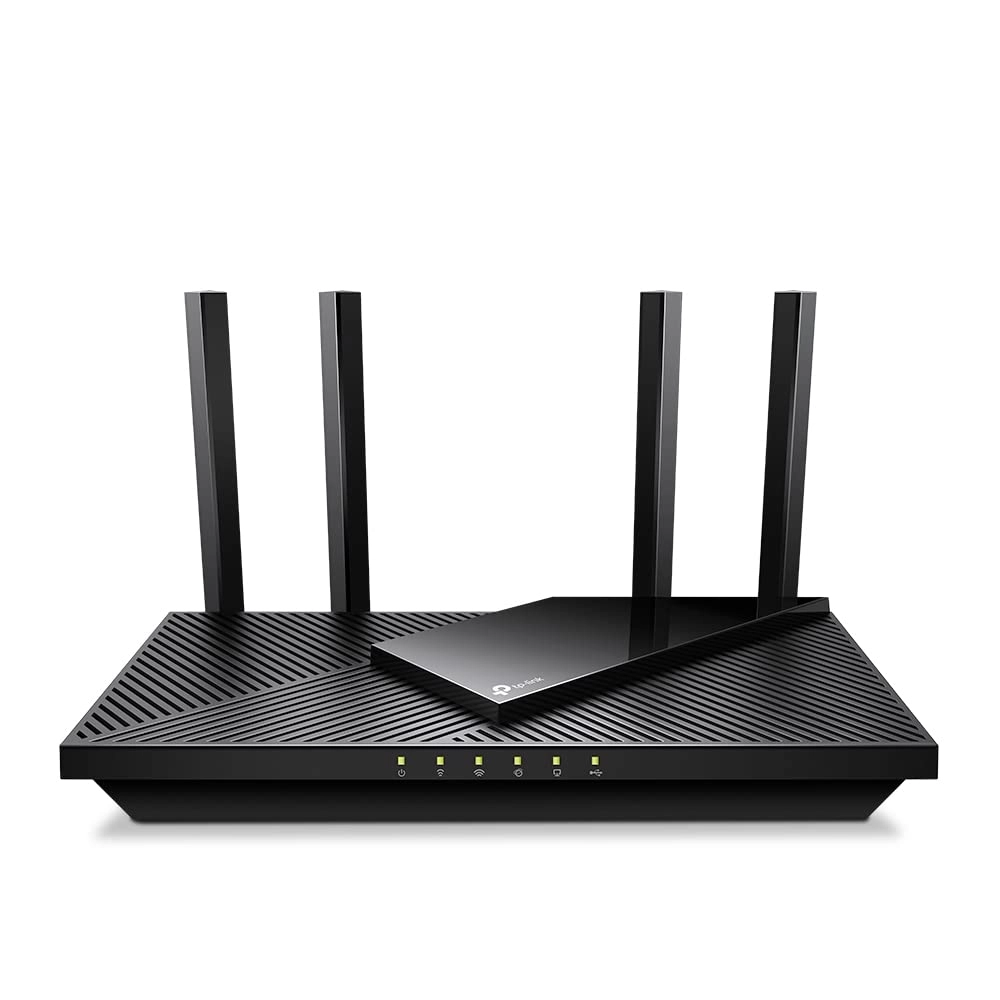
TP-Link Archer NX200

TP-Link Archer NX200

AED
57900
8 offers
-16%
TP-Link Archer AC750 MR200

TP-Link Archer AC750 MR200

AED
17900
AED
15000
12 offers
TP-Link Archer C50 - 1.2Gbps 802.11ac

TP-Link Archer C50 - 1.2Gbps 802.11ac

AED
7468
12 offers
TP-Link Archer AX10

TP-Link Archer AX10

AED
11500
10 offers
TP-Link ARCHER AX72 PRO - AX5400 Wi-Fi 6

TP-Link ARCHER AX72 PRO - AX5400 Wi-Fi 6

AED
28900
10 offers
-25%
TP-Link BE400

TP-Link BE400

AED
69900
AED
52000
5 offers
TP-Link Archer GE230 - 3600 Mbps Wi-Fi 7

TP-Link Archer GE230 - 3600 Mbps Wi-Fi 7

AED
18900
8 offers
TP-Link Archer AX73

TP-Link Archer AX73

AED
30898
8 offers
TP-Link Archer BE550

TP-Link Archer BE550

AED
74460
7 offers

More from TP-Link

See all
TP-Link Deco X50-4G

TP-Link Deco X50-4G

AED
51800
1 offer
TP-Link TL-SF1008D 8-ports

TP-Link TL-SF1008D 8-ports

AED
2388
16 offers
TP-Link Festa FS318G 18-ports

TP-Link Festa FS318G 18-ports

AED
33800
1 offer
-5%
TP-Link EAP650

TP-Link EAP650

AED
26500
AED
24920
4 offers
TP-Link ER7206

TP-Link ER7206

AED
45500
1 offer
TP-Link TL-SF1016DS(UK) 16-ports

TP-Link TL-SF1016DS(UK) 16-ports

AED
35500
1 offer
TP-Link TL-SG108S-M2 8-Ports

TP-Link TL-SG108S-M2 8-Ports

AED
70270
1 offer
TP-Link T1600G-52PS 48-ports

TP-Link T1600G-52PS 48-ports

Unavailable
1 offer
TP-Link SQ1 - 72 mm x 86 mm

TP-Link SQ1 - 72 mm x 86 mm

AED
40845
1 offer
TP-Link TL-MR6500v

TP-Link TL-MR6500v

AED
23500
5 offers
Loading...
Loading...
Loading...
Loading...
Loading...
Loading...
Loading...
Loading...
Loading...
Loading...
Loading...
Loading...
Loading...
Loading...
Loading...
Loading...
Loading...
Loading...
Loading...
Loading...
Loading...
Loading...
Loading...
Loading...
Loading...
Loading...
Loading...
Loading...
Loading...
Loading...
Loading...
Loading...
Loading...
Loading...
Loading...
Loading...
Loading...
Loading...
Loading...
Loading...
Loading...
Loading...
Loading...
Loading...
Loading...