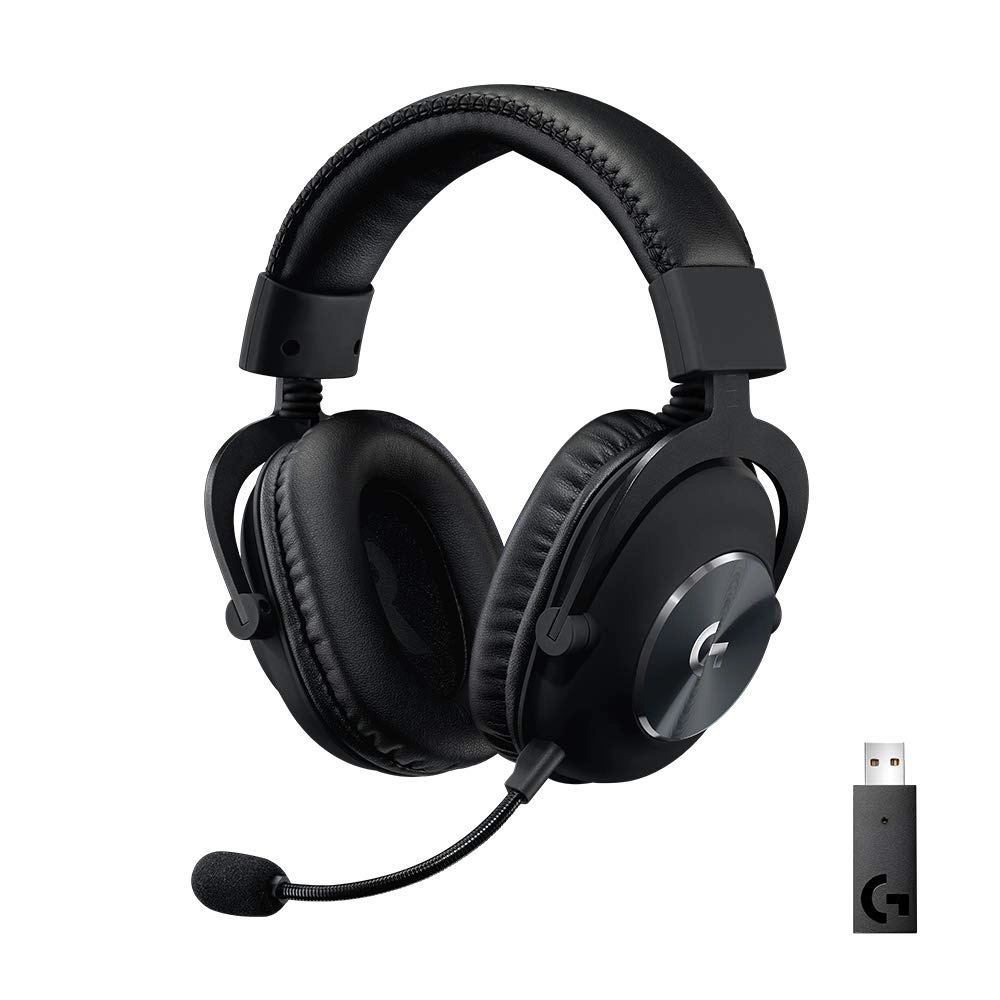
The PRO X Wireless Lightspeed Gaming Headset. Engineered for the
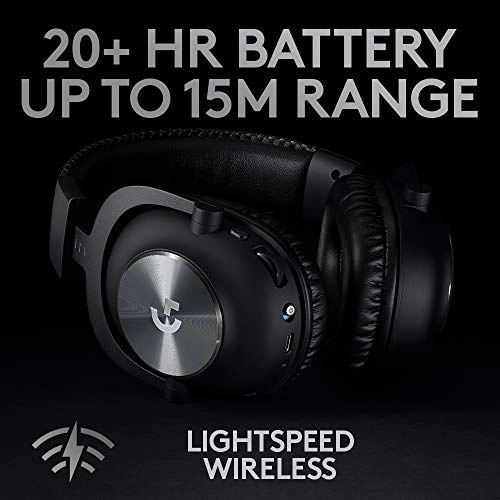
extreme performance you expect from PRO X—now with 2.4 GHz
Lightspeed wireless. Advanced Blue VO!CE, next-gen 7.1 surround
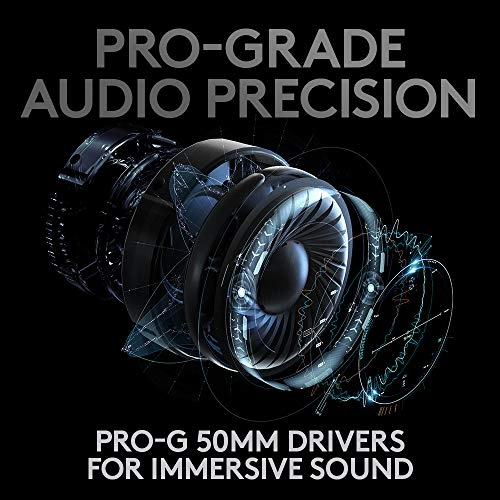
sound, and PRO-G 50 mm drivers for clear sound imaging and
professional sound and voice comms. PRO X Wireless delivers
crystal-clear game sound and voice chat. Comfortable memory foam,
plus durable steel and aluminum construction let you play to win.
PRO at Lightspeed.
Review: Great headphones across the board, including 1 unexpected
(using with phones) - I will not add a repeat of the already
positive and thorough reviews listed here about this product. I
agree with them. I take my sound seriously, having been a DJ and
in bands in my youth; and can’t go a day without music. I was
looking for a replacement wireless headset for my computer
(Windows 11 laptop) use – music, video, and gaming. I also wanted
something I could Zoom with in a quality fashion, as well as
reasonable battery life, and comfort was a big factor this time.
(I both wear glasses, and have a large head, and this has been an
issue with other headphones.) I didn’t want active
noise-cancelling, but some degree of isolation is important.
There is also a “work around” for the lack of Bluetooth which I
will go in to at the end of summary feedback. After a couple
weeks of a LOT of research and comparison from headphones ranging
from $50 to $400, I had narrowed it down to half a dozen
headsets, and the challenging part was comfort - hard to verify
that online. I walked into a retail store to try on the headsets,
prepared to purchase them on the spot if they fit the comfort
criteria. They had the WIRED version, but not the wireless. I
chose the Logitech G PRO X, came home, and ordered the wireless
version, which showed up the next day. Comfort: Ok – it feels
like liquid heaven. These fit and feel wonderful. Overall, they
unit is heavier than my last pair (which was mostly plastic), but
it doesn’t FEEL heavy. It fits softly AROUND the ear, and I don’t
feel it. I wear headphones the majority of the day, and above any
other factor, comfort and fit can take the joy away more than any
other feature. The oval shape is perfect. (Any company still
making circular headsets need to go back and look at the shape of
an ear…) They come with an alternate set of material, so the
owner can select whichever feels best to them. Sound Quality:
Very good. Sharp, precise, and clear. Candidly: Does NOT pack the
low end “Kick” of my previous (and cheaper) headphones, but the
bass is still there… it’s the difference between “hearing” the
low end, and “feeling it”. That being said, turning up the low
end to “feel it” on headphones isn’t the best thing for your ears
in the long run, so – hey. The software that comes with it does
allow a significant amount of modification with both pre-settings
and custom settings for EQ, and other effects, and it is painless
to download and install. I listen from Rock to Classical, and
happy with both. Microphone: Also good – by itself straight out
of the box, the sound was a little on the “thin” side, BUT, with
the customization of settings the software provides, it’s
amazing. You can record a brief clip of your voice, loop it, and
play with the settings until you sound like an announcer for an
upcoming movie. Very cool. I check out microphone quality with
the people I talk with, and they signed off it as “Good!” – so,
worked there. Battery Life: Good – When fully charged and
monitoring them as I use them, it has been accurately showing
24-25 hours’ worth of life. I use them long, and hard each day,
and could imagine a situation where I could use up to 16 hours of
that… and still have battery to spare. I have yet to fully test
their recharging capability, but initial reaction seems to be
that it charges back to a full charge pretty fast. Candidly, no
worries in this department for my needs. (You can still use them
with the USB power cord charging up, so running out of juice
really isn't an issue.) Wireless feature: OK, so this comes with
a proprietary 2.4 wireless USB dongle that sticks out an inch and
a half, and you have to deal with it (as a laptop user – desktop
wouldn’t matter.) One of the specific issues I was having with my
previous Bluetooth headset was that I was running into
interference and sound dropping after use, as well as the audio
becoming slightly off sync with video after a while, and –
neither of those are acceptable… (which prompted the search for a
replacement/upgrade.) Bluetooth is convenient but has its own
pros and cons. The 2.4 system of this is painlessly
plug-and-play. Just stuck the dongle in, turned on the
headphones, and they were instantly fully active. Range of 2.4 is
typically better than Bluetooth range, and this has definitely
been proven out. I can wander around the house a bit again, which
is nice, as compared to just across the room. WORKAROUND FOR LACK
OF BLUETOOTH: As the G PRO X Wireless DOES NOT have any Bluetooth
support NOR does it have a jack for a plain old cable, there were
two aspects of this headset which were not 100% in sync with my
wish list. (Listen up Logitech!) I would always like to have the
opportunity to have a traditional 3.5 jack to manually wire in a
headset. You just never know when something is going to happen,
battery, interference… but the show must go on. Without that
jack, it means that I have to maintain an entire backup set of
headphones. Not IDEAL, but doable. I would hope to never need it,
but would like to have the option. However, here simply is no
jack, nor does the USB function in that fashion either. Call me
old school, but I like a backup, even if it adds 49 cents worth
of parts to the cost. Not a deal killer however. Would have let
me use it easily with my phone however... The bigger trade off
was the lack of Bluetooth (COMBINED with the lack of a wire.) All
indications were – (even saw it listed in various reviews) that
this meant that the headphone is limited in use to computers and
consoles with regular USB ports… SPECFICALLY, that I would lose
the ability to wear my awesomely comfortable headphones while on
my (Android based) phone… meaning that I needed to manage yet
ANOTHER set of headphones, earbuds, etc., for taking phone calls.
(I read reviews where this was called out as a specific
shortcoming factor.) THIS IS NOT THE CASE!!! I came across a
reference from a user who used a simple USB-C Male to USB Female
adapter (available cheap) to connect the dongle to their Android
phone… and I have done the same, and the headphones DO WORK fine
for taking phone calls from my phone. Yes, I have a bit of a
weird contraption hanging out of the bottom of my phone – but, I
am beyond happy with that. The phone functionality was also plug
and play (actually FAST and LESS cumbersome to set up than a
Bluetooth headset.) Plugged in an adapter (<$4 to $9), plugged
the 2.4 dongle into that, and turned the headsets on. Listened to
music, sounded great. The volume wheel controlled the volume on
my phone. Make a call, sounds great. Thought it was going to be a
trade-off, but now I can use the same set of headphones on my
laptop and phone, and in the end is actually LESS hassle than
trying to share Bluetooth between the two. Just unplug from one
and plug in to the other, and off you go. STILL overjoyed by
this. Candidly, DO NOT understand why Logitech doesn’t include a
simple USB C Male to USB Female with the package (probably would
cost them less than a dollar…), and eliminate “doesn’t work with
phones” from the reviews of being a lack of a feature. Works fine
with my android phone with its USB-C port. SO – if THIS aspect
has been a reason why a person might decide against it, don’t let
it stop you. Just spend a couple more bucks for the adapter when
you order the headphones, and you can hook an Android phone at
least to them. Hope this is helpful, was almost the deciding
factor as to whether or not I purchased them… and am NOW
completely happy that I did.
Review: Coming from a long-time Arctis 7/Sennheiser user,
hopefully this helps clear up some of the reviews! - I don't
write many reviews anymore, and I wanted to find out myself why
there were so many mixed or bad reviews. I've been a long time
Arctis 7 user, and also came from many other headsets such as
Razer BlackShark V2 Pro; including audiophile sets such as
Sennheiser 598SR, Philips SHP 9500/Fidelio X2, etc. My wife got
me a GPW for my bday a while back, which I'm in love with--
normally I bash Logitech products/service, though I came from
previous Logitech products and still use a MX Master 3 etc.
Anyway, back on topic... I bought these because 1) Wireless is
too clean and convenient to pass up, which is why I've been using
my fine-tuned Arctis 7 with SS Engine EQ (even used
Peace/Equalizer APO at one point). 2) I don't like too many
software suites, and wanted to stay within the GHub (haven't had
any issues). 3) I paid attention to the positive reviews for this
and was super intrigued, plus I had an desertcart gift card to
use, hehe. What I read about hissing and interference, and most
of these bad reviews-- I work in IT, and there's a high
probability of it being mostly user error. Keep in mind, this is
on PC-- I don't know if there are more issues on console, etc.
but pretty sure these were made for PC first. The surround sound
is definitely worse than the Arctis 7, as it is very muddy. I do
enjoy the auto-switching of sound profiles similar to SS
Engine's. For general use for the most part, I recommend turning
off surround sound, and just running the natural "Flat" EQ-- I
prefer this genuine stereo sound, but feel free to mess around
with other EQs. For the mic portion, I did notice slightly more
static at higher gains-- most mics are like this without a good
DAC or sound card. I don't use a DAC anymore, nor do I have an
external sound card-- I found that the "Broadcaster" and "FM
Station" EQs for the mic were best; didn't need to tweak any
other settings. When I did, there was slightly more noticeable
noise, but not terrible. The mic beats the Arctis 7 straight
up... it's not as terrible as what others have reported, or from
some of the YouTube videos I've seen. Again, user error, I don't
know what extra tweaks they're doing under Advanced settings, but
using either Broadcaster or FM Station with Blue Voice enabled
sounds great to me at around 88-90 gain. YMMW, and keep in mind
other factors such as wireless interference, RGB lighting, etc.
can all cause static, so keep that in mind and keep the dongle
away from any devices that are prone to interfere; use an
extension cable if you need to isolate the dongle. I mainly play
FPS shooters like CS:GO, Apex Legends, and listen to a lot of
music, but these are primarily for gaming. I really have no
complaints, except that I wish the mic was retractable. I like my
headphones more open for that nicer soundstage, so I run the
fabric ear cushions as opposed to leather. I'm glad they included
this because with the two pairs of Arctis 7s that I had, I
purchased separate cushions for them ($25+/pair). I never used
the Arctis 7 wired, so I didn't care that the Logi's can only run
wireless. The battery life is also superior to the Arctis 7, by
far; GHub also works a hell of a lot better than SS Engine,
surprisingly. Again, I moved away from Logi minus their office
line, and was hoping to be let down by these... but they have not
disappointed. I can't find a reason to deduct a star, and I don't
understand what these people are complaining about regarding the
low volume... I'm guessing maybe they're console, or not checking
everything correctly/not using GHub properly. The volume knob has
no stopping point like the Arctis 7, but the overlay is great and
the dial feels good with some resistance. And who uses chat mix
anyway? It's trash and not necessary. With the Arctis 7, I also
had to use VoiceMeeter Banana. Though I kinda like the
SteelSeries input/output dongle/receiver, I rather have less
cables; also rather not have to run VoiceMeeter Banana just to
improve mic quality etc. which sometimes also caused static. The
sound is just really balanced on these on all counts, and the mic
is crisp and clear (a lot of the EQ profiles for the mic are meh;
just use the ones I mentioned above). Also, try to keep input
volume around 55-70, and boost with limiter or compression.
Otherwise, if input volume (gain) too high, it’ll pick up extra
background/noises. Anyway, thanks for the read, and hope this
helps you guys and gals (and clears up some of the indecisiveness
from the mixed reviews!). Hope Logitech keeps improving from
here. Keep calm, and game on-- cheers!