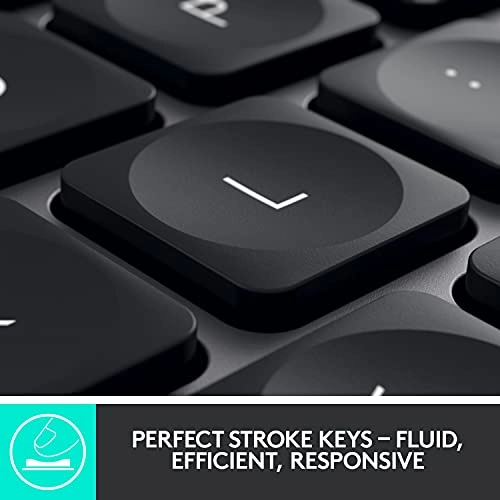
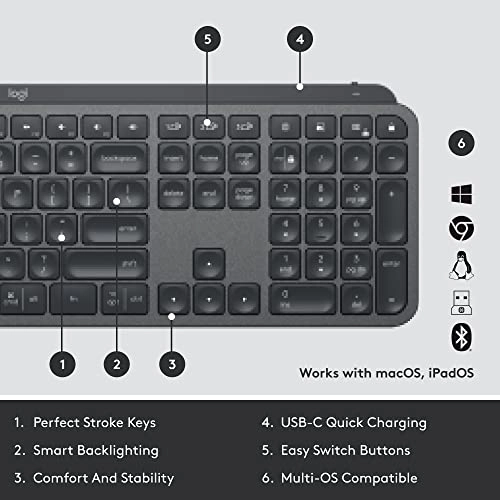
From the manufacturer MX Keys UK Layout PERFECT STROKE KEYS Type
with confidence on a keyboard crafted for efficiency, stability,
and precision. PERFECT STROKE KEYS Type with confidence on a
keyboard crafted for efficiency, stability, and precision. SHAPED
FOR YOUR FINGERTIPS Spherically dished keys match the shape of
your fingertips, offering a satisfying feedback no matter where
you tap. SHAPED FOR YOUR FINGERTIPS Spherically dished keys match
the shape of your fingertips, offering a satisfying feedback no
matter where you tap. FLUID AND ULTRA PRECISE TYPING Increased
key stability reduces noise while optimizing responsiveness – and
tactile reference for hand positioning makes it easy to orient
your fingers and stay in your flow. FLUID AND ULTRA PRECISE
TYPING Increased key stability reduces noise while optimizing
responsiveness – and tactile reference for hand positioning makes
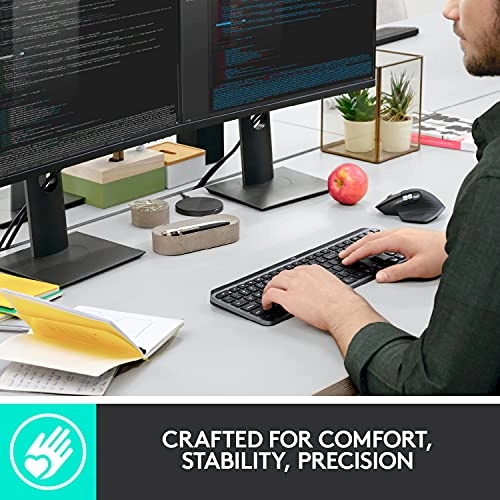
it easy to orient your fingers and stay in your flow. COMFORT,
STABILITY, PRECISION Confidently type on a keyboard built for
long hours at the desk. The entire body of the keyboard is held
together by a single metal plate – resulting in a remarkably
solid build. COMFORT, STABILITY, PRECISION Confidently type on a
keyboard built for long hours at the desk. The entire body of the
keyboard is held together by a single metal plate – resulting in
a remarkably solid build. CONFIDENCE-INSPIRING DESIGN A balanced
design, quality materials, and a remarkably solid build inspire
focus and confidence at the desk. CONFIDENCE-INSPIRING DESIGN A
balanced design, quality materials, and a remarkably solid build
inspire focus and confidence at the desk. SMART ILLUMINATION The
backlit keys light up the moment your hands approach and
automatically adjust to suit changing lighting conditions and
save battery power. SMART ILLUMINATION The backlit keys light up
the moment your hands approach and automatically adjust to suit
changing lighting conditions and save battery power. FLOW
CROSS-COMPUTER CONTROL MX Keys follows your MX Master 3 – or
other Flow-enabled mouse – from one computer to another, meaning
you can type on multiple devices in one fluid workflow. FLOW
CROSS-COMPUTER CONTROL MX Keys follows your MX Master 3 – or
other Flow-enabled mouse – from one computer to another, meaning
you can type on multiple devices in one fluid workflow. FLOW +
OPTIONS Personalize MX Keys in Logitech Options software. Assign
the F-Keys for specific functions or custom shortcuts, and
monitor battery life. FLOW + OPTIONS Personalize MX Keys in
Logitech Options software. Assign the F-Keys for specific
functions or custom shortcuts, and monitor battery life. MX +
CREATIVE CLOUD Get a complimentary 1-month Adobe Creative Cloud
subscription with this keyboard purchase. MX + CREATIVE CLOUD Get
a complimentary 1-month Adobe Creative Cloud subscription with
this keyboard purchase. Comparison Table MX Keys K780 K800 Craft
Review: Finally, a decent keyboard! - As a programmer who lists
technology as a hobby/curse, I've been known to type a few lines.
For a good few years now, I've been trying to find a suitable
keyboard for a reasonable price. I didn't think my list of
requirements was excessive as it comprised of R/F wireless and
backlit. I believe my mistake was "reasonable price" After trying
a number of offerings from companies such as Jellycomb (which are
good, I don't deny), I decided to bite the bullet and shell out
for one of these to go with my excellent MX Anywhere mouse. I
should have got one of these in the first place. It's solid it
weighs as much as a medium-sized bungalow. The case is so sturdy
with its construction from a neutron star. If anyone ever breaks
in, I'm clouting them with this Typing has become enjoyable
again! Just the right amount of travel, good consistency and nice
tactile feedback. The solidity lends confidence to keypresses and
helps eliminate "bounce" (sometimes my fingers don't hit with the
right pressure and cause two keystrokes as a sort of bounce).
It's quiet, but not so silent it starts to feel mushy. There's a
nice resistance to keypresses The backlight is so handy and
pretty clever. Other keyboards I've found (all one of them)
require a keypress to illuminate whereas this just needs me to
reach my hands towards it. Neat! It does result in random
illuminations when I place it next to me and grab a drink, but
I'd say that was a bit of a niche issue I've seen such complaints
as "too heavy" and read this as "too quality" and also a
complaint that the charging cable doesn't act as the data cable.
The *charging* cable. On a *wireless* keyboard. I suppose in that
vein, I could complain the USB-C isn't Thunderbolt compatible.
What if I want ray-traced backlighting? I think some of the
hotkeys might suffer the worryingly prevalent "repeat strike"
which causes them to fire 8-12 times per keypress, but I've only
experienced that with the Task View key so far. If it goes all
K380 on me, I'll update this response I don't game, but from what
I know, I'd never give a low-profile keyboard a high gaming
score. This is a productivity keyboard, rather than a gaming one.
Though if you don't prefer a mechanical for gaming, give this a
try! The tank-like build should handle a losing streak pretty
well. Just don't slam it into a wall unless you want to lose the
wall Key layout is fine and if the multi-OS key-printing confuses
a little, just remember the Windows characters are on the right
side of the key and the Mac version on the left Update: I've had
this for a little while now and by this point, the K380 had
started exhibiting weird key repetition behaviour. This is a
known thing for Logi keyboards, apparently. I got worried when,
while using AnyDesk, I started getting multiple versions of keys
sent through at random. However, I'm 99.9% certain that the
repetition there was the product of the connection/software
rather than the keyboard. Connected directly, I've had no issues
at all. Such a relief as I love this keyboard (enough to spend
£21 on a hard case)! The Flow software is, as ever, really
useful. I've switched off Caps Lock, Num Lock, Scroll Lock and
Insert (bloody annoying keys) and set up my own versions of the
hotkeys. A neat little feature is gestures: Hold the fn key and
move the mouse to perform an action I have to use Ubuntu 18.04 in
work and was a bit disappointed to discover that Logi doesn't
provide *nix software. But I was determined to get this working.
Bluetooth may have worked, but my work machine has no adapter.
There was no recognition when I connected it. Bugger. But it
wasn't beating me, so after a bit of looking around, I found
Solaar. It's not perfect and it can't alter keyboard or mouse
settings, but it at least gets them working and even takes a
guess at the battery level! I say 'guess' because the two display
locations change frequently and never agree with each other
Anyway, more than happy now to recommend the absolute s&*t out of
this keyboard. And the MX Anywhere 2S mouse
Review: Definitely a quality product - This keyboard feels lovely
- quiet action, good tactile feel and a reassuring weight. The
illumination is refined and classy and just about perfect. It has
nothing of the 'gaming' feel about it - just elegant precision. I
hesitated before spending this much on a keyboard because I
wasn't sure it was going to be THAT much better than a standard
one but, for me, it definitely is. I have been using it for about
9 months now (professional CAD, software coding and general use
for about 10 hours a day, most days )and I am still extremely
happy with it. I like the fact that it works with the MX Anywhere
3 mouse with the 'flow' - when you move the mouse from a monitor
on one computer to a monitor on a different computer, the mouse
and keyboard automatically switch over. What's more, anything you
copied into clipboard one the first computer is still in the
paste buffer on the second (e.g. copy a browser link, a
screenshot or text form an editor using any normal copy command,
and it's there for pasting when you move the mouse to the second
computer. No more emailing things to myself or waiting for
Dropbox to sync). This is a very significant advantage to me.
Battery life seems reasonable - I was unsure whether I wanted a
rechargeable keyboard as wireless ones I had lasted about a year
or more with one or two AA batteries but it isn't a problem. I
plug in the supplied USB C cable every 3-4 weeks for an hour, and
don't really have to think about it. Having a cable on your
keyboard very occasionally isn't a problem to me at all. The only
very slight negatives are: 1) the 'flow' can be slightly sluggish
and take a second or three when moving from one computer to
another. That might be more a mouse thing than a keyboard thing
but it's hard to tell. 2) The keyboard layout seems to be dual
format for Windows/MacOS. I knew this when I bought it but in an
ideal world I would have only the layout for the OS I am using. I
use both Windows and Mac so it's easier for me to confuse myself
and press " instead of @ or ~ instead of ~ . I don' t know
whether it would be such a useful experience without a 'flow'
enabled mouse but it would still be a lovely keyboard to use and
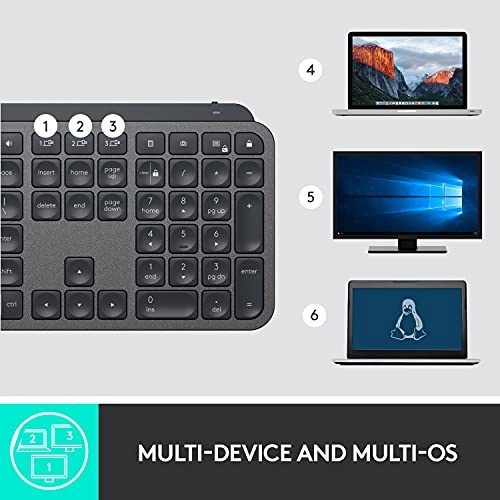
I would purchase this for use on its own. It pairs with up to 3
computers so, even without 'flow', you press the key associated
with each computer (see photo) to swap. In this case the swapping
from one to another seems flawless and instant. The user
experience is so good, that despite the very minor points, that I
still feel it deserves five stars.