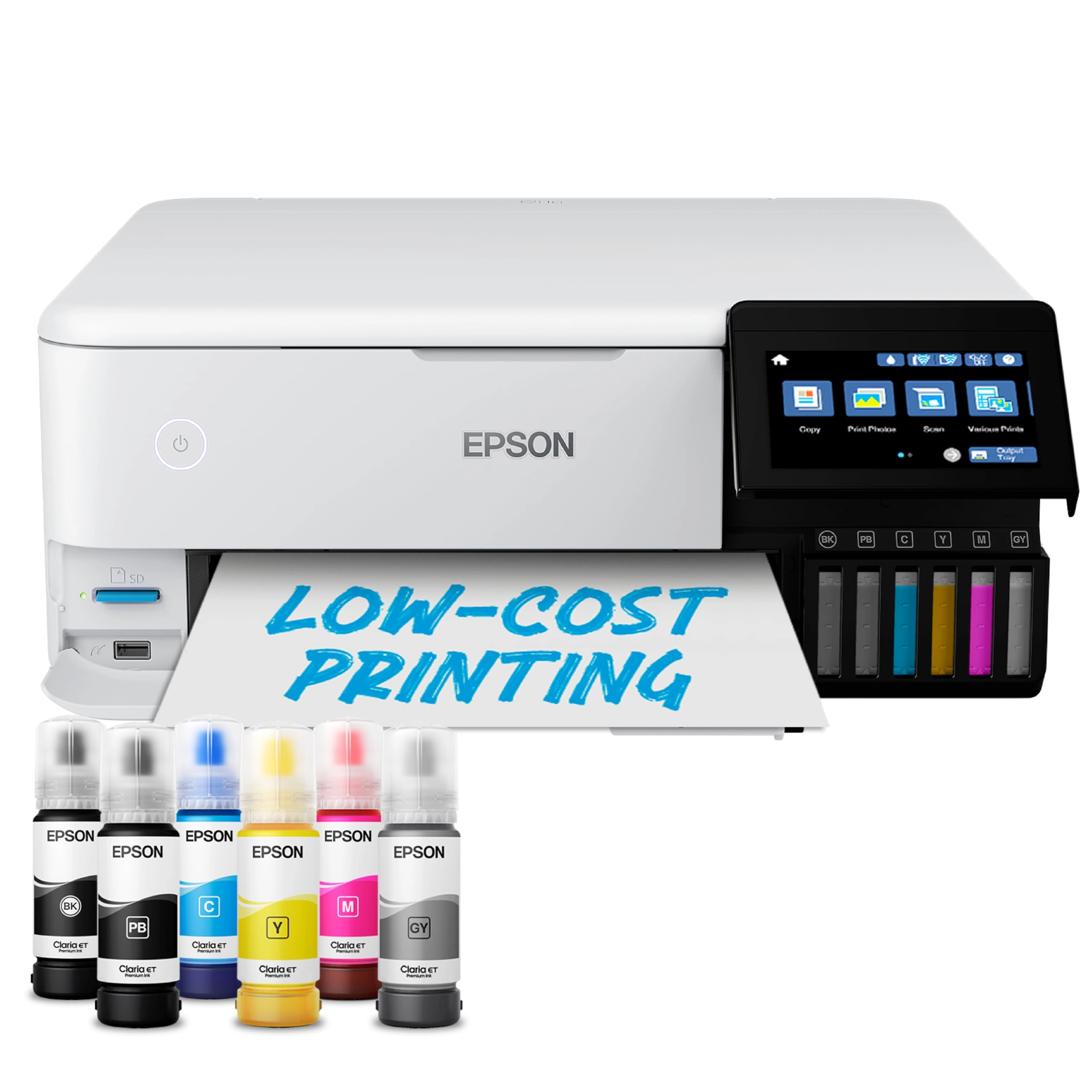
Epson EcoTank ET-8550 Ink Tank Printer | Photo Printing |
6-Colour Inks | Wireless | A3+ | Print, Copy, Scan | 10.9cm
Touchscreen | Double-Sided Printing | Rear Paper Feed :
desertcart.co.uk: Computers & Accessories
Review: Highly recommended - This printer has been absolutely
faultless and is easily one of the best purchases I’ve made. I
use it constantly and it never skips a beat. Print quality is
excellent with sharp detail, smooth gradients, and very accurate
colours, even on larger A3+ prints. Whether printing photos,
graphics, or everyday work, the results are consistently
professional. The EcoTank system is a huge plus – ink lasts a
long time and running costs are very low compared to cartridge
printers. Setup was straightforward, Wi-Fi connection is stable,
and it integrates well with different devices. Paper handling is
solid and reliable, even with heavier or specialty media. It’s
quiet, fast enough for regular use, and feels well built.
Maintenance has been minimal despite heavy use, which says a lot
about its reliability. If you’re looking for an A3+ printer that
delivers quality, efficiency, and long-term value, this one is an
easy recommendation. Would 100% buy again.
Review: Good all round printer - I do photography and wanted an
A3 photo printer, but also for it to be able to copy (A4), scan
(A4), and print normal text paper (eg letters, office papers,
etc). This printer does it all, with the advantage of cheap inks.
I had a designated photo printer but it was not good for normal
text paper, as it uses far too much ink. So I needed a second
printer to print letters etc. When both printers died, I did a
huge amount of research, then tested a friends ET-8550 and was
hugely impressed. This printer really does it all. Photos are
excellent, with good colour rendition especially if printed via
Photoshop so that you can use the various colour profiles. Just
turn off 'printer manages colour' to do this. A3 and A4 photo
paper can be fed via the rear tray to save bending the paper. I
haven't yet used the straight feed for Fine Art papers yet, but
should be easy enough. Just remove the back panel and it will
glide straight through. Text, letters, and what I call 'office'
paperwork can be printed easily and at reasonable speed. Perhaps
not so good if printing a lot of papers as the paper tray only
holds up to 30 sheets, but is good for normal home use. As others
have mentioned, the ink tanks are easy to fill (ink bottles each
have a different shape surrounding the nozzle so can only be
fitted to the correct hole). Just put the bottle in the the right
hole and it will fill. No need to squeeze or anything. Once
filled just remove and keep the lid on if any left in the bottle.
I only use Epson genuine Claria inks. I have tried 'compatibles'
in the past and they wrecked the printer head resulting in having
to buy a new printer. Whilst the genuine Epson inks are more
expensive, the photos last a long time with no fading or colour
bleeding. Photos are excellent, and are good enough quality for
competitions. The one thing I'm not impressed with is the
'advertising' from Epson regarding the number of photos being
able to be printed on one set of inks. It states 2300 photos,
although elsewhere it states 1800 photos. Well yes it does, but
if you hunt and research you will find that number is for 15cm x
10cm prints. That is 1/4 sheet of A4. If you print a full A4
photo, you can print 450 - 575, depending on the colours of the
photos. This is still 10x more than most photo printers, and
makes for very economical printing, but saying 2300 could be a
bit misleading for some people. Obviously A3 will use twice the
amount of ink, so 225 - 288 A3 photos. My old photo printer could
only manage 20-40! Scanning is easy using the Epson ScanSmart
programme, which is downloaded when you set up the printer.
Talking of which, I removed 24-30 blue tapes from inside and
around the printer when setting it up. They hold everything in
place for transport, but you must remove them all before use. Do
look inside, around the back, everywhere! They could stop the
printer from setting up correctly. I set up manually from my
tower computer, but have also used the automatic and wi-fi from
my laptop. Both are easy to do if you follow the instructions. I
have connected to my computer via USB, and also set up wi-fi so I
can print from my laptop, both of which work well. There is also
an ethernet port if you wish to connect via that. One thing which
took me a while to find was the receiving tray closure. It opens
automatically when printing to receive the paper, but to close it
you can gently push it back in, but it is very very stiff. Or...
go to the touchscreen and touch the close button, and hey presto
it closes! I wish Epson would tell us! All in all a really good
printer, and yes I would recommend it.