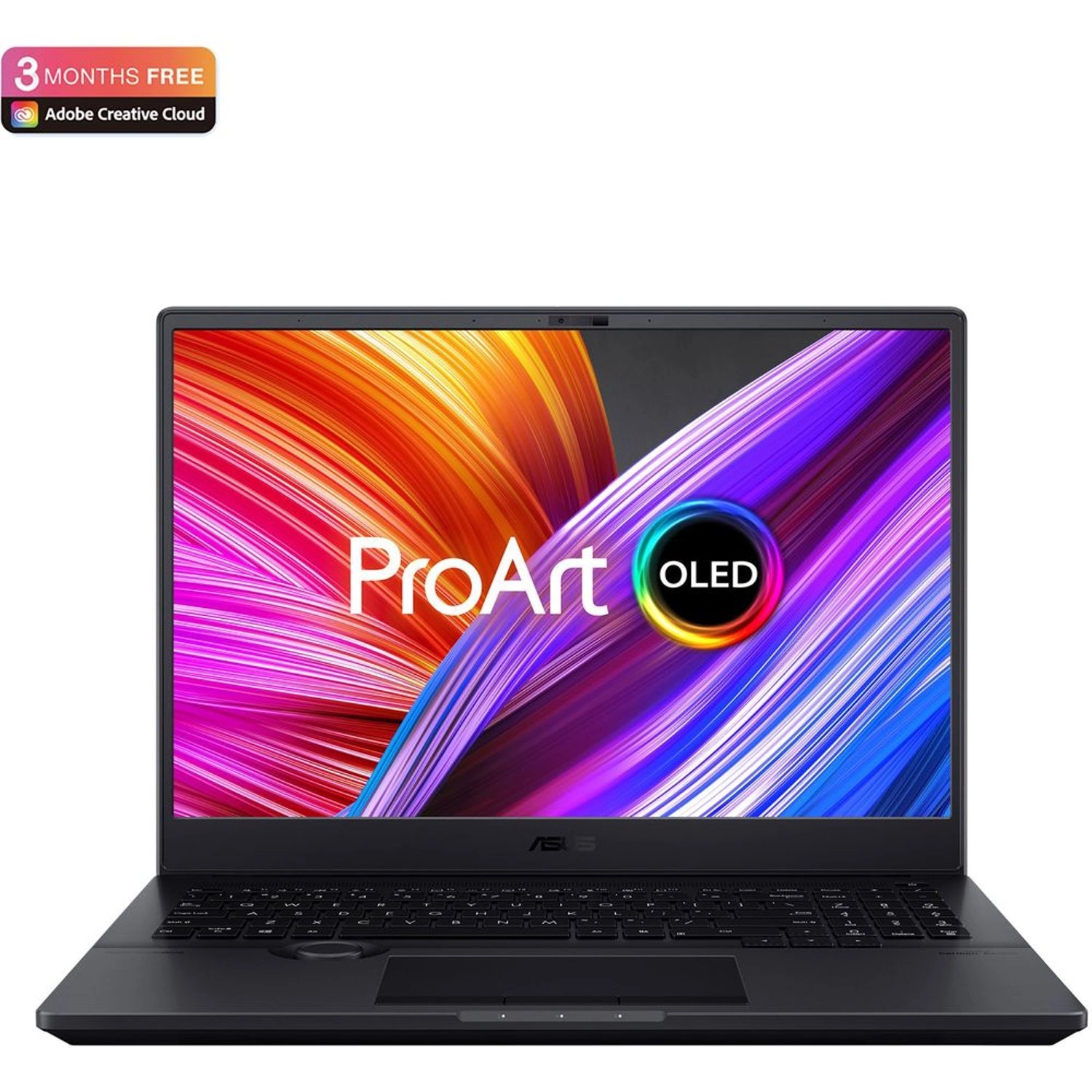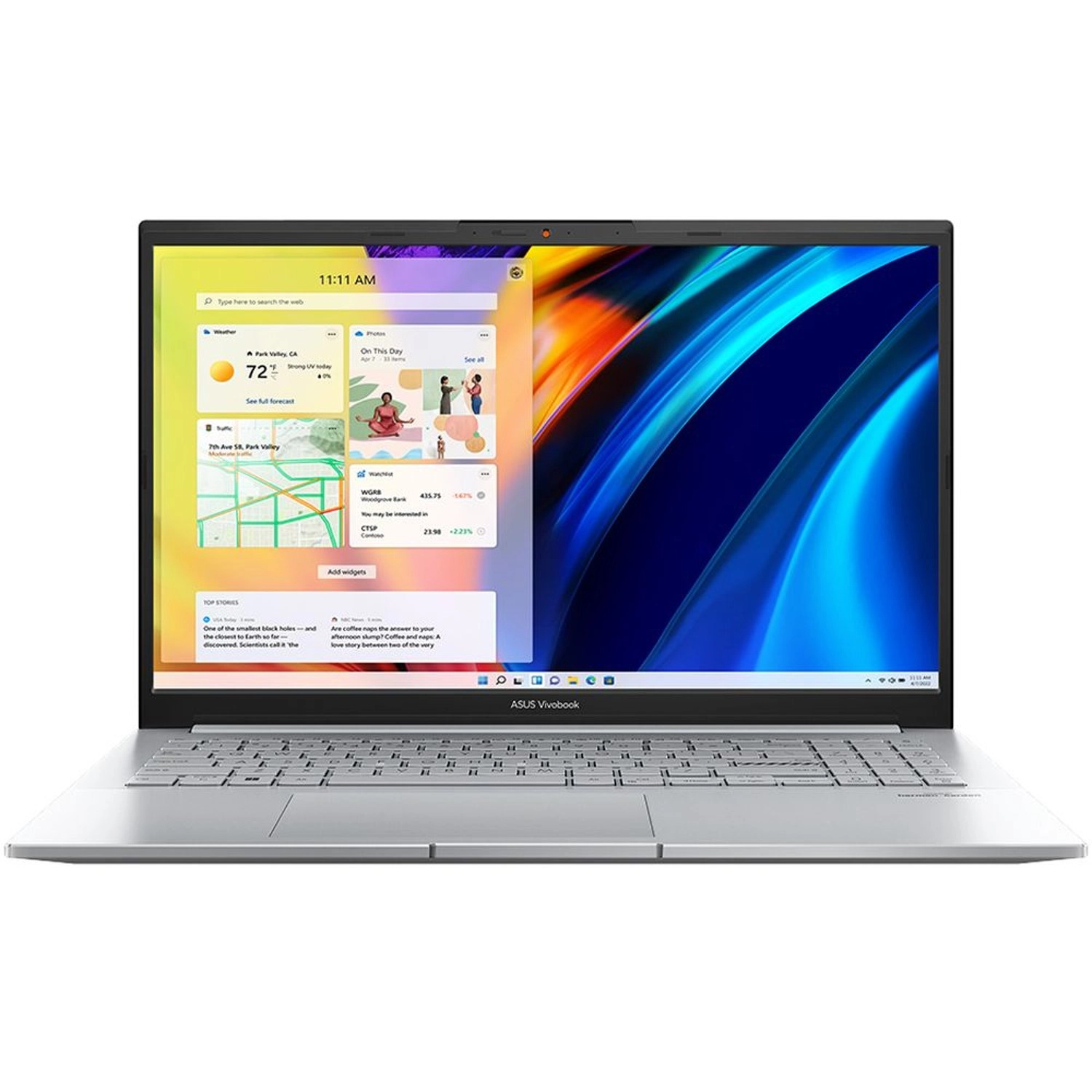
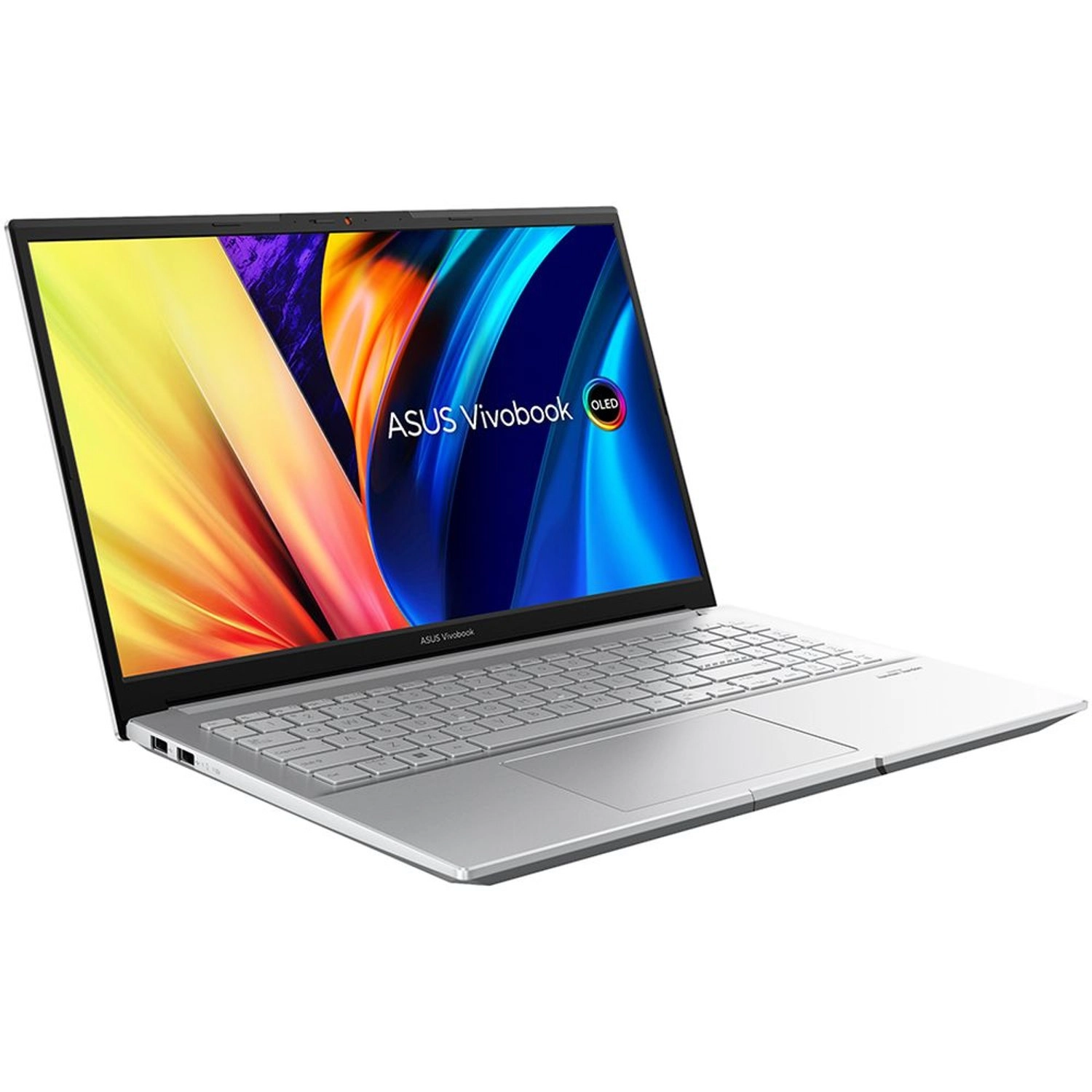
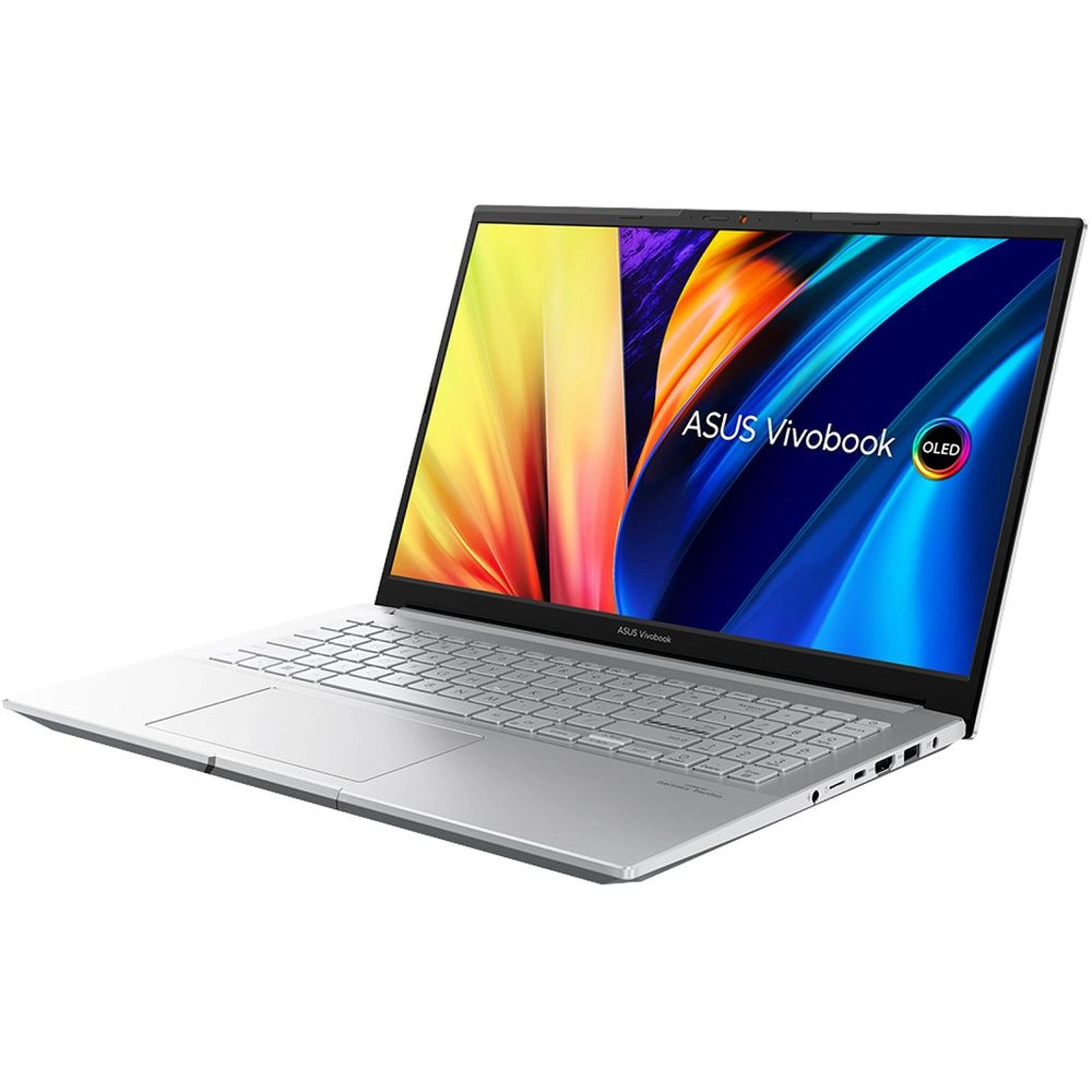
ASUS VivoBook Pro 15 OLED OLED107W - 15.6'' Core i7-12650H 16GB DDR5 1000GB SSD
Best offer
AED
5 29900
Key Features
- Colour name: Silver
- Pointing device: Touchpad
- Maximum graphics card memory: 4000MB
- Total storage capacity: 1000GB
- Speakers: Built-In Speaker
- SSD capacity: 1000GB
- Maximum graphics card memory: 4GB
- Graphics card: NVIDIA GeForce RTX 3050
- HDMI ports quantity: 1
- Thunderbolt 4 ports quantity: 1
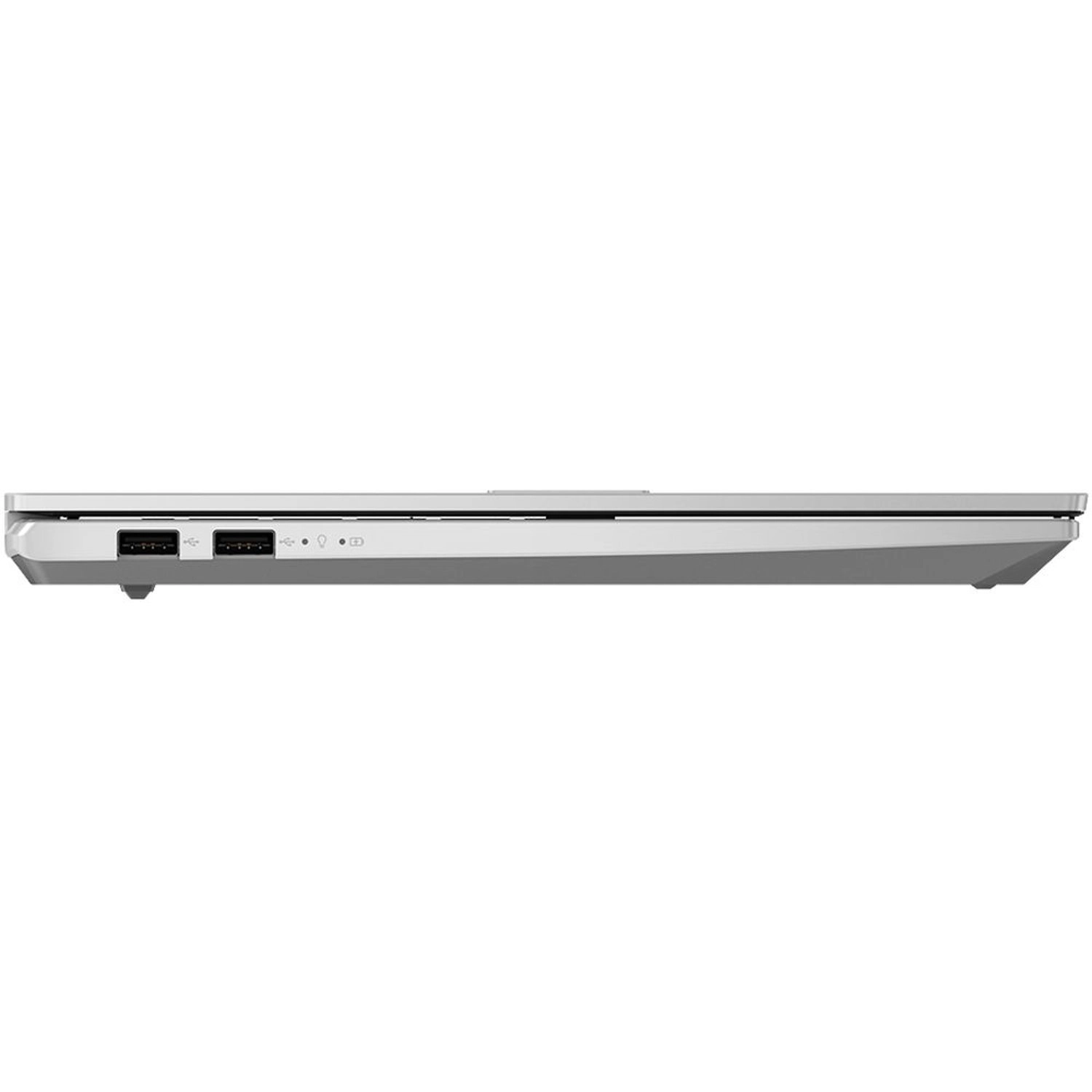
- USB 2.0 ports quantity: 2
- Number of battery cells: 3 Cells
- Internal memory type: LPDDR5
- Battery capacity: 70Wh
- Maximum resolution: 2880 x 1620pixels
Specifications
Features
Display diagonal
15.60 "
Operating system installed
Windows 11 Home
Bluetooth version
5.0
Product colour
Silver
Keyboard layout
Arabic/English
Colour name
Silver
Pointing device
Touchpad
Weight & dimensions
Width (imperial)
14.17 "
Weight
1800 g
Height
18.90 mm
Depth
234.30 mm
Width
359.80 mm
Display
Native aspect ratio
16:9
Power
Battery technology
Li-ion
Other features
Expansion slots
1 x MicroSD Card Reader
Maximum graphics card memory
4000 MB
Total storage capacity
1000 GB
Speakers
Built-In Speaker
Storage
SSD capacity
1000 GB
Graphics
Maximum graphics card memory
4 GB
Computer system
Processor manufacturer
Intel
Processor frequency
2.30 GHz
Graphics card
NVIDIA GeForce RTX 3050
Network
Bluetooth
✓
Ports & interfaces
HDMI ports quantity
1
Thunderbolt 4 ports quantity
1
USB 2.0 ports quantity
2
Technical details
Number of battery cells
3 Cells
Memory
Internal memory type
LPDDR5
Audio
Audio system
Harman Kardon
Battery
Battery type
Li-ion
Battery capacity
70 Wh
Image sensor
Maximum resolution
2880 x 1620 pixels
Product Details
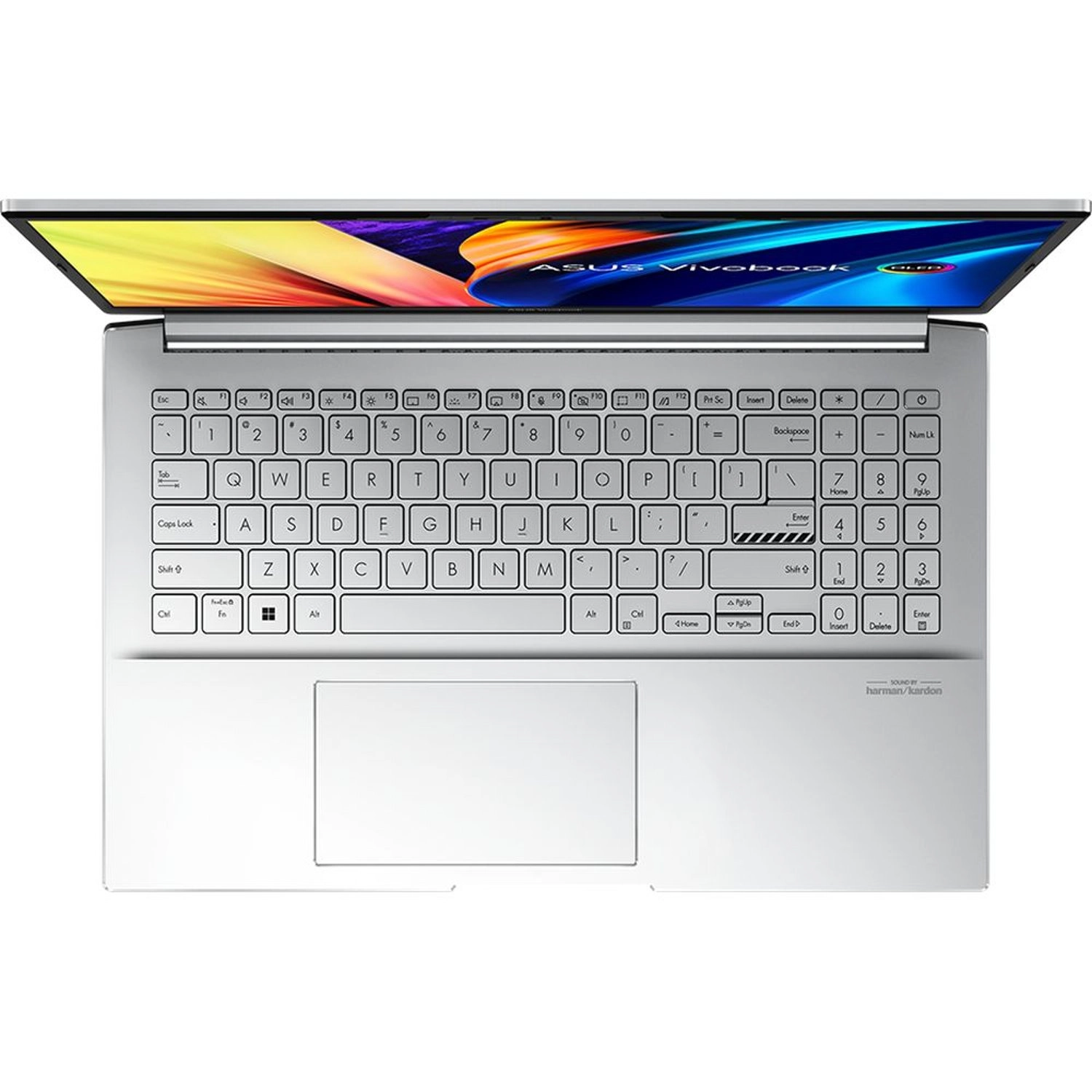
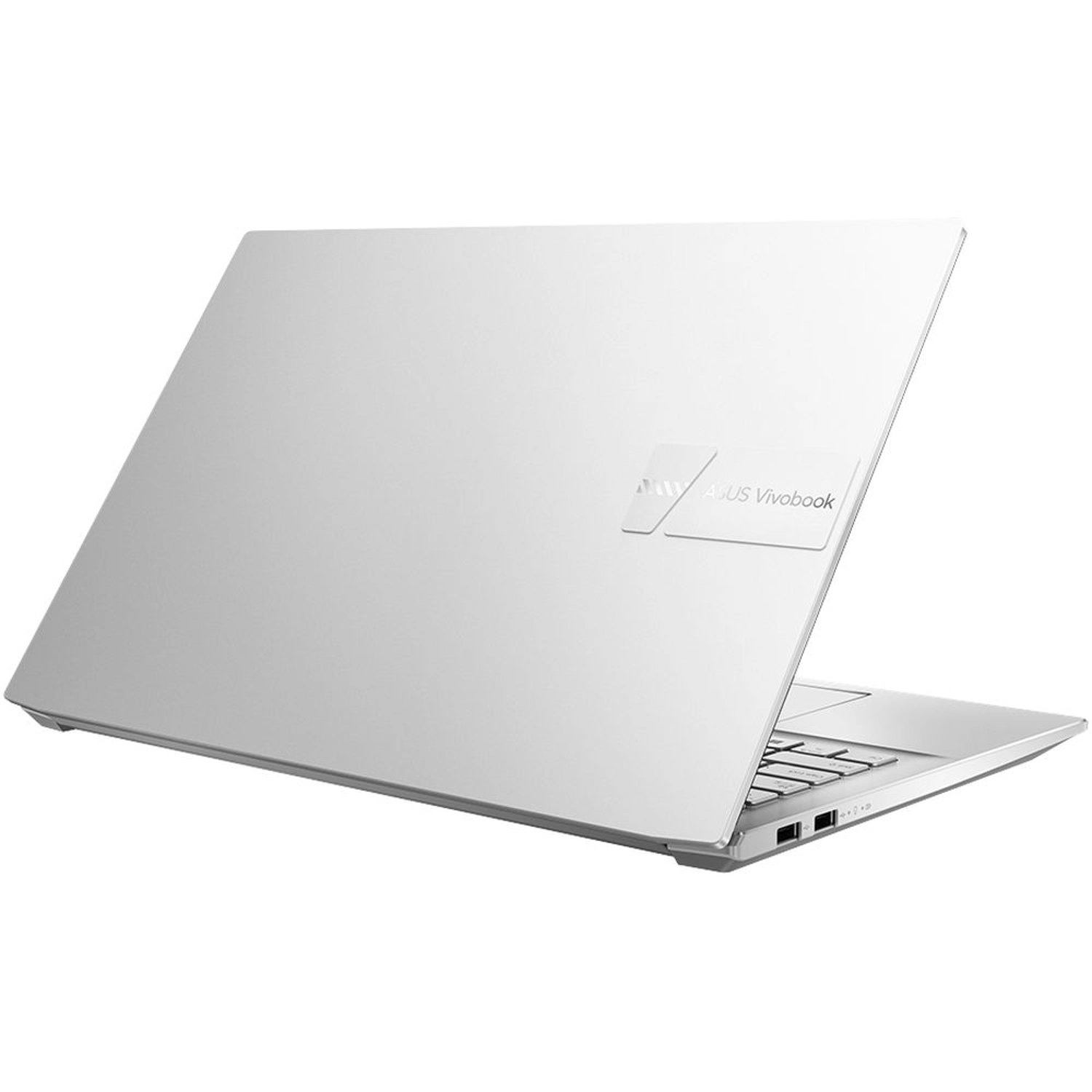
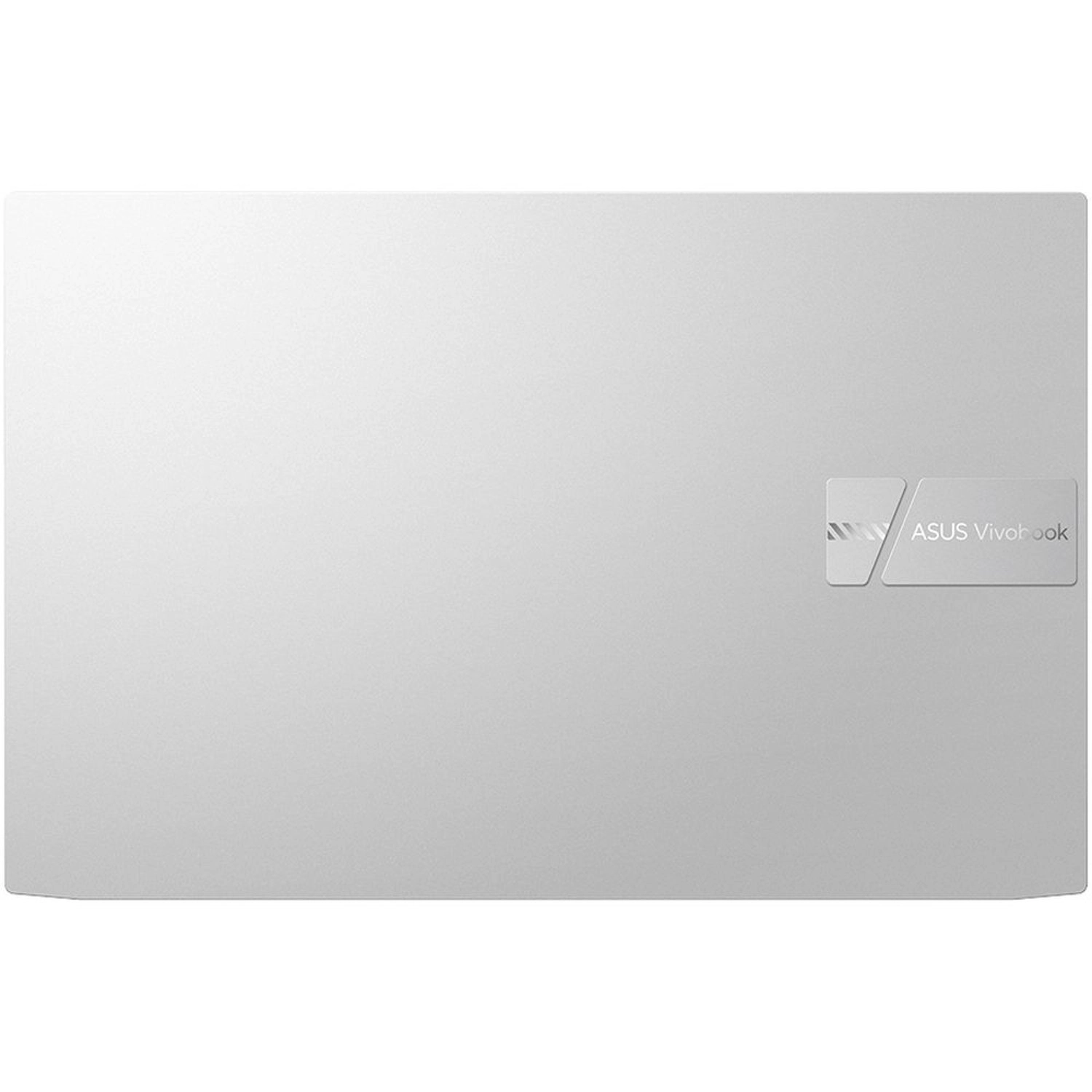
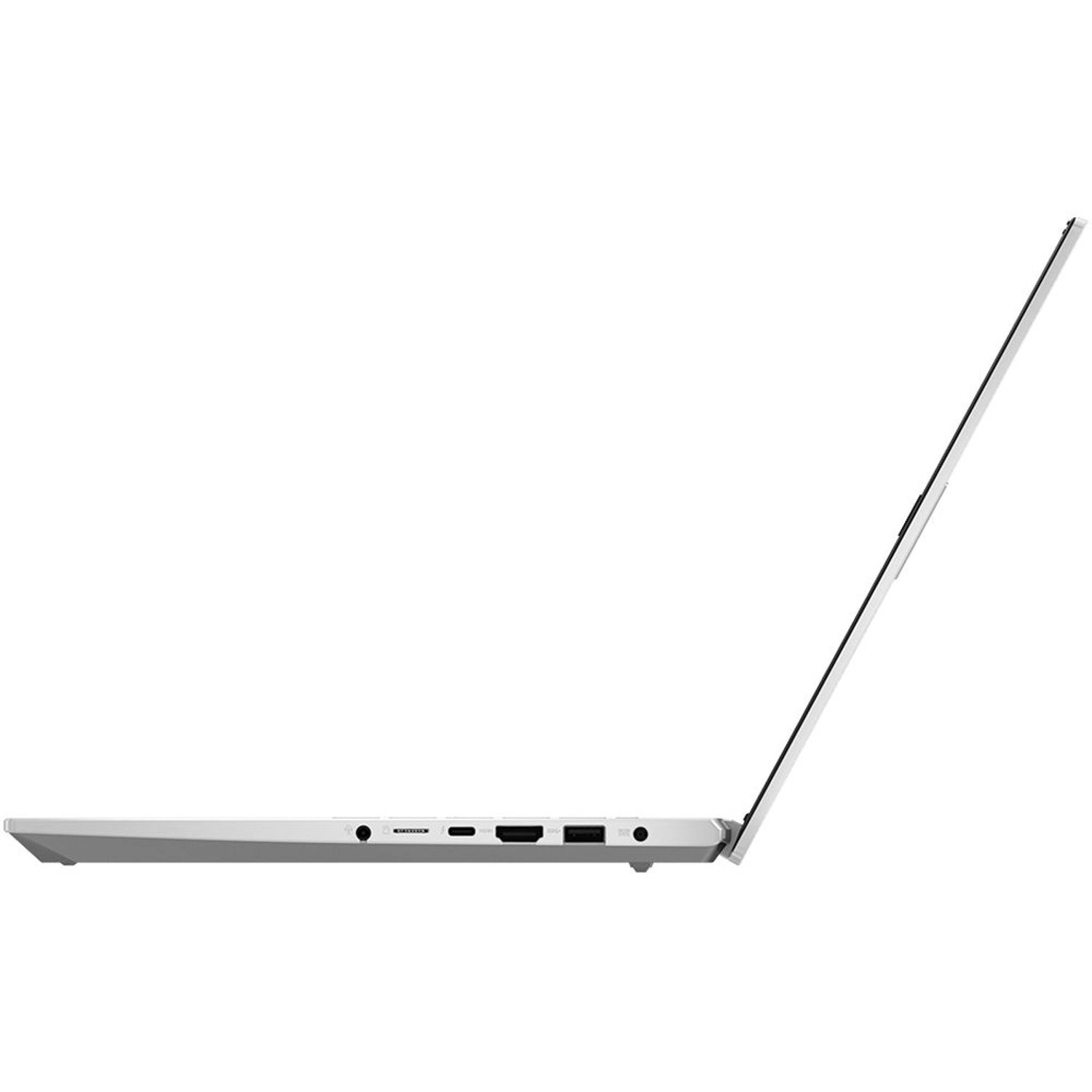
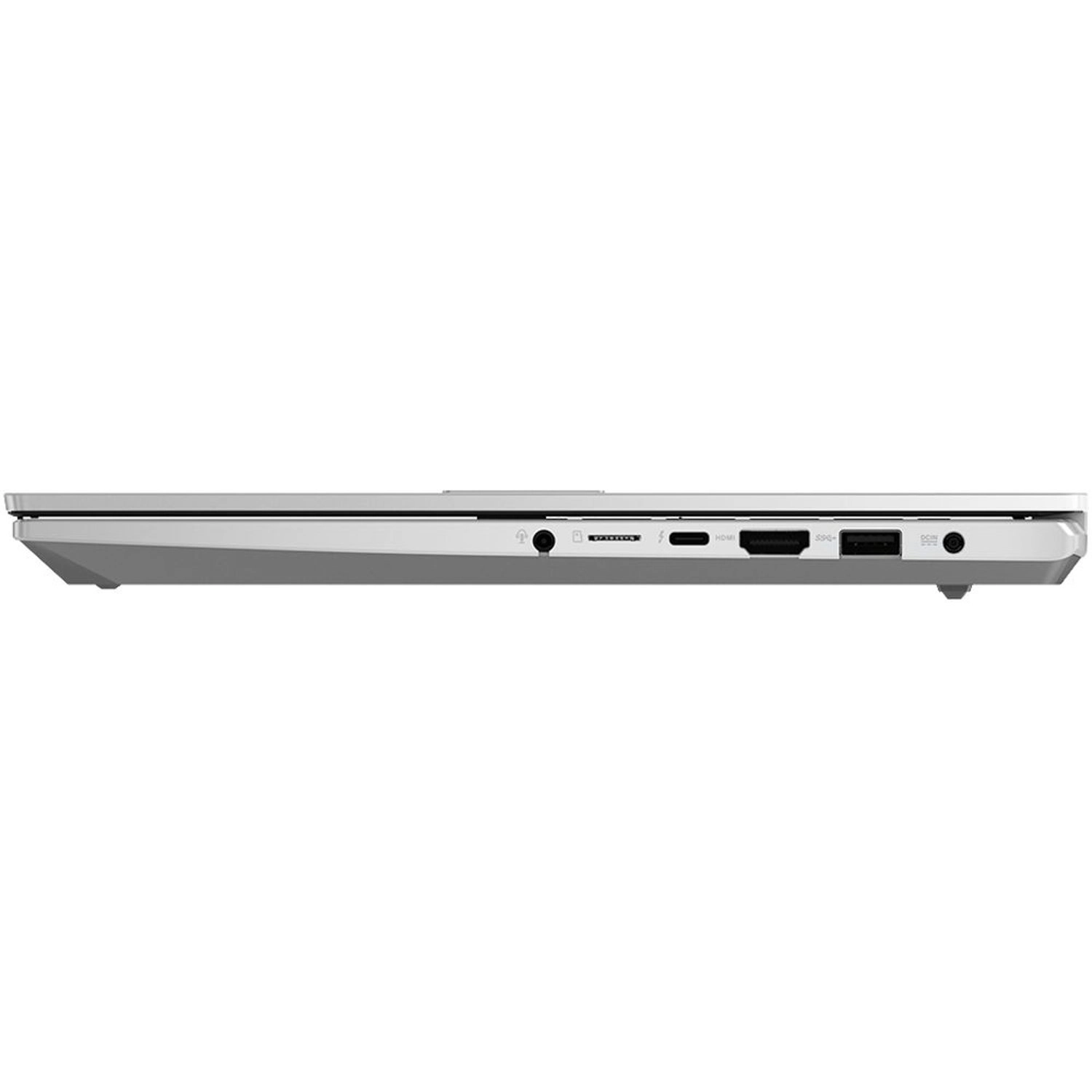
Its 12th Gen Intel Core H-series processor and NVIDIA GeForce RTX 3050 graphics deliver maximum performance thanks to the dual-fan cooling system, and Thunderbolt 4 gives you speedy and convenient connections. Performance Empower your lifestyle Vivobook Pro 15 OLED is built to empower your creative lifestyle, with powerful components including the latest 12th Gen Intel Core H-series processors with 16 GB of LPDDR5 RAM, and an NVIDIA GeForce RTX 3050 Ti GPU that’s the perfect choice for all your creative apps. To maximize performance for the toughest tasks, you can switch to Performance mode, which increases the overall TDP to 85 W. Also, the 1 TB PCIe SSD gives you plenty of ultrafast storage for all your projects, and loads your apps in the blink of an eye. CPU Power through your tasks However complex or numerous your creative, productivity or entertainment tasks are, the latest 12th Gen Intel Core i7-12650H processor will handle them, with effortless multitasking. There’s even more performance on tap when you enable Performance mode: this can boost the CPU’s power to a sustained TDP of 55 W. Vivobook Pro 15 OLED will let you get everything done faster, in style. GPU Empower your art Vivobook Pro 15 OLED gives you all the graphics power you need for your creative projects. The NVIDIA GeForce RTX 3050 GPU, based on the latest NVIDIA Ampere architecture, gives you the best visual experience. Whether you’re working on entry-level 3D tasks, high-resolution videos, or livestreaming, Vivobook Pro 15 OLED brings out the best of your creativity thanks to the advanced features in the GPU including ray tracing, AI acceleration and fast GDDR6 memory. The supplied NVIDIA Studio drivers ensure maximum graphics performance and stability. Thermal Cool, quiet and fast! For always-cool performance, the ASUS IceCool Plus thermal technology in Vivobook Pro 15 OLED uses upgraded 8 mm and 6 mm heat pipes with dual fans that efficiently accelerate heat transfer. The 86-blade fan and impeller are made of side-chain liquid crystal epoxy polymer (LCP): the quiet, power-efficient 3D-curved blade design increases airflow by up to 16%. With less vibration, the Intel Core CPU and NVIDIA GPU can run comfortably at up to a blistering 85 W combined TDP in Performance mode with no throttling! Display Bigger, more immersive display Dive deeper into your visual world with Vivobook Pro 15 OLED’s stunning 16:09 aspect-ratio display. This super-bright NanoEdge display has an expansive 84% screen-to-body ratio, along with a 100% DCI-P3 color gamut for ultra-vivid colors. It’s also PANTONE Validated certified for professional-grade color accuracy, and TÜV Rheinland-certified for low blue-light emissions, so you can rely on accurate color rendering for your creations, while protecting your eyes during extended viewing sessions. Vivobook Pro 15 OLED will open your eyes to a new world of amazing visual experiences. ASUS OLED Display Cinematic OLED brilliance Vivobook Pro 15 OLED’s display has a best-in-class color gamut. It reproduces colors with superb real-life accuracy for professional-grade visuals, making it perfect for professional and creative work, or anyone who simply wants to enjoy the very best color fidelity. An OLED display, due to the nature of the special organic light-emitting compounds it uses, reduces harmful blue light by up to 70% compared to LCD displays, making it extra gentle on your eyes to reduce the risk of retinal damage. Motion Clarity World-leading motion clarity with 120 Hz OLED display The world’s first 120 Hz refresh rate, 0.2 ms response time OLED laptop display gives you so much more on top of the best colors and quality for any content gaming, creation, day-to-day work and media entertainment can all benefit from the smoother-than-ever experience. In a word, it’s awesome! Ultimate 120 Hz / 0.2 ms for exceptional motion clarity The new premium ASUS OLED display with 120 Hz refresh rate and 0.2 ms pixel response time is incredibly smooth and clear. In fact, both surprisingly and counter-intuitively, the 120 Hz / 0.2 ms OLED display is faster than a 165 Hz / 3 ms LCD IPS display — because it reduces ghosting to an indiscernible level. Simply put, this means even fast-moving visuals are smoother and clearer than ever. How 120 Hz / 0.2 ms OLED display has better motion clarity than 165 Hz / 3 ms LCD display It seems counter-intuitive that a 120 Hz / 0.2 ms OLED display could outperform a 165 Hz / 3 ms LCD display rival — so how is this possible? Well, the LCD panel takes precisely 6.06 ms to refresh each frame, but it takes another 3 ms of response time to process the correct colors. That’s a total of 9.06 ms to fully load the image. A 144 Hz / 12.5 ms LCD display takes even longer, at 19.44 ms to show the full, final frame of each image. But with its extreme-speed response, a 120 Hz / 0.2 ms OLED display takes just 8.5 ms to process the same — making it even faster than a 165 Hz / 3 ms LCD display. ASUS Splendid Technology Customizable color gamut for every need The display’s color gamut can be quickly and easily switched for different tasks or preferences. On top of the ultravivid native color setting, choose sRGB for creating web content or browsing, DCI-P3 for cinema content, or Display P3 for movie-grade colors finessed to fit everyday viewing in the real world. Connectivity Primed for productivity Vivobook Pro 15 OLED features a productivity-enhancing array of I/O ports, including an ultrafast Thunderbolt 4 USB-C port that supports fast charging and up to 40 Gbps data transfers, a microSD card reader, and an advanced HDMI 2.1 port, which supports up to an 4K 120 Hz external monitor, as well as USB 3.2 Gen 1 Type-A and USB 2.0 ports — so you can easily connect all your latest peripherals, displays, or projectors to help you import, export, share or display your content faster and more conveniently than ever. Design Designed to impress With its tactile solid metal lid and eye-catching raised logo tag, Vivobook Pro 15 OLED is stylish but not brash, Inside, the warning-striped Enter key adds a unique vibe. For collaborating, you can lay it flat on a table thanks to the durable 180° hinge design to share your creations or work stuff with your friends or colleagues. Battery Create for longer For an efficient on-the-go life, Vivobook Pro 15 OLED has a long-lasting 70 Wh battery that keeps on going — just like your creativity. So just relax in your favorite coffee shop or outdoors without worrying about charging! Keyboard Brilliantly nuanced ErgoSense keyboard It’s our mission at ASUS to elevate human interaction with technology to a higher and more intuitive level than ever before. The latest ASUS ErgoSense keyboard is engineered to enable an unrivaled input experience that’s in harmony with how you move, feel and touch. Your comfort is our highest priority. That’s why the ErgoSense keyboard has an incredibly satisfying feel, with the optimum bounce and travel calculated with fine-tuned precision. Experience the ErgoSense keyboard, you’ll soon find yourself cruising effortlessly through your work. Security Secure your creativity With its physical webcam shield and built-in fingerprint sensor, Vivobook Pro 15 OLED provides you direct privacy and security. One touch login Accessing Vivobook Pro 15 OLED has never been easier and more secure. With the fingerprint sensor on the power button and Windows Hello, there’s no need to type in your password every time — instead of memorizing your password, you can spend more time on creating artwork. Shield your privacy Vivobook Pro 15 OLED has an integrated privacy shield that slides over the webcam for instant privacy, shielding you against prying eyes and disturbances. You can utilize your laptop to create, to play without any concern. Webcam Real-time webcam image optimization ASUS 3D Noise Reduction (3DNR) Technology and the new webcam effects in MyASUS take your video-calling experience to the next level. 3DNR significantly upgrades the webcam image clarity, with a unique algorithm that sharpens images and performs real-time de-noising to make sure everything looks crisp and clear during video calls. Noise Cancelation Next-level ASUS AI noise-canceling audio technology To provide exceptional remote-working and video-conferencing experiences, Vivobook Pro 15 OLED features ASUS AI Noise-Canceling Technology that employs machine learning in order to isolate unwanted noise from human speech. This technology helps to filter out ambient noise for optimum group conference-call quality. The ASUS AI Noise-Canceling Microphone feature in the MyASUS app can filter out ambient noise, and the Multi-Presenter mode normalizes all individual voices from different positions for optimum group conference-call quality. The ASUS AI Noise-Canceling Speaker feature filters out all ambient noise apart from human speech — so you’ll hear what everyone else is saying. Audio Surround yourself with sound For unrivaled audio quality, Vivobook Pro 15 OLED has a stereo sound system certified by the audio experts at Harman Kardon. It delivers powerful, immersive sound that’s crystal-clear, giving you superbly immersive entertainment and communications. The immersive sound of Dolby Atmos indulges you in your favorite entertainment with sound that moves all around you with breathtaking realism in music, movies and TV. WIFI Connectivity Fine-tuned with ASUS WiFi Master Premium technology ASUS offers a comprehensive range of wireless connectivity solutions. The WiFi 6E in your Vivobook Pro 15 OLED allows you to load online content in the blink of an eye, and it’s made even better by ASUS WiFi Master Premium technology, which includes ASUS WiFi SmartConnect and support WiFi Stabilizer. WiFi SmartConnect automatically selects the best WiFi source, so your laptop connects seamlessly to the best WiFi signal and known mobile hotspots. WiFi Stabilizer gives your WiFi connections rock-solid stability, and also filter out wireless interference, so you’ll always enjoy the fastest possible speeds. Military Grade Toughness you can rely on Vivobook Pro 15 OLED has been tested to meet the ultra-demanding MIL-STD-810H U.S. military standard for reliability and durability. Tests consisted of a punishing regime designed to ensure survival in harsh environments, and included power-on drop tests, vibration tests, and operation at extremes of humidity, altitude and temperature. Vivobook Pro 15 OLED has also passed ASUS laptop stress tests that far exceed the standards set by the industry. Creator Hub Power up your imagination Creator Hub features an overview dashboard, and allows you switch to different performance modes or calibrate your screen color. It’s a personal portal where you can monitor your laptop’s status, personalize settings, or optimize your workflow. You can also setup the Customized Keys in Control Settings for endless creativity.
Reviews
Loading...
Loading...
Loading...
Loading...
Loading...
Loading...
Loading...
Loading...
Loading...
Loading...
Loading...
Loading...
Loading...
Loading...
Loading...
Loading...
Loading...
Loading...
Loading...
Loading...
Loading...
Loading...
Loading...
Loading...
Loading...
Loading...
Loading...
Loading...
Loading...
Loading...
Loading...
Loading...
Loading...
Loading...
Loading...
Loading...
Loading...
Loading...
Loading...
Loading...
Loading...
Loading...
Loading...
Loading...
Loading...
Loading...
Loading...
Loading...
Loading...
Loading...
Loading...
Loading...
Loading...
Loading...
Loading...
Loading...
Loading...
Loading...
Loading...
Loading...
Loading...
Loading...
Loading...
Join our newsletter
Be the first to know about new arrivals, sales, and exclusive picks
Sign in to unlock newsletter access and stay in the loop