From the manufacturer Smart TV Apps Have to make the most out of
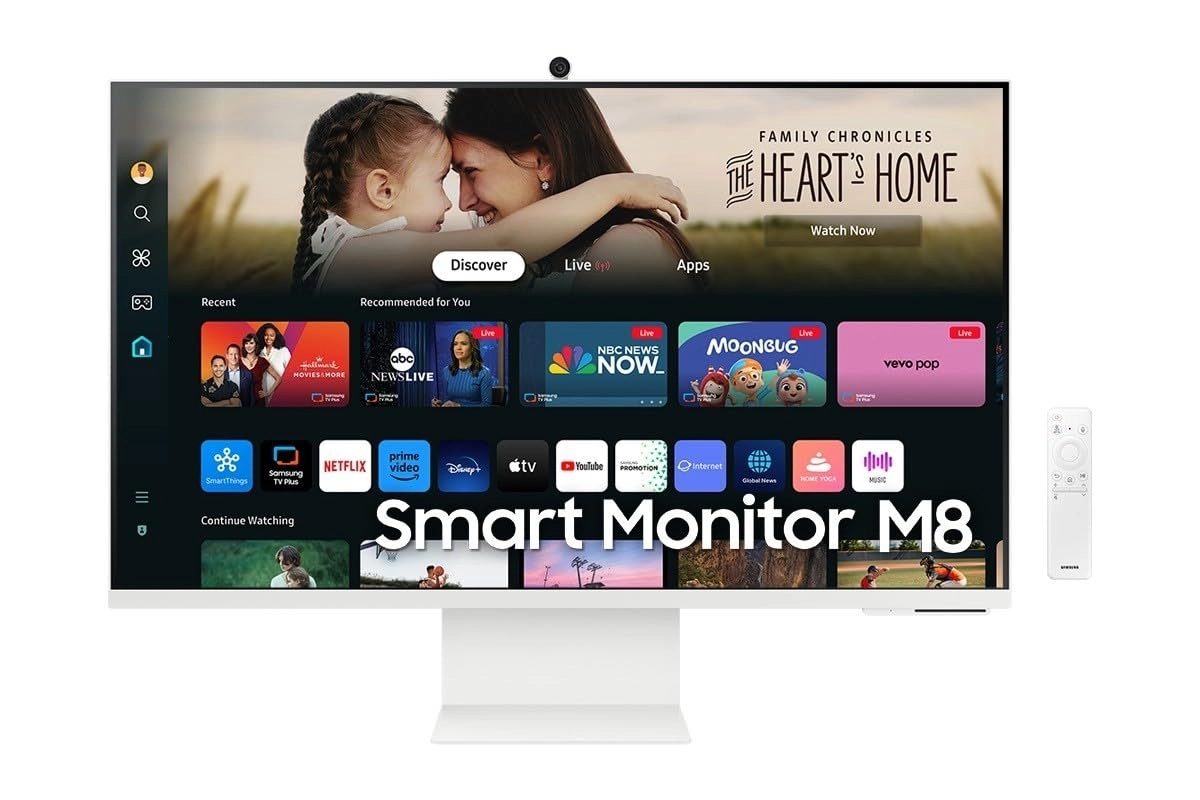
a small space, or simply want a second TV? The Smart Monitor is
the best choice. Stream OTT content directly from the monitor, or
tune into Samsung TV Plus to get live TV channels and on-demand
content at zero cost. 4K AI Upscaling Unlock the full potential
of a 4K screen when streaming content directly on your monitor.
AI upscaling, powered by the NQM AI Processor, turns lower
resolution content up to nearly 4K, transforming entertainment
with new levels of definition. 4K & HDR 10+ Pictures with
precision. UHD resolution ensures every piece of content is
brought to life beautifully. HDR 10+ support creates brighter
brights and darker darks, for more nuanced settings without
losing any vivid detail. Now you can enjoy content exactly as it
was intended. Iconic Slim Design & Ergonomic Stand The Smart
Monitor combines sleek, cutting-edge design with ergonomic
features, offering a slim and stylish look without compromising
on comfort. Its height-adjustable stand, which also tilts and
pivots, ensures the optimal viewing angle for maximum comfort.
Connect with convenience with USB-C and more With USB-C, HDMI and
USB-A ports, you can connect completely to the Smart Monitor
without any adapters. Charge your devices, transmit data and make
the most out of your multi-screen setup -- or do all at once --
thanks to the four available ports. Gaming Hub Samsung Gaming Hub
is the ultimate home for gaming. Instantly play the biggest games
from top streaming partners, with no PC or console needed.
Discover new games or replay old favorites all in one place.
Solar powered control The SolarCell Remote, featuring a solar
charging panel on its back, eliminates the need for disposable
batteries A newly integrated quick launch button ensures quicker
access to specific menu options, including the settings page, for
enhanced convenience. Designed for low vision users Vision
Accessibility Tools The Smart Monitor is designed with
accessibility in mind, particularly for low vision users. It
comes equipped with tools that help them see and use the screen
more easily, including screen magnification, color switching, and
audio descriptions for TV settings like the volume and channel.
360 Audio Mode Pair your Galaxy Buds with the Smart Monitor to
get into the middle of the action with 360 Audio. As you move
your head, the audio comes through like you are really in the
middle of your entertainment. Your room becomes your private
movie theater or concert hall, and video game worlds burst to
life. Workout Tracker Forget about boring workouts. Stream
workout content, or run your own workout while watching contents
on the Smart Monitor. Pair your Galaxy Watch to track real-time
health data on the screen, while keeping streaming content on at
the same time Workspace Access and control your PC remotely, or
work directly on the monitor. Embedded productivity apps like
Microsoft 365 let you bypass the PC for a simpler, streamlined
working environment. Plus, see the apps side by side with Multi
View to ramp up productivity to new levels. SlimFit Camera Stay
connected with the SlimFit camera, designed for easy video calls
with friends, family and coworkers. With Samsung DeX (scheduled
to be supported in Q3, 2024), boost your productivity and explore
new video possibilities, like taking video calls on the Smart
Monitor through mobile applications. Easy Switching Between the
Monitor and a PC Enjoy better control when switching between your
PC and Smart Monitor's home screen controls. With the Easy
Setting Box software installed on your PC, move between these
configurations with one mouse and keyboard. It's full, seamless
control of the PC and the monitor's native apps with just one
setup. Multi Control Maximize your multitasking capabilities by
effortlessly controlling multiple devices with a single mouse and
keyboard. Experience greater efficiency with a single control
station for your Smart Monitor, Galaxy Tab and Galaxy mobile
device. Hear every word clearly with AI Active Voice Amplifier
Pro uses AI technology to analyze background noise and optimize
dialogue, delivering every word with crystal clarity through
advanced audio processing.
Review: Versatile and good quality for what it is worth! - I
initially got this for my gaming on my XBOX Series X and I am
pleased with the picture. The added features being able to watch
TV through various apps built in is an added bonus. It's a good
size for what I need it for and able to link with my laptop to
use it as a second monitor if need be which is a nice feature.
The ports are more than enough for what I need, I use my Bose 600
sound bar with it and was easy to connect. Overall, it didn't
take me long to learn how to use which is a nice thing. Easy
enough to connect up and setup, you just need to go through the
settings and for picture quality scroll farther down to find
added settings under advanced settings to adjust contrast. It's
great for what I paid for it.
Review: Really good monitor/tv but with on major downside - As
monitor a tv this is a bargain. 32 inch 4k and hdr10 for the
price in the sales of < £250. Great picture! However, the major
downside is the BBC iPlayer app doesn’t work! BBC sounds too. I
have and old fire stick not being used so have plugged that in
but shouldn’t have too. I am going to keep trying to get the BBC
iPlayer app to work and will update this if I do. It’s very
strange since I have the 27 inch HD M5 too and everything works
fine on that. Update: I did a factory reset and BBC iPlayer and
sounds work. A bit sluggish but on my main tv I mainly use an
Apple TV 4K so a little unfair comparison. Important thing it
works and no longer use a fire stick. Frustrating to need to do
so. Update 2: it’s worth doing the smart calibration. Only takes
a few minutes and really has enhanced the picture quality. I was
worried I would not be able to tweak things afterwards but still
can.