Allware
Loading...
  • News
  • Price drops
  • New arrivals
  • Featured categories
  1. Computers & Peripherals
  2. Data Storage
  3. Data Storage Devices
  4. Internal Solid State Drives
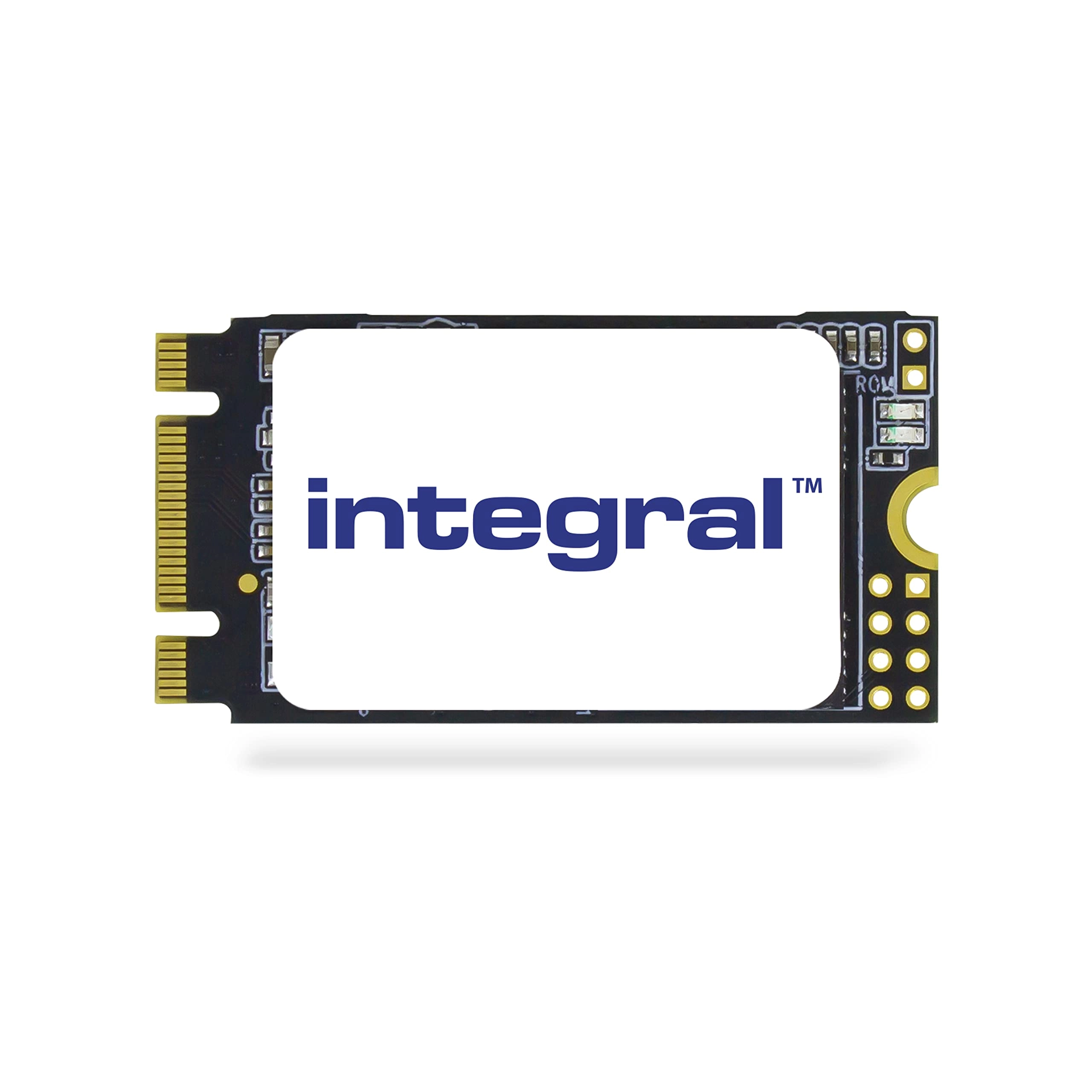
M.2 2242 SATA - 128GB

Integral M.2 2242 SATA - 128GB

Best offer
AED
9043

Key Features

  • Component for: PC/Laptop
  • Data transfer rate: 6Gbit/s
  • S.M.A.R.T. support: Yes
  • Power consumption (read): 3.3W
  • NVMe: No
  • SSD capacity: 128GB
  • SSD form factor: M.2
  • Internal: Yes
  • Compliance certificates: RoHS
  • TRIM support: Yes
  • Hardware encryption: No
  • Memory type: 3D TLC NAND
  • Read speed: 480MB/s
  • Write speed: 400MB/s
  • Product colour: Black
  • Offers
  • Price History
  • Specifications
  • Product Details
  • Review IconReviews

Specifications

Features

Mean time between failures (MTBF)
1500000 h
Protection features
Shock resistant
Security algorithms
256-bit AES
Product colour
Black
Data transfer rate
6 Gbit/s
S.M.A.R.T. support
✓
Component for
PC/Laptop

Packaging data

Package weight
15 g
Package height
64 mm
Package depth
8 mm
Package width
120 mm

Weight & dimensions

Weight
6 g
Height
22 mm
Depth
2.25 mm
Width
42 mm

Power

Operating voltage
3.30 V
Power consumption (read)
3.30 W

System requirements

Windows operating systems supported
Windows 10 Education, Windows 10 Education x64, Windows 10 Enterprise, Windows 10 Enterprise x64, Windows 10 Home, Windows 10 Home x64, Windows 10 Pro, Windows 10 Pro x64, Windows 7 Enterprise, Windows 7 Enterprise x64, Windows 7 Home Basic, Windows 7 Home Basic x64, Windows 7 Home Premium, Windows 7 Home Premium x64, Windows 7 Professional, Windows 7 Professional x64, Windows 7 Starter, Windows 7 Starter x64, Windows 7 Ultimate, Windows 7 Ultimate x64, Windows 8, Windows 8 Enterprise, Windows 8 Enterprise x64, Windows 8 Pro, Windows 8 Pro x64, Windows 8 x64, Windows 8.1, Windows 8.1 Enterprise, Windows 8.1 Enterprise x64, Windows 8.1 Pro, Windows 8.1 Pro x64, Windows 8.1 x64, Windows Vista Business, Windows Vista Business x64, Windows Vista Enterprise, Windows Vista Enterprise x64, Windows Vista Home Basic, Windows Vista Home Basic x64, Windows Vista Home Premium, Windows Vista Home Premium x64, Windows Vista Ultimate, Windows Vista Ultimate x64, Windows XP Home, Windows XP Professional

Storage

NVMe
✗
SSD capacity
128 GB
SSD form factor
M.2

Design

Internal
✓

Ports & interfaces

Interface
Serial ATA III

Operational conditions

Operating temperature (T-T)
0 - 40 °C
Operating relative humidity (H-H)
5 - 90 %

Technical details

Certification
CE, FCC, RoHS, UKCA
Compliance certificates
RoHS

Memory

ECC
✓

Security

TRIM support
✓
Hardware encryption
✗

Solid state drive

Memory type
3D TLC NAND
Read speed
480 MB/s
Write speed
400 MB/s

Product Details

CRYPTO M.2 SATA 6GBPS 22X60 HARDWARE ENCRYPTED FIPS 140-2 Integral Crypto M.2 SSD is the Full Disk Encryption solution for Windows laptops and Ultrabooks. Featuring government department approved military-level AES 256-bit Hardware Encryption that has been certified by NIST to meet the strict FIPS 140-2 standard. The most secure encrypted solid state drive solution for laptop, notebook and ultrabook encryption. FIPS 140-2 approved. If a laptop protected with an Integral Crypto M.2 SSD is lost or stolen, sensitive data is securely encrypted and cannot be accessed without the high-strength password. The Crypto M.2 SSD is the no-fuss and highly-secure solid state encryption solution for many industries including; finance, legal, health, education and government. An unauthorised user WILL NOT be able to boot the system or access any data by transferring the Crypto M.2 SSD to another system or by cloning the drive. Key Features: Encrypted SSD - a solid state encrypted hard drive Mandatory, military level security with AES 256-bit hardware encryption - better protection than a software-only solution. FIPS 140-2 Validated - Certificate No. 2126 Multi-lingual interface - "SSDLock" GUI in 14 languages Ideal for adding encrypted storage to small form factor and embedded systems Security Features: - Full Disk Encryption (FDE) - All data stored on the Crypto M.2 SSD is encrypted (including the Operating System) - Master and User Dual Passwords - As an option an Administrator can set up a user password and a master override password. If the user forgets their password, the Crypto M.2 SSD can be unlocked by the Administrator and the user password reset - Secure Entry - Encrypted data cannot be accessed without the correct high strength 8-16 character alphanumeric password. Before use a high-strength password must be set - Brute-Force Password Attack Protection - Encrypted data is automatically erased after the default 6 failed password attempts (password attempts configurable to a maximum of 20) - BIOS Independent - Crypto M.2 SSD security system runs independently of your system BIOS, unlike other hardware encrypted SSDs - Anti-Clone - Crypto M.2 SSD cannot be cloned once encryption is set - Tamper-Proof Design - The electronics are sealed in tamper-free epoxy resin - Endpoint security software compatible - The Integral M.2 Crypto SSD operates comfortably with endpoint security solutions by using the configurable unique ID feature, which is part of the program Features: - M.2 2260 form factor with SATA III 6Gbps interface (backwards compatible with SATA 3Gbps and SATA 1.5Gbps) - Supports ‘M' & ‘B' Key sockets - Fully compatible with devices and OS that support the SATA standard with M.2 M and B connectors - Ultra-efficient Block Management and Wear Levelling - Error Correction Code - Silent operation - Noiseless and low heat dissipation - Supports S.M.A.R.T. - Self-Monitoring, Analysis and Reporting Technology - Supports TRIM - High-speed Read/Write - up to 450MB/s - Quick Boot - Using a solid state disk in place of a traditional hard drive can cut your laptop's boot time in half - Shockproof - no moving parts, so a greater resistance to shock and vibration than HDD - Low power usage - laptop battery will last far longer with SSD than HDD - 3 Year Warranty Hardware Encryption in 3 easy steps: 1. Install the Crypto M.2 SSD in your UltraBook or laptop. A Windows operating system is required. This can be cloned from an existing drive or image (with OS and data) before the Crypto M.2 SSD is fitted, or a fresh installation can be completed after the Crypto M.2 SSD is fitted in your laptop, by using the manufacturers set up disks. 2. Run the "SSDLock" program once (supplied on a USB) to set the encryption and specify usernames and passwords. Power down. 3. Your system is now protected with Full Disk Encryption (FDE). On every bootup, a valid username and password are required to access the system.

Files

Product Brochure

mmo_24400395_1462017476_5471_31133.pdf

PDF• 128.2 KB

Images

8-2276.png8-2276.png

Reviews

Loading...
Loading...
Loading...
Loading...
Loading...
Loading...
Loading...
Loading...
Loading...
Loading...
Loading...
Loading...
Loading...
Loading...
Loading...
Loading...
Loading...
Loading...
Loading...
Loading...
Loading...
Loading...
Loading...
Loading...
Loading...
Loading...
Loading...
Loading...
Loading...
Loading...
Loading...
Loading...
Loading...
Loading...
Loading...
Loading...
Loading...
Loading...
Loading...
Loading...
Loading...
Loading...
Loading...
Loading...
Loading...
Loading...
Loading...
Loading...
Loading...
Loading...
Loading...
Loading...
Loading...
Loading...
Loading...
Loading...
Loading...
Loading...
Loading...
Loading...
Loading...
Loading...
Loading...

Join our newsletter

Be the first to know about new arrivals, sales, and exclusive picks

Sign in to unlock newsletter access and stay in the loop

Allware
info@allware.com
+971522500911
World technology awards winner badge

Allware

  • About Us
  • Terms And Conditions
  • Privacy Policy
  • Contact Us

Partners

  • Why become a partner?
  • How to list your Online Shop?

Newsletter

  • Subscribe

Info

  • How Allware works
All Rights Reserved.
Please enable location access or select an emirate
-
00:00:00
Prayer timings

Offers (1)

Amazon logo

1 offer

From
AED
90

Integral 128GB M.2 SATA III 2242 Internal SSD, up to 480MB/s Read 400MB/s Write

Black
AED
9043

Price History

Price History Skeleton
Price History Shimmer Effect
Loading price history...

Similar Products

See all
PNY Cs900 - 240Gb

PNY Cs900 - 240Gb

AED
13900
6 offers
-1%
Kingston Technology A400 - 960GB 2.5 Inch

Kingston Technology A400 - 960GB 2.5 Inch

AED
39900
AED
39500
4 offers
Lexar NS100 - 256 GB 2.5"

Lexar NS100 - 256 GB 2.5"

AED
10506
9 offers
-30%
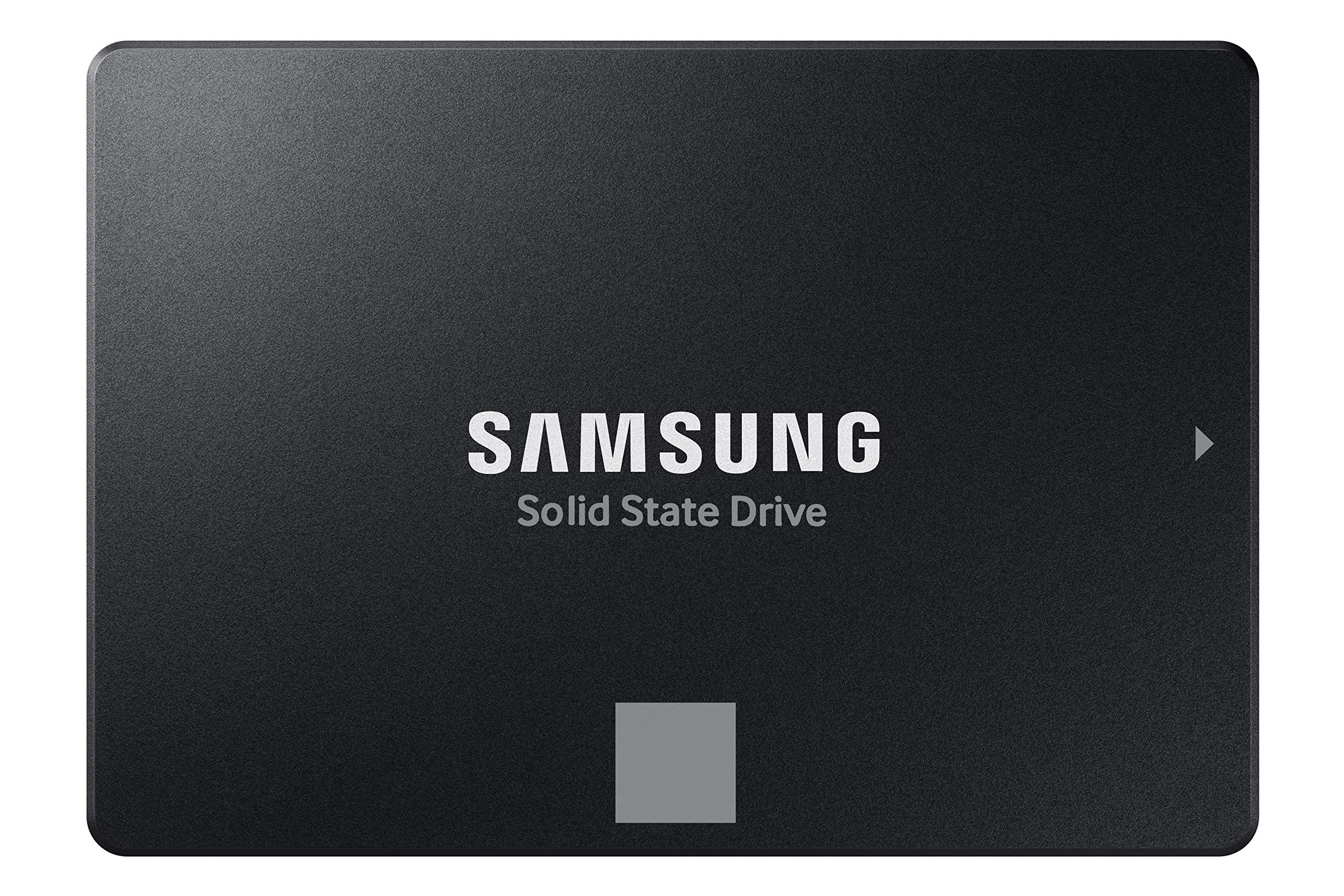
Samsung 870 EVO - 1000 gigabyte 2.5 Inch

Samsung 870 EVO - 1000 gigabyte 2.5 Inch

AED
50500
AED
34995
8 offers
Team Group MS30 - 2TB M.2 2280

Team Group MS30 - 2TB M.2 2280

AED
22178
8 offers
Crucial BX500 - 500GB 2.5"

Crucial BX500 - 500GB 2.5"

AED
28900
7 offers
Lexar NS100 - 512GB 2.5-Inch

Lexar NS100 - 512GB 2.5-Inch

AED
21072
7 offers
Crucial BX500 - 2 TB 2.5-inch

Crucial BX500 - 2 TB 2.5-inch

AED
71566
7 offers
Lexar NS100 - 128 GB 2.5 Inch

Lexar NS100 - 128 GB 2.5 Inch

AED
10500
6 offers
Hikvision E100 Series - 256GB

Hikvision E100 Series - 256GB

AED
10900
6 offers

More from Integral

See all
Integral INFD512GBBLK3.0 - USB 3.0 512GB

Integral INFD512GBBLK3.0 - USB 3.0 512GB

AED
15215
1 offer
Integral Courier - USB 3.0 Pack 32GB

Integral Courier - USB 3.0 Pack 32GB

AED
9517
1 offer
Integral INFD16GBBLK - 16GB

Integral INFD16GBBLK - 16GB

AED
3867
1 offer
Integral UHS-II SD Card V90 - 64GB

Integral UHS-II SD Card V90 - 64GB

AED
25230
1 offer
Integral AMINFD - 3.2 Gen 1 Type C and Type A 128GB

Integral AMINFD - 3.2 Gen 1 Type C and Type A 128GB

Unavailable
1 offer
Integral Gamer's Edge - 64GB

Integral Gamer's Edge - 64GB

AED
5660
1 offer
Integral INFD256GBFUS3.0 - USB 3.0 256GB

Integral INFD256GBFUS3.0 - USB 3.0 256GB

AED
10169
1 offer
Integral INSDX64G10-80U1 - 64 GB

Integral INSDX64G10-80U1 - 64 GB

AED
6154
1 offer
Integral Neon 3.0 - USB 3.0 32GB

Integral Neon 3.0 - USB 3.0 32GB

AED
5262
3 offers
Integral Courier 2.0 - USB 2.0 256GB

Integral Courier 2.0 - USB 2.0 256GB

Unavailable
1 offer
Loading...
Loading...
Loading...
Loading...
Loading...
Loading...
Loading...
Loading...
Loading...
Loading...
Loading...
Loading...
Loading...
Loading...
Loading...
Loading...
Loading...
Loading...
Loading...
Loading...
Loading...
Loading...
Loading...
Loading...
Loading...
Loading...
Loading...
Loading...
Loading...
Loading...
Loading...
Loading...
Loading...
Loading...
Loading...
Loading...
Loading...
Loading...
Loading...
Loading...
Loading...
Loading...
Loading...
Loading...
Loading...