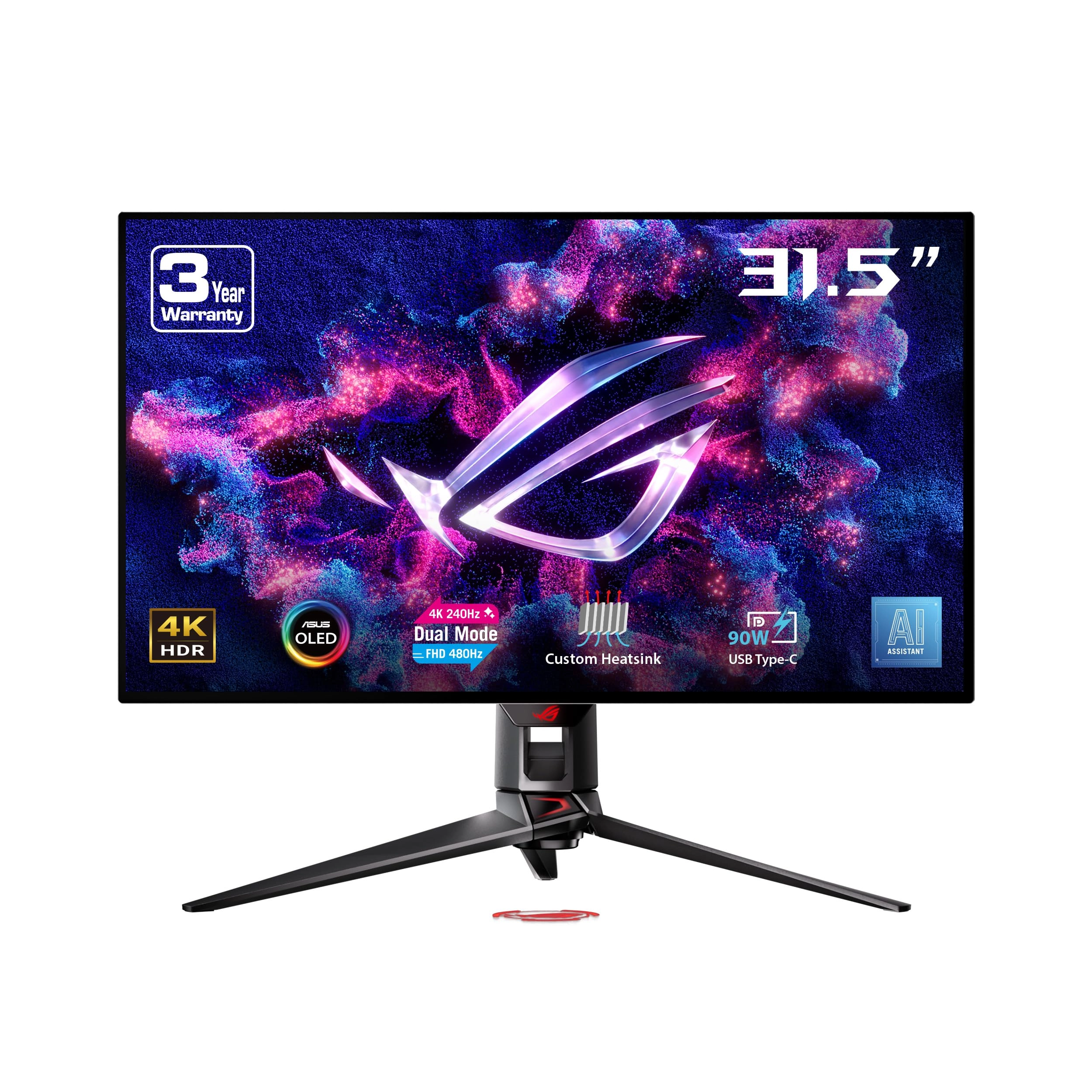
The ROG Strix OLED XG32UCWMG is a 32-inch 4K TrueBlack Glossy WOLED gaming monitor that offers supersharp visuals and boasts a versatile dual-mode feature that enables seamless switching between 4K@240Hz and FHD@480Hz gaming. Featuring the new Neo Proximity Sensor within the ASUS OLED Care Pro suite, the monitor is able to detect when the user is away and automatically transition to a black screen to guard against panel burn-in. Thanks to a compact stand, the XG32UCWMG takes up minimal desktop space. Plus, it offers users an extensive array of connectivity options, including DisplayPort 1.4 (DSC), HDMI 2.1, and USB-C with 15-watt Power Delivery. Supersharp and clear imagery Exclusive TrueBlack Glossy OLED The ROG Strix OLED XG32UCWMG features a new TrueBlack Glossy OLED panel with a zero-haze optical layer that presents deep blacks under any lighting. Its advanced anti-reflective coating reduces ambient reflections by 38% compared to previous-gen glossy WOLEDs, ensuring distraction-free gaming even in brightly lit rooms. Groundbreaking Dual-Mode Feature The ROG Strix OLED XG32UCWMG offers unparalleled flexibility with its dual-mode feature, enabling users to prioritize refresh rate for fast-paced action or extreme resolution for immersive visuals. A simple press of the hotkey instantly switches between stunning 4K@240Hz imagery for AAA titles and blazing-fast FHD@480Hz for FPS gaming. Clear Pixel Edge The Clear Pixel Edge algorithm reduces green and red fringing on text and lines for improved reading experiences. Additionally, the XG32UCWMG features the latest RGWB subpixel layout to improve text quality. Extreme Low Motion Blur Exclusive ASUS Extreme Low Motion Blur technology reduces ghosting and motion blur. OLED Advantages The extremely high contrast ratio offered by the OLED panel results in the deepest black hues and vivid colors. Plus, an astounding 0.03ms gray-to-gray response time ensures supersmooth, low-latency gameplay. Screen Protection ASUS OLED CARE PRO New ASUS OLED Care Pro technology provides a full set of customizable monitor settings to protect and ensure the longevity of the OLED panel. Plus, it includes the new Neo Proximity Sensor designed to guard against panel burn-in. All settings can be easily managed via DisplayWidget Center. Neo Proximity Sensor The built-in Neo Proximity Sensor precisely detects the user’s distance from the monitor. When the user steps away, the monitor transitions to a black image to protect against panel burn-in; when the user returns, content is instantly restored onscreen. Detection distance can be customized to suit personal preference, ensuring maximum convenience and protection. Pixel cleaning Recalibrates the screen when the monitor has been active for several hours―a process that takes just a few minutes and activates automatically when the monitor is turned off. SCREEN MOVE Pixel locations are slightly shifted periodically to help prevent burn-in, and users can choose between several movement levels. SCREEN SAVER Automatically dims the screen after two minutes of inactivity. Logo brightness adjustment Automatically detects static onscreen logos and reduces their brightness to correct for potential picture-quality issue. Taskbar detection Dynamically detects the taskbar and reduces brightness around it to avoid burn-in. Outer dimming control Automatically identifies and adjusts the brightest areas of the screen to reduce the risk of burn-in. Global dimming control Dynamically adjusts the overall brightness of the display to reduce the risk of burn-in. Target mode Dims the entire screen, except for a selected pinned window, which maintains its current brightness setting. ROG OLED Anti-Flicker ROG-exclusive OLED Anti-Flicker technology offers three refresh rate ranges ― High, Mid, Off ― to reduce flicker during frame rate fluctuations and maintain an immersive gaming experience. Compact and Ergonomic Design The new ROG Strix OLED series monitors feature a new compact stand that’s 45% smaller than those found on previous-generation XG monitors, freeing up valuable desk space for a keyboard and mouse. The stand offers tilt, swivel, and height adjustments for the ideal viewing position. The display is also VESA wall-mount-compatible. Aspect Ratio Control For competitive gamers who are more familiar with smaller 1080p monitors, the XG32UCWMG can be set to replicate a 24.5-inch (esports mode) or 27-inch display, as well as other visual modes. DisplayWidget Center DisplayWidget Center is a powerful monitor management software designed to help users optimize, personalize, and fully utilize their display via a mouse — so there’s no need to access the OSD menu. Additionally, DisplayWidget Center offers firmware update notifications and includes a direct update option. Users can also import or export display configurations for sharing. Play Smarter with AI Assistant The AI Assistant in XG32UCWMG includes AI Visual, Dynamic Crosshair, and Dynamic Shadow Boost. These features leverage AI technology to help gamers practice more effectively to improve their skills. Dynamic Shadow Boost Automatically enhances dark areas of the scene to make it easier to spot enemies hiding in dim areas of the map AI Visual Automatically detects what’s onscreen and adjusts to provide the best default or user-preset monitor settings through DisplayWidget Center Dynamic Crosshair Automatically changes the crosshair to a color that contrasts with the background, so it stands out for more accurate aim Auto KVM Level up streaming setups with the Auto KVM feature and seamlessly control two gaming devices with a single keyboard and mouse, providing a more effortless and integrated multi-devices experience for users. Uniform brightness When activated, the ROG-exclusive Uniform Brightness setting within the OSD menu decreases peak brightness to keep levels consistent for better viewing—even when changing the size of bright white windows. It also makes marathon gaming sessions much more comfortable on the eyes. EXTENSIVE CONNECTIVITY Extensive connectivity options such as DisplayPort 1.4 with Display Stream Compression (DSC), HDMI 2.1, and USB-C with 15-watt Power Delivery for a wide array of multimedia devices.