Supported graphics resolutions: 1920 x 1080 (HD 1080)
Height (without stand): 268mm
Width (without stand): 541mm
Depth (without stand): 53mm
Weight (without stand): 5330g
Pixel pitch: 0.274 x 0.274mm
Pixel density: 6ppi
Viewing angle, horizontal: 178°
Viewing angle, vertical: 178°
Specifications
Features
Mean time between failures (MTBF)
30000 h
Touchscreen type
Tabletop
3D
✗
Built-in microphone
✗
On/off switch
✓
Viewable size, vertical
296 mm
Viewable size, horizontal
526 mm
Digital vertical frequency
50 - 75 Hz
Digital horizontal frequency
64 - 83 kHz
Tilt adjustment
✓
Maximum refresh rate
60 Hz
Product colour
Black
Wall mountable
✓
Touch technology
Multi-touch
Aspect ratio
16:9
Resolution
1920 x 1080 pixels
Display
LED
Supported graphics resolutions
1920 x 1080 (HD 1080)
Display brightness (typical)
250 cd/m²
Packaging data
Package weight
6370 g
Sustainability
European Product Registry for Energy Labelling (EPREL) code
403355
Weight & dimensions
Package weight
6.37 kg
Weight (with stand)
5330 g
Height (with stand)
388 mm
Depth (with stand)
238 mm
Width (with stand)
541 mm
Height (without stand)
268 mm
Width (without stand)
541 mm
Depth (without stand)
53 mm
Weight (without stand)
5330 g
Display
Display resolution
1920 x 1080 pixels
Display diagonal (metric)
60.50 cm
Panel type
IPS
Touchscreen
✓
Native aspect ratio
16:9
Display technology
LCD
Vertical scan range
50 - 75 Hz
Contrast ratio (typical)
1000:1
Horizontal scan range
64 - 83 kHz
Display number of colours
16.78 million colours
Pixel pitch
0.27 x 0.27 mm
Pixel density
6 ppi
Viewing angle, horizontal
178 °
Viewing angle, vertical
178 °
Response time
4 ms
Contrast ratio (dynamic)
100000000:1
Display brightness
250 cd/m²
Power
Energy efficiency class (old)
A+++
Power supply type
AC
Energy efficiency scale
A+++ to G
Power consumption (typical)
17 W
Energy consumption (SDR) per 1000 hours
19 kWh
Energy efficiency class (SDR)
F
Power consumption (standby)
0.35 W
Annual energy consumption
34 kWh
Power consumption (off)
0.23 W
Performance
AMD FreeSync
✗
TV tuner integrated
✗
Design
VESA mounting
✓
Market positioning
Home & Office
Screen shape
Flat
Panel mounting interface
100 x 100
Height adjustment
✓
Graphics
NVIDIA G-SYNC
✗
Packaging content
Quick start guide
✓
Cables included
AC, USB, VGA
Camera included
✗
Ports & interfaces
VGA (D-Sub) ports quantity
1
Built-in USB hub
✓
HDMI ports quantity
1
USB 2.0 ports quantity
1
DVI port
✗
HDMI
✓
Audio output
1
Technical details
Certification
238
Sustainability certificates
ENERGY STAR
Audio
Built-in speaker(s)
✓
RMS rated power
2 W
Number of speakers
2
Video
HD type
Full HD
Camera
Built-in camera
✗
Logistics data
Harmonized System (HS) code
85285210
Product Details
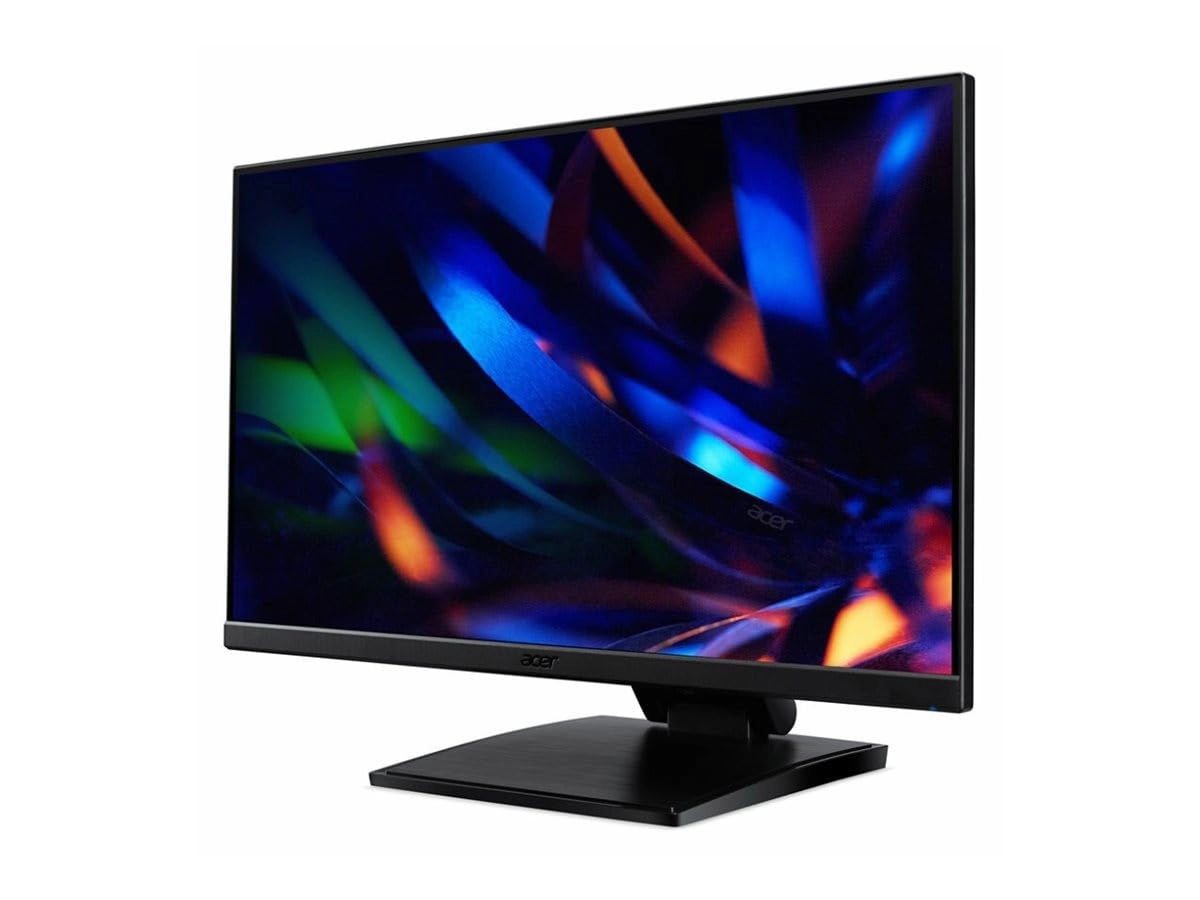
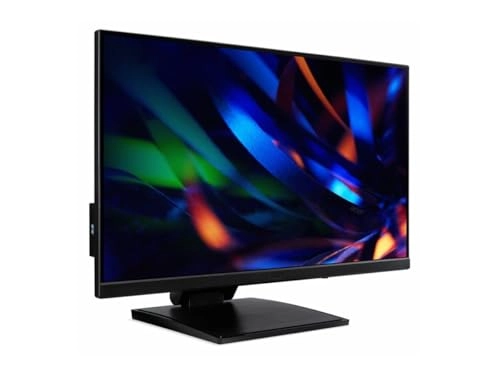
The Acer UT1 series of touchscreen monitors offer a new way to interact with and control your PC, with a stand that seamlessly adjusts to meet your needs.
Impressive Performance
The 23.8” display of the UT241Y is fully touch-sensitive, with support for 10-point multi-touch and all of Windows 10’s gestures. This ensures that using the UT0 to control your PC will be a breeze, with easy and intuitive controls that can perfectly replace a conventional keyboard and mouse set-up.
The screen is also Full HD resolution, which means you get really sharp images plus it supports extra-wide viewing angles for added convenience.
The UT1 series features a wide variety of connectivity options, including an HDMI port and a VGA port, which ensures it can work seamlessly with a variety of devices.
The UT241Y is also equipped with a USB-C port, which not only enables the touchscreen functionality but can also replace all your other connectivity needs in a single cable – USB-C can be used to carry video signals, meaning it can be used instead of an HDMI or other dedicated video cable; it can also be used to transfer data, meaning you can connect multiple peripherals to your UT241Y via the integrated USB hub and they will all work perfectly; and it can also be used to power external devices, meaning that your laptop can charge from your monitor when it’s connected. Everything you need, in one cable.
To further improve the viewing experience, the UT1 series have Acer’ VisionCare suite of technologies built in – BlueLightShield, Flickerless, Low Dimming and ComfyView. These technologies are designed to minimise eye strain and fatigue when using the monitor, especially for extended periods such as work environments.
Seamless Adjustment
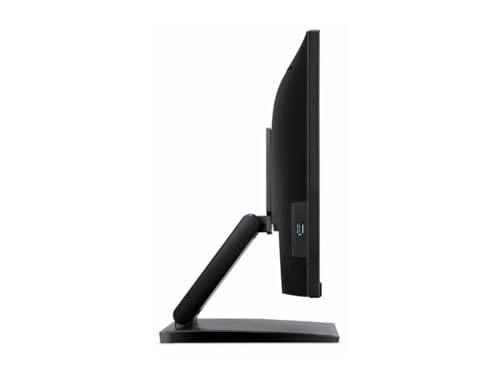
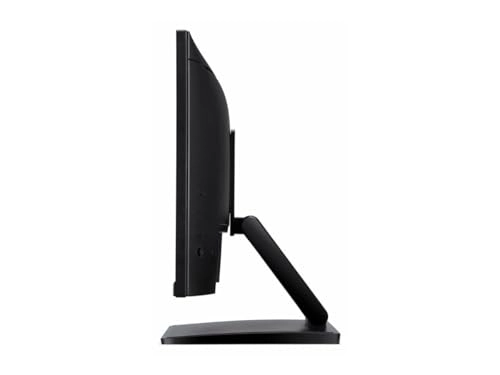
The integrated stand also supports over 90 degrees of tilt adjustment, a huge range that allows you to position the screen at the best angle for your needs – this is especially useful if you wish to type using the UT1 monitor, as you can lower the angle of the screen significantly for a much more comfortable experience.
The UT1 series also features Acer’s ZeroFrame design, which means the bezels are kept to a minimum. This not only serves keep size and weight to a minimum, it helps to make the touchscreen more easily accessible and also means that the UT1 monitors are ideal for use in multi-monitor systems.
<b>Not Glaringly Obvious</b>
The special oleophobic coating on the UT241Y's display helps to reduce both reflections and fingerprints, reducing unpleasant distractions and allowing you to focus on what you're doing.
<b>The Perfect Angle</b>
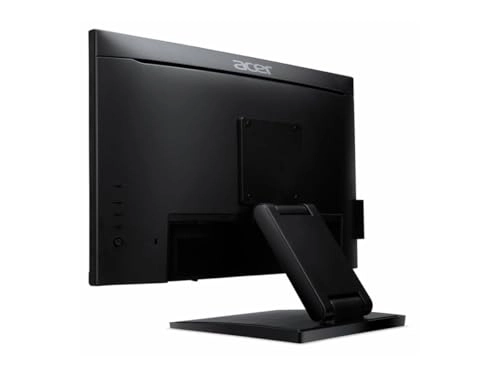
The unique dual-hinge mechanism of the UT241Y's stand allows for an incredible range of adjustment - over 90° of tilt.
This ensures that you can position the UT241Y at the most comfortable and convenient angle to use.
<b>Reach Out and Touch</b>
The UT241Y features a 23.8" 10-point multi-touch capable touchscreen, designed to take full advantage of Windows 10's range of multi-touch gestures.
Touchscreens allow for a more intuitive and accessible way for people to interact with a PC, as well as appealing to a wider range of people who may be more accustomed to using a smartphone or tablet.
<b>Seen From All Angles</b>
The IPS panel of the UT241Y means you get amazing colours and super-wide viewing angles, ideal for sharing what's on your screen with friends, family or colleagues.
<b>Acer VisionCare</b>
The UT241Y features VisionCare, Acer's suite of eye protection technologies:
<b>Flickerless</b>
While the refresh rate of a monitor may not be perceptible to the human eye, this flickering can still cause strain when using a monitor, particularly during heavy use such as working environments. Acer Flickerless technology utilises improved power supply stability to reduce this.
<b>BlueLightShield Pro</b>
Acer's BlueLightShield technology reduces the ratio of harmful blue light emitted by a monitor, by adjusting colour hue and brightness. BlueLightShield Pro is able to further reduce this without sacrificing colour accuracy or brightness.
<b>ComfyView</b>
ComfyView helps reduce reflections and glare for a more comfortable viewing experience in a variety of working environments.
<b>ZeroFrame Design</b>
The UT241Y features Acer's ZeroFrame design - the near bezel-less design creates a more seamless look for a more stylish and professional feel, as well as minimising distractions by allowing you to focus on what matters most: the screen.
Additionally, the slimmed-down bezels ensure the UT241Y can be easily integrated into multi-monitor set-ups without negatively impacting productivity or usability.