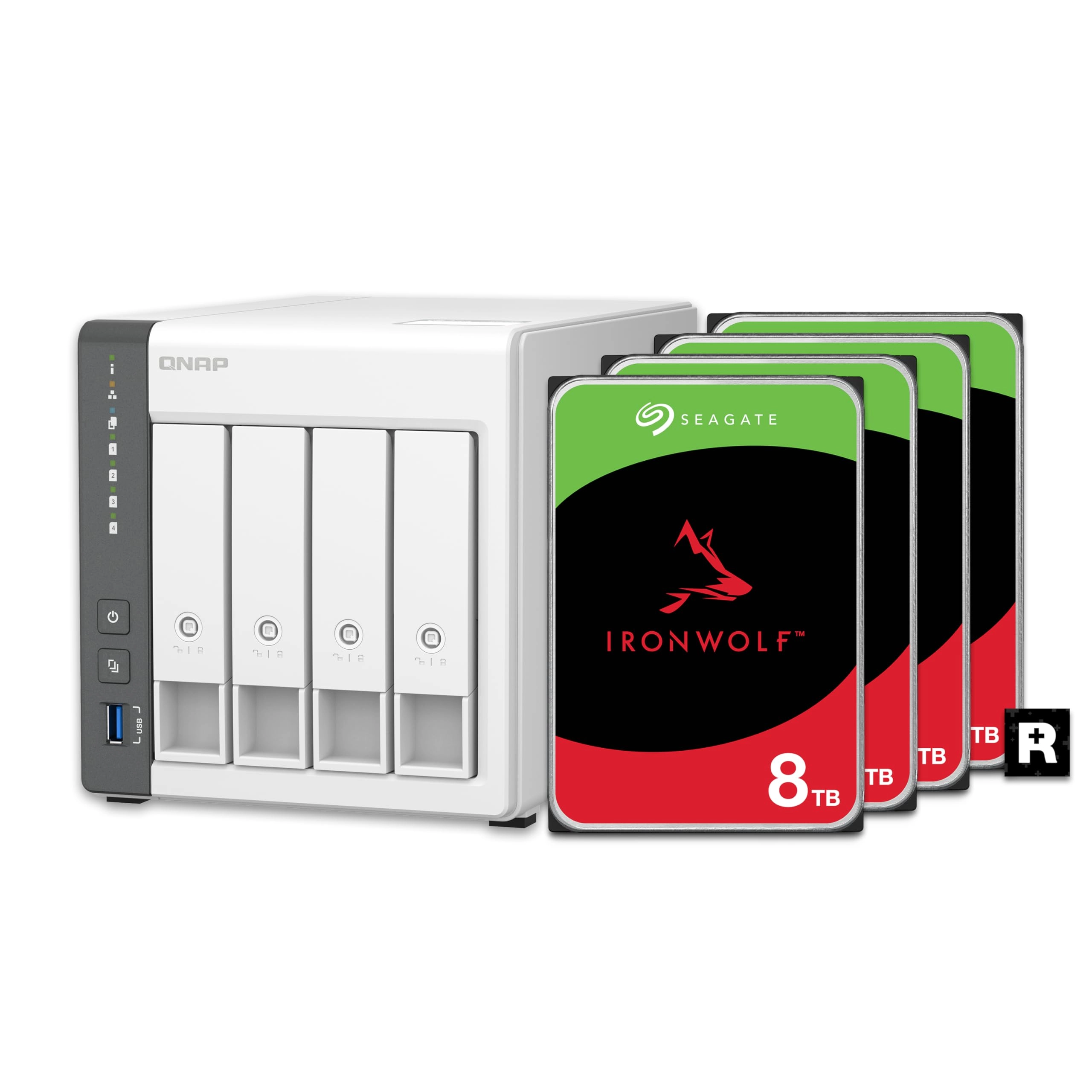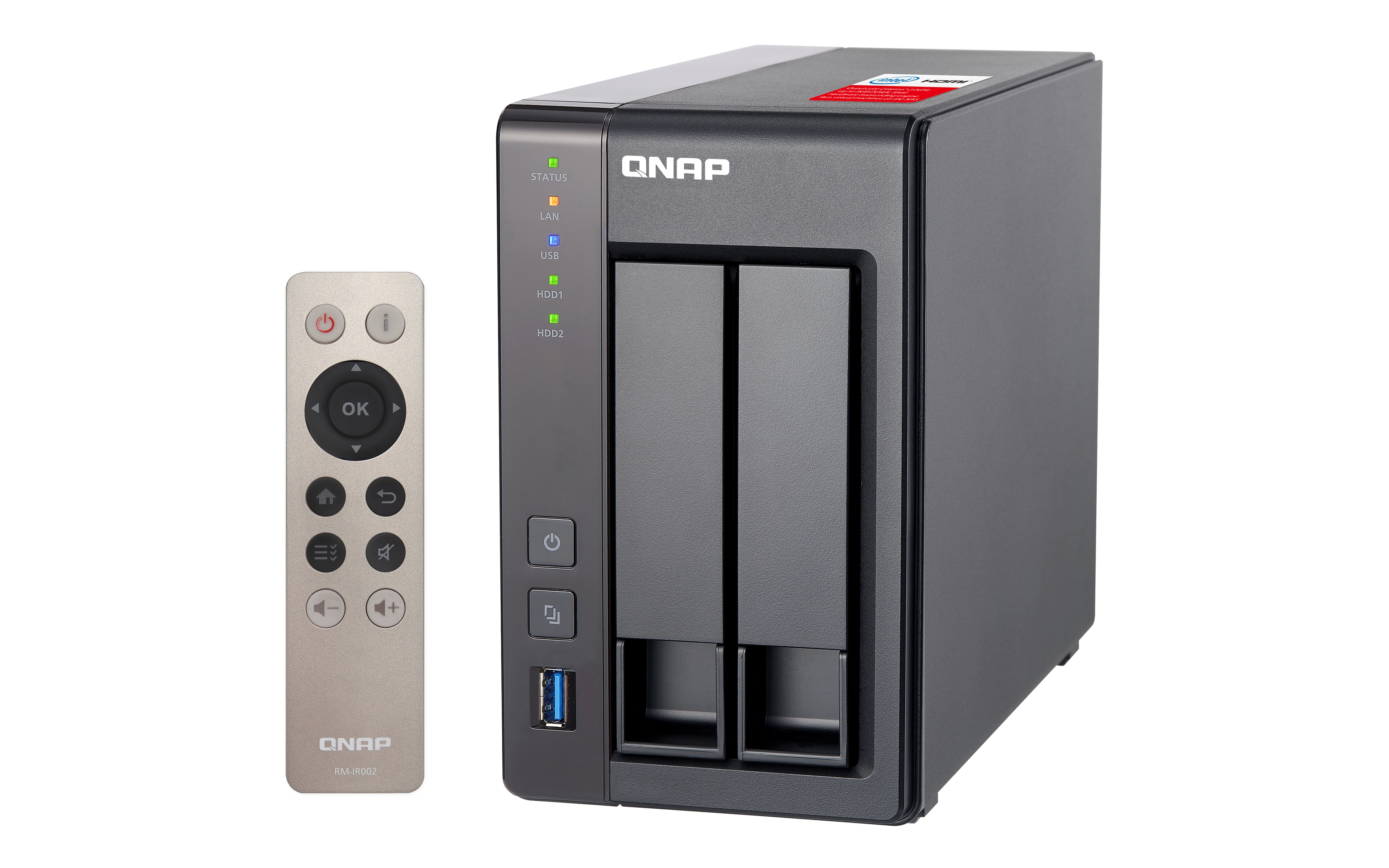
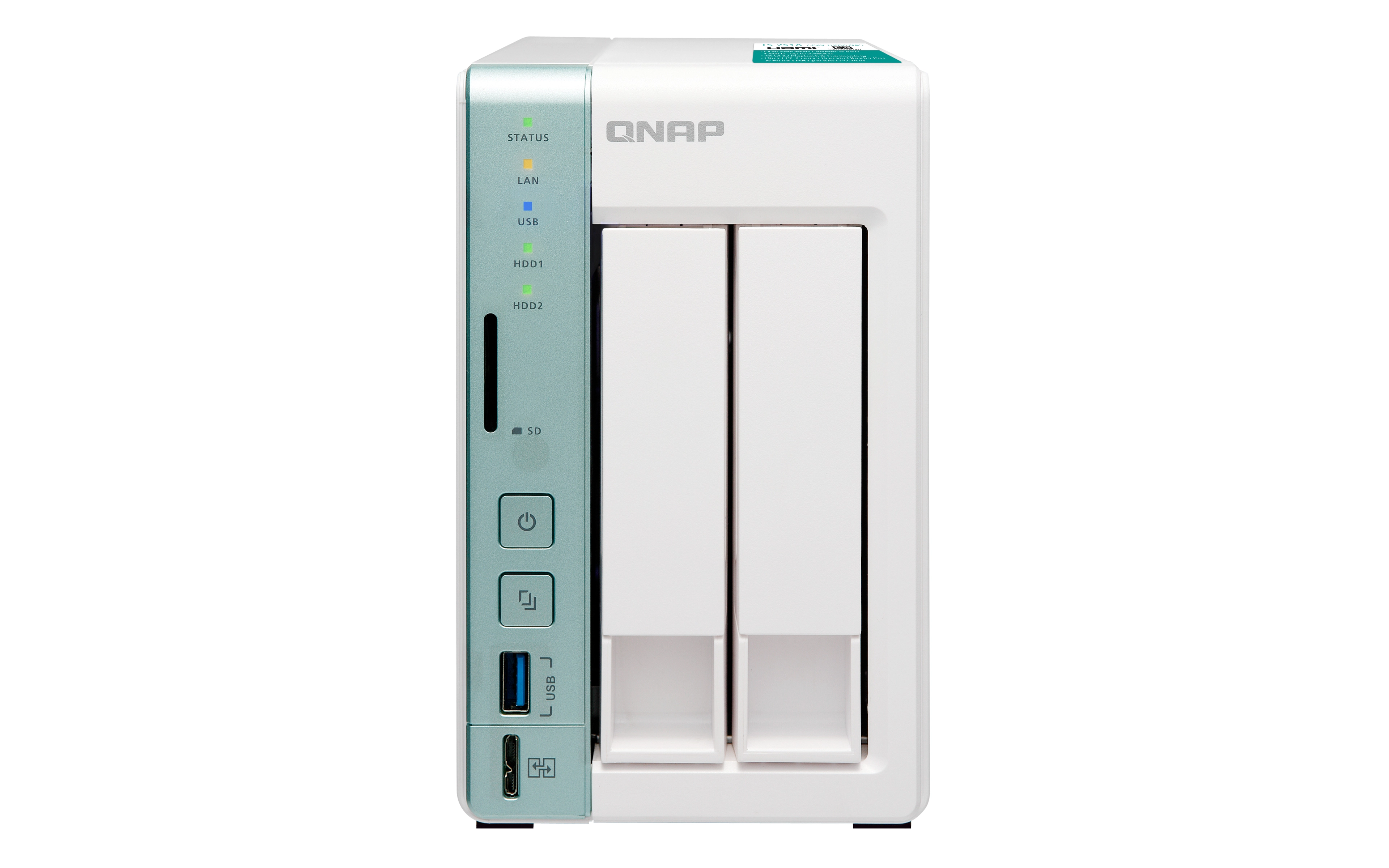


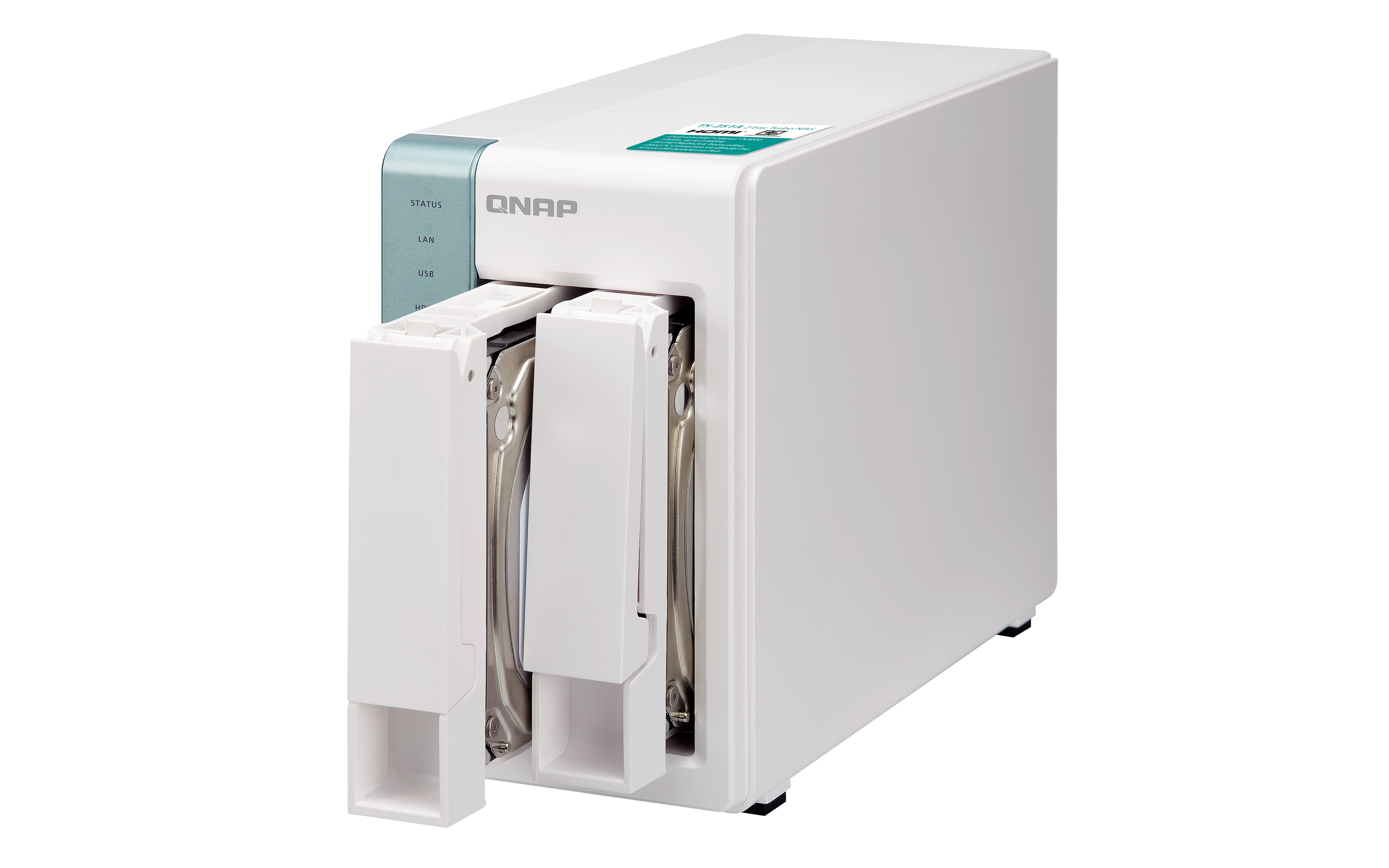

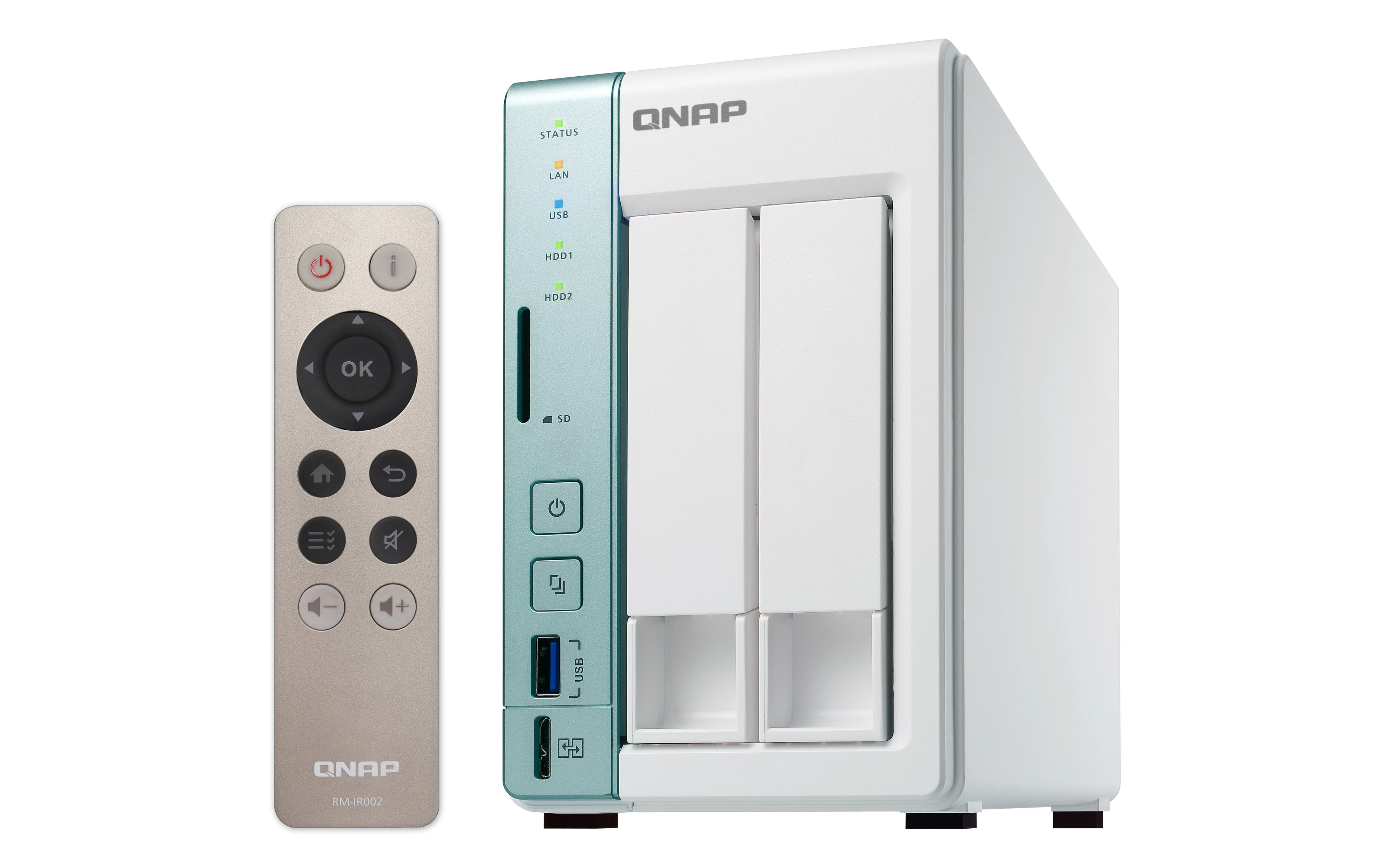

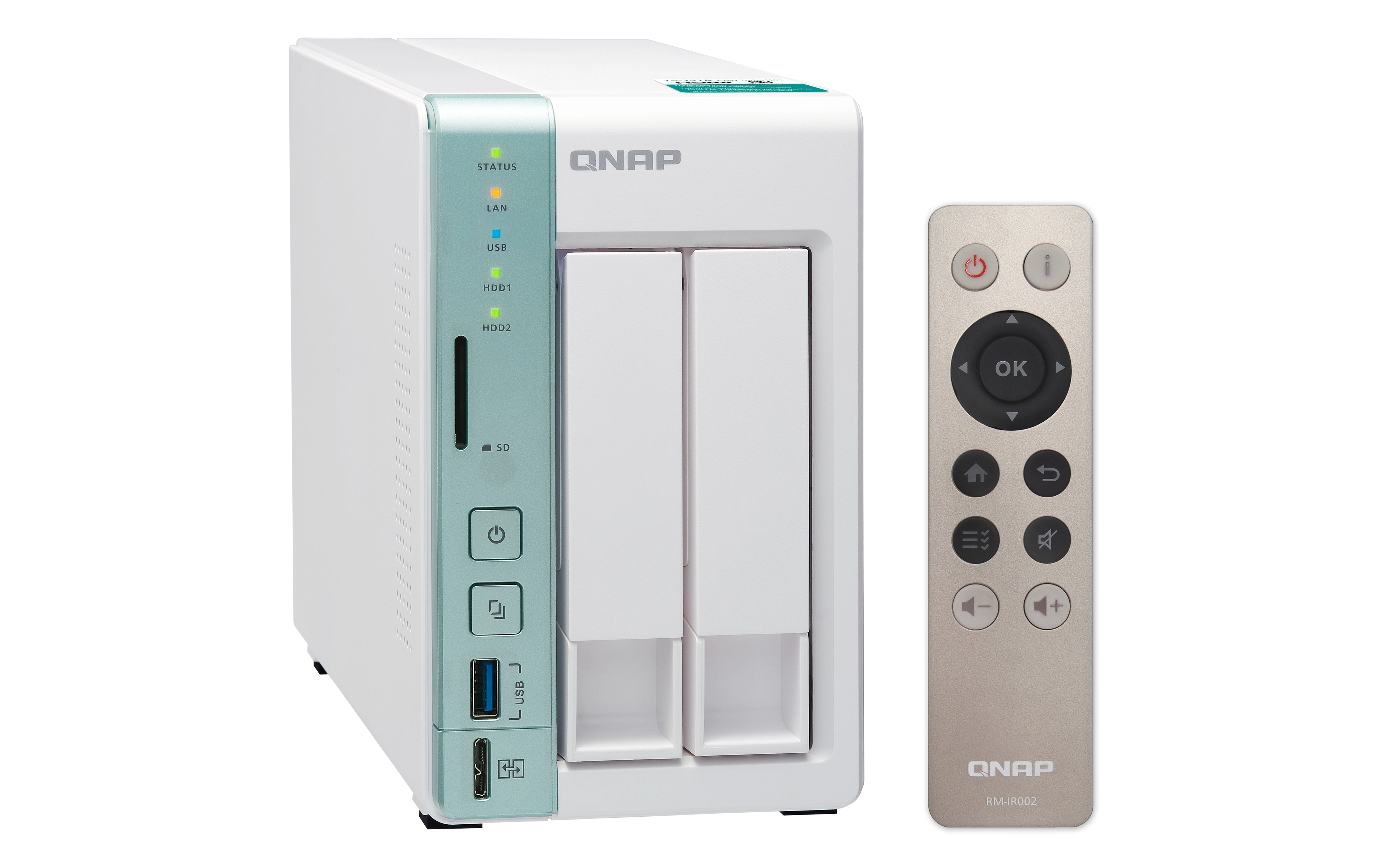
QNAP TS-251+ 2-Bay
Best offer
AED
1 59900
Key Features
- Storage drives installed: Yes
- Total installed storage capacity: 0.5TB
- Power consumption (HDD standby): 10.56W
- Online RAID migration: Yes
- Online RAID expansion: Yes
- Power supply unit (PSU) capacity: 60, 65W
- Device class: Home & Home Office
- Backup features: Cloud, USB drive, iSCSI LUN
- Number of storage drives installed: 1, 2
- Installed storage drive type: HDD
- Processor threads: 2, 4
- Storage drive size: 2.5/3.5, 3.5"
- Hot-swap drive bays: Yes
- Multilingual support: Yes
- Supported storage drive interfaces: Serial ATA, Serial ATA II, Serial ATA III
Specifications
Features
Universal Plug and Play (UPnP)
✓
ECC supported by processor
✗
Operating system installed
QNAP Turbo System
Remotely operated
✓
Card reader integrated
✓
Backup function
✓
Fan diameter
70 mm
On/off switch
✓
Security algorithms
256-bit AES, FIPS 140-2, HTTPS, SSH, SSL/TLS
Noise level
15.40 dB
CPU configuration (max)
1
Buzzer
✓
Product colour
Black, Grey, White
Type
NAS
Access Control List (ACL)
✓
DHCP client
✓
DHCP server
✓
PCI Express slots version
2.0
S.M.A.R.T. support
✓
System bus rate
5 GT/s
Jumbo frames support
✓
Thermal Design Power (TDP)
6 W
Multilingual support
✓
Storage drive size
2.5/3.5, 3.5
Installed storage drive type
HDD
Packaging data
Package weight
2320 g
Weight & dimensions
Weight
1280 g
Height
168.50mm, 168.80mm, 169mm
Depth
219mm, 225mm
Width
102 mm
Management features
Web-based management
✓
Power
External power adapter
✓
Power consumption (typical)
18.09 W
AC input voltage
100 - 240 V, 100-240 V, 100/240 V
Power supply location
External
AC input frequency
50 - 60 Hz
Fan voltage
12 V
Power consumption (sleep)
0.57W, 10.56W
Number of power supply units
1
Redundant power supply (RPS) support
✗
Power supply unit (PSU) capacity
60W, 65W
Power consumption (HDD standby)
10.56 W
Performance
Processor ARK ID
91832
Processor operating modes
64-bit
Storage drive interface
Serial ATA II, Serial ATA III
Built-in iTunes server
✓
System log
✓
Hot spare
✓
Share folder
512, CIFS/SMB
Load balancing system
✓
Share folder access right management
✓
Number of storage drives installed
1, 2
Backup features
Cloud, USB drive, iSCSI LUN
Total installed storage capacity
0.50 TB
Wireless LAN features
Dynamic DNS (DDNS)
✓
System requirements
Mac operating systems supported
Mac OS X 10.0 Cheetah, Mac OS X 10.1 Puma, Mac OS X 10.10 Yosemite, Mac OS X 10.11 El Capitan, Mac OS X 10.12 Sierra, Mac OS X 10.13 High Sierra, Mac OS X 10.14 Mojave, Mac OS X 10.2 Jaguar, Mac OS X 10.3 Panther, Mac OS X 10.4 Tiger, Mac OS X 10.5 Leopard, Mac OS X 10.6 Snow Leopard, Mac OS X 10.7 Lion, Mac OS X 10.8 Mountain Lion, Mac OS X 10.9 Mavericks
Windows operating systems supported
Windows 10, Windows 10 Education, Windows 10 Education x64, Windows 10 Enterprise, Windows 10 Enterprise x64, Windows 10 Home, Windows 10 Home x64, Windows 10 IOT Core, Windows 10 Pro, Windows 10 Pro x64, Windows 7, Windows 7 Enterprise, Windows 7 Enterprise x64, Windows 7 Home Basic, Windows 7 Home Basic x64, Windows 7 Home Premium, Windows 7 Home Premium x64, Windows 7 Professional, Windows 7 Professional x64, Windows 7 Starter, Windows 7 Starter x64, Windows 7 Ultimate, Windows 7 Ultimate x64, Windows 7 x64, Windows 8, Windows 8 Enterprise, Windows 8 Enterprise x64, Windows 8 Pro, Windows 8 Pro x64, Windows 8 x64, Windows 8.1
Server operating systems supported
Windows Server 2003, Windows Server 2008 R2, Windows Server 2012, Windows Server 2012 R2, Windows Server 2016
Other features
RAID controller type
Yes
Mac compatibility
✓
Browser supported
Apple Safari 7+, Chrome, Firefox, Google Chrome, Internet Explorer 10+, Microsoft Internet Explorer 10+, Mozilla Firefox, Safari 7+
Cable lock slot type
Kensington
Chassis type
Desktop, Tower
Digital Living Network Alliance (DLNA) certified
✓
Backup button
✓
Processor special features
Embedded options available
✓
Enhanced Intel SpeedStep Technology
✓
Execute Disable Bit
✓
Graphics & IMC lithography
22 nm
Idle States
✓
Intel 64
✓
Intel Enhanced Halt State
✓
Intel Secure Key Technology version
1.00
Intel Trusted Execution Technology
✗
Intel Virtualization Technology (VT-x)
✓
Intel Virtualization Technology for Directed I/O (VT-d)
✗
Intel VT-x with Extended Page Tables (EPT)
✓
Intel Clear Video Technology
✓
Intel FDI Technology
✗
Intel Identity Protection Technology version
0.00, 1.00
Intel Rapid Storage Technology
✗
Intel Secure Boot
✓
Intel Secure Boot Technology version
1.00
Intel Small Business Advantage (SBA) version
0.00
Intel Smart Connect Technology
✗
Intel Smart Connect Technology version
0
Intel Smart Response Technology version
0.00
Intel Stable Image Platform Program (SIPP)
✗
Intel Stable Image Platform Program (SIPP) version
0
Intel® AES New Instructions (Intel® AES-NI)
✓
Intel® Anti-Theft Technology (Intel® AT)
✗
Intel® Clear Video HD Technology (Intel® CVT HD)
✓
Intel® Clear Video Technology for Mobile Internet Devices (Intel CVT for MID)
✓
Intel® High Definition Audio (Intel® HD Audio)
✓
Intel® Hyper Threading Technology (Intel® HT Technology)
✗
Intel® Identity Protection Technology (Intel® IPT)
✓
Intel® Insider™
✗
Intel® InTru™ 3D Technology
✗
Intel® OS Guard
✗
Intel® Quick Sync Video Technology
✓
Intel® Secure Key
✓
Intel® Small Business Advantage (Intel® SBA)
✗
Intel® Smart Response Technology
✗
Intel® Turbo Boost Technology
No
Intel® Wireless Display (Intel® WiDi)
✓
Maximum number of PCI Express lanes
4
Number of execution units
12
Thermal Monitoring Technologies
✓
UART
✓
Memory channels supported by processor
Dual
Memory types supported by processor
DDR3L-SDRAM
Processor package size
25 x 27 mm
Processor code
SR2KN
Storage
Compatible memory cards
SD
Supported file systems
FAT32, HFS, NTFS, exFAT, ext3, ext4
RAID levels
0, 1, JBOD
RAID support
✓
Supported storage drive types
HDD & SSD
Storage drive capacity
250GB, 1000GB, 2000GB, 3000GB, 4000GB, 6000GB, 8000GB, 10000GB, 14000GB
Bad block scan
✓
Number of storage drives supported
2
Storage drive sizes supported
2.5, 3.5
Supported storage drive interfaces
Serial ATA, Serial ATA II, Serial ATA III
Hot-swap drive bays
✓
Online RAID expansion
✓
Online RAID migration
✓
Storage drives installed
✓
Software
Operating system version
4.2, 4.3
Design
Reset button
✓
LED indicators
HDD, LAN, Power, Status, USB, Yes
Cable lock slot
✓
Cooling type
Active
Device class
Home & Home Office
Graphics
Number of displays supported (on-board graphics)
3
Maximum on-board graphics card memory
8 GB
On-board graphics card burst frequency
600 MHz
On-board graphics card base frequency
320 MHz
On-board graphics card DirectX version
12.0
Computer system
Processor cores
2, 4
Processor model
J1900, N3060
Processor manufacturer
Intel
Processor frequency
1.60GHz, 2GHz
Processor family
Intel Celeron N3000 series, Intel® Celeron®
Internal memory
2 GB
Packaging content
Number of screws
14
Remote control included
✓
Cables included
AC, LAN (RJ-45)
Quick installation guide
✓
Network
Wi-Fi
✗
Supported network protocols
AFP (v3.3), AFP v3.3, CIFS/SMB, FTP, FTPS, HTTP(S), NFS v3, NFS(v3), SFTP, SMSC, SMTP, SNMP, SSH, TFTP, Telnet, iSCSI
Management protocols
SNMP
WLAN adapter supported
✓
Ethernet LAN data rates
10, 100
Built-in FTP server
✓
Ethernet LAN
✓
iSCSI support
✓
Link aggregation
✓
Wake-on-LAN ready
✓
Ports & interfaces
Ethernet LAN (RJ-45) ports
2
PCI Express configurations
1x2+2x1, 1x4, 2x2, 4x1
USB port
✓
USB 3.2 Gen 1 (3.1 Gen 1) Type-A ports quantity
2, 3
HDMI ports quantity
1
USB 2.0 ports quantity
2
Operational conditions
Operating temperature (T-T)
0 - 40 °C
Operating relative humidity (H-H)
5 - 95 %
Storage relative humidity (H-H)
5 - 95 %
Processor
Conflict-Free processor
✓
Maximum internal memory supported by processor
8 GB
Processor codename
Braswell
Processor series
Intel Celeron N3000 series
On-board graphics card model
Intel HD Graphics, Intel® HD Graphics 400
Stepping
D1
Processor lithography
14 nm
Scenario Design Power (SDP)
4 W
Processor cache type
L2
Integrated 4G WiMAX
✗
Tjunction
90 °C
L2 cache
2 MB
Processor socket
BGA 1170
Processor cache
2 MB
Processor boost frequency
2.42GHz, 2.48GHz
Processor threads
2, 4
Memory
Flash memory
512MB, 4000MB
Memory form factor
SO-DIMM
Internal memory type
DDR3, DDR3L
Maximum RAM supported
8 GB
Memory slots
2
Memory clock speed
1600 MHz
Camera
Snapshot
✓
Logistics data
Harmonized System (HS) code
84714100
Product Details
Facing the increasing demand for data storage, sharing and multimedia processing, more and more users are looking for a NAS system with good performance and an affordable price tag. The Intel® quad-core TS-251+ provides an uncompromising high-performance scalable storage solution for professional users. Powered by the intelligent QTS 4.2 operating system, the TS-251+ performs as an easy-to-use yet powerful NAS for data backup, file synchronization and sharing, remote access and multimedia applications, and is ideal for users to create a secure private cloud to access their data easily.
Centralize your file storage, sharing and backup with excellent performance
Run multiple Windows®, Linux®, UNIX® and Android™ based virtual machines with the Virtualization Station
Operate multiple isolated Linux® systems as well as download containerized apps with Container Station
Play 1080p videos with the bundled remote control and multi-channel audio pass-through via HDMI
Transcode Full HD videos on-the-fly or offline
Stream multimedia files via DLNA®, AirPlay®, Chromecast™ and Bluetooth® with multi-zone multimedia control
Quickly find specific files by real-time, natural search with Qsirch
Scale up to 10 drives with QNAP UX-800P expansion enclosure
Quad-core 64-bit Intel® Celeron® CPU for exceptional performance
The TS-251+ is powered by a 64-bit Intel® Celeron® quad-core 2.0GHz processor and has 2GB/8GB energy-efficient DDR3L RAM (upgradable to 8GB) and dual Gigabit LAN ports, delivering up to 225 MB/s read & write speeds with port trunking mode. The TS-251+ can also automatically increase the processor's clock rate from 2.0GHz to 2.42GHz when needed for CPU-intensive tasks. The TS-251+ supports AES 256-bit volume & folder encryption with transfer speeds of up to 205 MB/s, boosting system performance & security while ensuring the safety of sensitive personal data stored in the TS-251+.
QTS 4.2 - Simple and efficient
Thanks to the intuitive user interface of QTS 4.2, your NAS experience is smarter, smoother and spectacular. Its modern flat design streamlines loading times, and the intelligent desktop allows you to quickly find desired functions, create desktop shortcuts or group shortcuts, monitor important system information on a real-time basis, and open multiple application windows to run multiple tasks concurrently, bringing greater operating efficiency. QTS breaks the barriers of devices, platforms and geography to bring optimized cloud experiences to you, and incorporates more advanced features including volume/LUN snapshot, remote connection to public cloud services in File Station, multi-zone multimedia system, and more.
Run additional operating systems on the TS-251+
The Virtualization Station transforms the TS-251+ into a 2-in-a-box NAS that can function as an all-in-one NAS and a virtualization platform that supports multiple operating systems, fast VM creation, VM backup & restoration, VM import/export, snapshot, Device Management for centrally managing VM, and enables desktop operations on web browsers. With the easy-to-use interface, you can centrally manage all of the VMs created on the TS-251+ with minimal effort. You can also download VMs on demand from online VM markets and import them to the TS-251+ without any complex procedures.
Container Station – LXC and Docker® Containers inclusive
QNAP Container Station exclusively integrates LXC and Docker® lightweight virtualization technologies, allowing you to operate multiple isolated Linux® systems on the TS-251+ as well as download apps from the built-in Docker Hub® Registry. It supports container import/export and permission settings, and features an informative dashboard and flexible user interface for you to manage multiple containers. You can experience the amazing Container Station and enjoy the playground of virtual containers with the TS-251+. Container Station also supports Online Document app, which allows you to directly view, edit and store files of various types anytime on your NAS, including Office documents, images and text files.
Use your TS-251+ as a PC with QvPC Technology
QNAP's exclusive QvPC Technology consolidates a number of high-end technologies including VM integration, multimedia transcoding, HDMI output, cloud integration and NAS connection technologies, allowing users to operate the TS-251+ as a PC when they plug in a keyboard, mouse and HDMI monitor. With QvPC Technology, the TS-251+ is transformed into a cost-effective device with PC functionalities for users to directly access stored data, run multiple applications using Windows®/Linux®/UNIX®/Android™ based VMs, surf the web, enjoy Full HD videos with Kodi™, monitor surveillance live feeds from IP cameras in real time, and much more.
Enjoy videos on TV via HDMI with bundled remote control
QNAP HD Station integrates the powerful Kodi™ media player and web browser. With HDMI connectivity, you can connect the TS-251+ to a HDTV to watch your rich multimedia content on the big screen. The splendid user interface and support for 7.1-channel audio passthrough bring smooth playback of 1080p videos. You can even watch YouTube™ videos, surf the web and manage the TS-251+ using Google Chrome™ or Mozilla Firefox® with multilingual keyboard input. HD Station supports multi-tasking and user authentication so only authorized users can access the stored data via HDMI monitors.
The TS-251+ is packed with the QNAP RM-IR002 remote control for you to conveniently control HD Station via the built-in IR receiver. You can also turn your mobile devices into remote controls by installing the Qremote app. HD Station also supports YouTube Pairing, allowing you to select a YouTube™ video on your smartphone, tablet or computer and play it on your HDTV via the TS-251+.
Real-time & offline video transcoding
The TS-251+ delivers superior real-time Full HD video transcoding to convert your videos to formats that can be smoothly played on PCs, mobile devices and Smart TVs. It allows for multiple devices to simultaneously view different videos stored on the TS-251+ with on-the-fly hardware accelerated transcoding, saving your time in converting videos to different formats for different devices.
With the benefits of offline transcoding, if you can only connect to an Internet connection with limited/restricted bandwidth, you can still enjoy smooth videos via File Station, Video Station, or the Qfile app by selecting a pre-rendered lower-resolution video, saving system resources of the TS-251+ for other applications. The TS-251+ also allows you to set a dedicated folder for automatic video transcoding.
Enjoy media freely with multi-zone multimedia control
Use your TS-251+ as a multi-zone multimedia system to fill every corner of your house with your choice of media. You can centrally manage and stream photos, music and videos from the TS-251+ to different rooms from a single device using Bluetooth®& USB devices connected to the TS-251+ (for music streaming only), HDMI, DLNA®, Apple TV® and Chromecast™. Every room member in different zones can enjoy the convenience and simplicity for media playback and multimedia storage.
Alternatively, to enjoy multimedia yourself, you can choose DLNA-compatible devices, use the Qfile app on an iOS® device to browse videos/photos and play on the TV via Apple TV®, or transform the TS-251+ into a powerful streaming machine with DLNA®, Roku®, Amazon® Fire TV, and Google TV™ support with the support of Plex Media Server.
Qsirch – A smarter, faster way to search
Quickly and easily find documents, photos, videos, and music with Qsirch, QNAP's new built-in NAS search application lets you find what you need by real-time, natural search. Simply type in as much as you know about what you are trying to find, including parts of the file name or even words/phrases in the document, and Qsirch will display a list of matches, complete with thumbnails, as you type. Qsirch even remembers your search history so you can quickly navigate to files you've previously searched for. Qsirch is a huge productivity boost that greatly reduces the amount of time spent looking for files on the NAS so you can focus on other tasks.
Cross-platform file sharing, centralized data storage
The TS-251+ supports SMB/CIFS, NFS, and AFP protocols for file sharing across Windows®, Mac® and Linux®/UNIX®. Data, logs and ISO image of CDs and DVDs can be centrally stored in the TS-251+ and protected by an integrated antivirus solution.
File Station integrated with cloud services
The web-based File Station enables you to easily upload, download, and manage files on your TS-251+ wherever there is an internet connection. Supporting file extraction, folder creation, and smart search for files and folders, the File Station also allows you to easily share files with colleagues and friends via unique URLs, email, and a shared space. What's even better, you can also directly browse and transfer files between the TS-251+ and public cloud services like Google Drive™, Dropbox®, Microsoft® OneDrive, Box®, Yandex® Disk and Amazon® Cloud Drive through File Station, and view files with Office Online and Google Docs™ or directly open them with a Google Chrome™ office extension.
Well-rounded backup solutions to secure data
QNAP NetBak Replicator supports real-time and scheduled data backup on Windows including Outlook email archiving. Apple Time Machine® is also supported to provide Mac® OS X users with a solution to effortlessly back up data to the TS-251+. The front panel USB 3.0 port on the TS-251+ features a one-touch-copy function for you to instantly back up data on external drives to the TS-251+ with just one click, or alternatively to back up data from the TS-251+ to external drives. A wide range of third-party backup software such as Acronis® True Image and Symantec® Backup Exec are also supported.
Disaster recovery solutions bring peace of mind
The TS-251+ offers various data recovery options. RTRR (Real-Time Remote Replication) supports real time and scheduled data backup to remote QNAP NAS or FTP servers and synchronizes files to remote folders from local folders with better backup efficiency. You can enjoy backup versioning to preserve a certain amount of versions, with options of simple versioning to schedule how many versions should be retained and for how long, or smart versioning with a rotation scheme that automatically replaces earlier backup versions. The TS-251+ also supports rsync protocol to back up data to remote servers on a scheduled basis. Data can also be backed up to and restored from a range of cloud storage services, including Amazon® S3, Amazon® Glacier, Microsoft® Azure™, ElephantDrive®, Dropbox®, Google Drive™, Google Cloud Storage™, and more.
Volume & LUN snapshot simplifies restoration
Not limited to high-end models, the TS-251+ brings the highly-anticipated snapshot function for your flexible usage.QTS Storage Manager adds an easy-to-use web-based snapshot tool for you to easily back up and restore data on the TS-251+ back to any point of time to prevent loss of important data. You can take up to 256 snapshots per volume or LUN, efficiently replicate volume/LUN snapshots to remote servers by copying only the changes made, and quickly clone a volume /LUN snapshot as a local volume without interrupting the current system operation. You can even set up the system to automatically take a snapshot of the volume before backup via RTRR/rsync, even when the file is opened.
Comprehensive security options
In open network environments, data on the connected devices may be exposed in a potential hack. The TS-251+ provides numerous security options, such as 2-step verification, encrypted access, IP blocking, and more. Administrators can also control the access rights of each user to different folders, preventing unauthorized access to important files. The TS-251+ is validated with military-level FIPS 140-2 AES 256-bit encryption, preventing sensitive data from unauthorized access and breach even if the hard drives or the entire system were stolen.
Secure access with VPN Server & VPN Client
The TS-251+ can be a VPN server with L2TP/IPsec, OpenVPN, and PPTP support, allowing you to securely access data shared within the private local network. The TS-251+ also supports VPN Client for PPTP and OpenVPN to protect your privacy during data transmission.
File synchronization across devices and clouds
Qsync utility turns your TS-251+ into a safe, large-capacity data center for file synchronization. Any file uploaded to the TS-251+ will be made available for all linked devices, such as computers, laptops or mobile devices. Qsync is especially useful for frequent travelers to manage files and always have the most up-to-date files on different devices. Qsync provides multiple ways of file synchronization and group file sharing, greatly enhancing the flexibility of team projects and collaboration. It also supports centralized configuration, and allows you to remotely erase the Qsync folder on a lost device to avoid data breaches, and even restore it after you have retrieved the device. You can also install the Cloud Drive Sync app from QTS App Center to easily sync files with Google Drive™ and Dropbox® cloud storage.
Comprehensive surveillance solution providing 24/7 security
The TS-251+'s Surveillance Station offers a professional surveillance solution with a user-friendly management interface, a wide range of over 3,000 compatible IP camera models, and expandable IP camera channel licenses. It supports real-time monitoring, video & audio recording and playback with a wide range of customizable settings. You can also install the Vmobile app on your iOS® or Android™ devices to manage the monitoring of cameras anytime, anywhere, to safeguard your office environment, or install the Vcam mobile app to turn your device into a network camera to instantly record to your TS-251+. The TS-251+ offers 2 free IP camera channels and you can expand up to 40 channels by purchasing additional licenses.
Access and enjoy with your mobile devices
The TS-251+ is your private cloud storage that virtually enlarges the capacity of your smart mobile devices. Qfile allows you to access, upload, download, manage, and share stored files easily as if you are carrying tons of files in your pocket. If Qfile is installed on an iOS® device, users can also browse videos & photos stored on the TS-251+ and play on a TV via Apple® TV. Qmanager lets you monitor & manage the TS-251+ remotely and efficiently without turning on your PC. You can take and share digital notes with Qnotes, and enjoy and share music, photos and videos on the TS-251+ anywhere and anytime with Qmusic, Qphoto and Qvideo apps.
Install-on-demand apps to extend NAS functionality
The TS-251+ has a built-in App Center that provides various install-on-demand apps developed by QNAP and third-party developers, including tools for backup/sync, business, content management, communications, download, entertainment, and much more. It is also a centralized location for managing & updating installed apps. In addition, QNAP's development platform embraces the open-source spirit to enable developers to create their own apps, adding potentially limitless potential for the TS-251+.
Expand storage capacity easily
The TS-251+ supports online capacity expansion for archiving rapidly growing data by connecting a QNAP expansion enclosure. With the QNAP scale-up solution, the raw storage capacity can be expanded on demand, making the TS-251+ an ideal file center with large storage capacity for storage-intensive business applications.
With the support of QJBOD Express (JBOD enclosures roaming), you can just connect a large capacity QNAP expansion enclosure to the TS-251+, and migrate data to another NAS through the JBOD enclosure without network connectivity.
Energy-saving & eco-friendly
The TS-251+ utilizes a 22nm CPU and DDR3L RAM which feature low voltage, low power consumption, maintaining high performance in system operations with the benefit of energy-saving. Other eco-friendly designs include S3 sleep mode, HDD standby, scheduled power on/off, hard disk standby mode, and Wake on LAN. QNAP also packs the TS-251+ in an eco-friendly box to minimize the environmental impact.
Easy-to-use NAS management tools
The TS-251+ provides comprehensive system tools to increase management efficiency.
- Administrators can turn on the Turbo NAS via LAN to save energy and improve security.
- The Turbo NAS supports Syslog server that collects logs from various connected devices over the Internet and saves the data, enabling centralized log management with greater efficiency.
Additional features
The TS-251+ supports various applications for home offices as an all-in-one Turbo NAS with cost-efficiency.
- The Turbo NAS supports RADIUS server which provides centralized authorization management for computers to connect and use a network service.
- QTS also supports VPN Client for PPTP and OpenVPN to protect your privacy during data transmission.
Files
Product Brochure
mmo_57949054_1528663556_57_21895.pdf
PDF• 7.7 MB
User manual
mmo_57949054_1528663558_2723_989.pdf
PDF• 1.7 MB
Images
 Does not contain "conflict minerals": tantalum, tin, tungsten, and gold.
 10-321
Reviews
Loading...
Loading...
Loading...
Loading...
Loading...
Loading...
Loading...
Loading...
Loading...
Loading...
Loading...
Loading...
Loading...
Loading...
Loading...
Loading...
Loading...
Loading...
Loading...
Loading...
Loading...
Loading...
Loading...
Loading...
Loading...
Loading...
Loading...
Loading...
Loading...
Loading...
Loading...
Loading...
Loading...
Loading...
Loading...
Loading...
Loading...
Loading...
Loading...
Loading...
Loading...
Loading...
Loading...
Loading...
Loading...
Loading...
Loading...
Loading...
Loading...
Loading...
Loading...
Loading...
Loading...
Loading...
Join our newsletter
Be the first to know about new arrivals, sales, and exclusive picks
Sign in to unlock newsletter access and stay in the loop