Allware
Loading...
  • News
  • Price drops
  • New arrivals
  • Featured categories
  1. Computers & Peripherals
  2. Data Input Devices
  3. Mice
A29 - Bluetooth 5.2/3.0 and 2.4GHz USB Type-C

NANANA A29 - Bluetooth 5.2/3.0 and 2.4GHz USB Type-C

Best offer
AED
5149

This price may no longer be valid

Key Features

  • Movement detection technology: Optical
  • Product colour: Silver
  • Connectivity technology: Wired & Wireless
  • Product dimensions: 82 g
  • Special features: Bluetooth, LED Lights, Wireless
  • Batteries: 1 A batteries required. (included)
  • Offers
  • Price History
  • Specifications
  • Product Details
  • Review IconReviews

Specifications

Features

Special features
Bluetooth, LED Lights, Wireless
Connectivity technology
Wired & Wireless
Product colour
Silver
Movement detection technology
Optical

Weight & dimensions

Product dimensions
82 g

Technical details

Batteries
1 A batteries required. (included)

Product Details

Broad Device Compatibility:Bluetooth wireless mouse for MacBook compatible with most system including PC Windows,Notebook,Pad,laptop,Mac;Linux;Android

How to use the Bluetooth mouse:

1. Charge for 2 hours before first use,the red light is on when charging,the red light is automatically extinguished when fully charged,pairing open the Bluetooth mouse (switch to "ON"position),press the blue circle(bluetooth pairing key)"Bluetooth connection button"More than 3 seconds.

2. Turn on the computer Bluetooth or toward the Bluetooth signal in the bottom right corner of the computer screen. Right click to select "add device", then the Bluetooth will enter the search state. (Note: Bluetooth normally has a Bluetooth logo in the lower right corner of the computer, if it normally starts.)

3. Wait for the computer to search interface into the Bluetooth device, the Bluetooth computer can search a mouse shape icon or "Bluetooth Mouse"(BT5.2 and BT3.0 switched freely)that is the Bluetooth mouse, and then click next to start the match, the pairing is successful mouse begin work.

[Note!

√ If your device does not have Bluetooth, you need to install the Bluetooth adapter first.

√ If you do not use the mouse for a long time, turn off the "ON / OFF" switch.

√ In order to save battery life, please do not charge the mouse when there is electricity.

√ Rarely occurs on the mouse connection problem, if the connection is not on the deletion of the current Bluetooth driver, and download the correct Bluetooth

How to use the 2.4G wireless mouse:

Charge for 2 hours before first use,the red light is on when charging, the red light is automatically extinguished and show blue light when fully charged,Press The Mode Toggle Button On The Bottom of The Mouse pairing open the 2.4G mouse (switch to "ON"position), Take out the usb and Type-C 2-in-1 receiver from the slot at the bottom of the wirless mouse, then select one end and insert it into the corresponding device's port. Type-C or USB receiver Plug-and-play

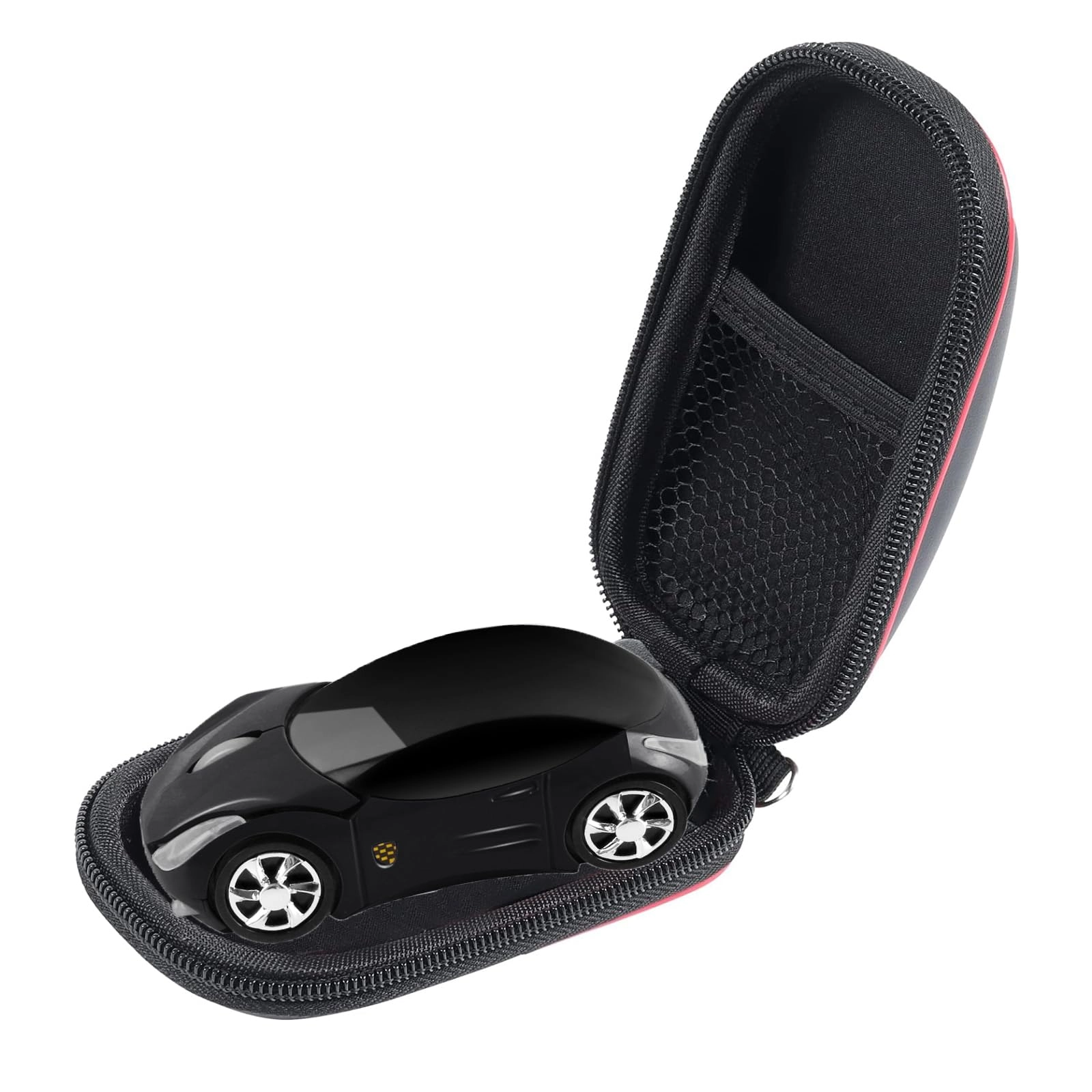
Streamline Ergonomic Design

Streamline Design (Comfortable hand feeling) more intimate Precise Optical Tracking

Accurate TrackingUpgrade High-performance Optical ChipsMore Advanced Bluetooth Technology and Dual-port 2-in-1 Receiver 2.4GHz USB-A and USB-CBT5.2 and BT3.0 switched freely2.4GHz USB-A & USB Type-C receiver Plug-and-play

Slim and Portable

The Lightweight and Slim Design Makes it Ideal for Travel and Fits Easily in a Laptop Bag or Pocket. (Dimensions : Size About 4.4 x 2.3 x 0.8 inch)

Reviews

Loading...
Loading...
Loading...
Loading...
Loading...
Loading...
Loading...
Loading...
Loading...
Loading...
Loading...
Loading...
Loading...
Loading...
Loading...
Loading...
Loading...
Loading...
Loading...
Loading...
Loading...
Loading...
Loading...
Loading...
Loading...
Loading...
Loading...
Loading...
Loading...
Loading...
Loading...
Loading...
Loading...
Loading...
Loading...
Loading...
Loading...
Loading...
Loading...
Loading...
Loading...
Loading...
Loading...
Loading...
Loading...
Loading...
Loading...
Loading...
Loading...
Loading...
Loading...
Loading...
Loading...
Loading...

Join our newsletter

Be the first to know about new arrivals, sales, and exclusive picks

Sign in to unlock newsletter access and stay in the loop

Allware
info@allware.com
+971522500911
World technology awards winner badge

Allware

  • About Us
  • Terms And Conditions
  • Privacy Policy
  • Contact Us

Partners

  • Why become a partner?
  • How to list your Online Shop?

Newsletter

  • Subscribe

Info

  • How Allware works
All Rights Reserved.
Please enable location access or select an emirate
-
00:00:00
Prayer timings

Offers (1)

Amazon logo

1 offer

From
AED
51

Qullqian Wireless Bluetooth Mouse for MacBook Air/Mac/Pro/Laptop/Computer/PC,Rechargeable Dual Mode Switch Mouse Bluetooth 5.2/3.0 and 2.4GHz USB Receiver

Silver
Price expired

This price may no longer be valid

AED
5149

Price History

Price History Skeleton
Price History Shimmer Effect
Loading price history...

Similar Products

See all
UrbanX 2.4GHz Rechargeable Wireless LED Mouse - Bluetooth

UrbanX 2.4GHz Rechargeable Wireless LED Mouse - Bluetooth

AED
5194
36 offers
elec Space Wireless Mouse - USB

elec Space Wireless Mouse - USB

AED
6321
31 offers
UrbanX UXM030 - Bluetooth

UrbanX UXM030 - Bluetooth

AED
5924
28 offers
Fawoonu Motospeed Darmoshark M3 Mouse - 2.4G/BT5.0/Type-C

Fawoonu Motospeed Darmoshark M3 Mouse - 2.4G/BT5.0/Type-C

AED
1587
24 offers
Dolrso Rechargeable Wireless Mouse - Bluetooth

Dolrso Rechargeable Wireless Mouse - Bluetooth

AED
5879
21 offers
elec Space Cute Mouse - USB

elec Space Cute Mouse - USB

AED
7009
20 offers
-50%
Beauenty Dual Mode Bluetooth Mouse - Wireless

Beauenty Dual Mode Bluetooth Mouse - Wireless

AED
10435
AED
5215
20 offers
PEIBO Dual-Mode Bluetooth Mouse - Wireless

PEIBO Dual-Mode Bluetooth Mouse - Wireless

AED
5414
17 offers
KUYHRF Ergonomic Vertical Mouse - Bluetooth

KUYHRF Ergonomic Vertical Mouse - Bluetooth

AED
5502
16 offers
-21%
Razer Basilisk V3 Pro - Wireless

Razer Basilisk V3 Pro - Wireless

AED
65900
AED
51900
16 offers

More from NANANA

See all
NANANA ZV99 Rechargeable Bluetooth Mouse - Wireless

NANANA ZV99 Rechargeable Bluetooth Mouse - Wireless

AED
6655
1 offer
NANANA A29 - Bluetooth 5.2/3.0 and 2.4GHz USB Type-C

NANANA A29 - Bluetooth 5.2/3.0 and 2.4GHz USB Type-C

AED
5149
1 offer
NANANA Selfie Ring Light - 26cm

NANANA Selfie Ring Light - 26cm

AED
29399
4 offers
NANANA Desktop Selfie Beauty Ring Fill Light - 16CM 20CM

NANANA Desktop Selfie Beauty Ring Fill Light - 16CM 20CM

AED
25999
9 offers
Loading...
Loading...
Loading...
Loading...
Loading...
Loading...
Loading...
Loading...
Loading...
Loading...
Loading...
Loading...
Loading...
Loading...
Loading...
Loading...
Loading...
Loading...
Loading...
Loading...
Loading...
Loading...
Loading...
Loading...
Loading...
Loading...
Loading...
Loading...
Loading...
Loading...
Loading...
Loading...
Loading...
Loading...
Loading...
Loading...